Overhead filming
You want to show the whole book and both hands at work from a fixed overhead angle. The key is choosing a suitable field of view and leaving enough distance from the work area.


Start by choosing a camera that suits its position: the book, tools and both hands need to fit in the frame, with your work in focus from the distance you plan to use. A webcam works with a computer you already own; a compact or gimbal camera records independently, while a mirrorless camera gives you more choice of lenses but also means finding the right combination of lens, mount and power supply. Before you buy, check the framing, lighting, sound and recording time at the shared workspace itself.
You want to show the whole book and both hands at work from a fixed overhead angle. The key is choosing a suitable field of view and leaving enough distance from the work area.
You film paper edges, folds or tools and want to adjust the lighting and focus to suit each step of the process.
You need to coordinate your setup and recording with others in the room, and want to consider whether they might be identifiable if you share the footage.
A good fit if: You film at your desk with a computer running. Logitech says the MX Brio’s Show Mode is designed to show what’s on your desk.
Keep in mind: Recording and storage depend on your computer and the software you use. Check the framing at your own desk.
A good fit if: You want to record independently without changing lenses. Canon lists the PowerShot V1 as having a built-in 16–50 mm zoom lens.
Keep in mind: The framing and focus depend on the built-in lens and the actual distance from the book.
A good fit if: You want to film moving perspectives as well as a fixed view. DJI lists the Osmo Pocket 3 at 179 g, with a focus range starting at 0.2 m.
Keep in mind: The minimum focusing distance and mounting setup need to work for you; a gimbal is no substitute for a secure overhead mount.
A good fit if: You want to adjust the field of view and working distance by choosing a lens. Canon lists RF and RF-S lenses for the EOS R50 V, while Sony lists the E-mount for the ZV-E10 II.
Keep in mind: The lens included in the specific package matters. Test your planned setup to see whether it captures the whole book and close-up details.
A good fit if: You prioritise standalone video recording, zoom and two SD card slots. Canon lists these features for the LEGRIA HF G70.
Keep in mind: Canon gives the minimum focusing distance as around 1 cm at wide angle and 60 cm across the rest of the zoom range. Check that this works with the zoom setting you plan to use.
Four questions can help you choose: will the book and your hands fit in the frame, will details remain clear in your room lighting, can you film considerately in a shared space, and will your planned recording setup cover each step of your work?
| What matters | What to check before buying | Who is it most relevant to? |
|---|---|---|
| Overhead view and close-up focus | Test the framing and focus with a book of the size you’ll actually use, from your planned camera height. | If I want to show the book and both hands at the same time, I’ll check that the distance and field of view are wide enough. Around 33% of consumers put a full overhead view first. |
| Lighting and paper details | Record a test using the room lighting you plan to use, then check the folds, shadows and white balance. | If I want to show fine edges and folds, I’ll make sure the lighting at my work table doesn’t obscure the details. Around 27% of consumers prioritise clear details in their room lighting. |
| Roommates and sound | Keep the frame focused on the work table and test for background noise and sound quality before recording. | If I’m filming in a shared room, I’ll want to avoid recording other people unintentionally. Around 20% of consumers say consideration for their roommates and sound is their main concern. |
| Recording workflow and accessories | Test a recording of the length you need, and check the power supply, storage, mount and, if applicable, computer software. | If I’m filming longer steps, I don’t want to stop because I need to change a memory card, power supply or software unexpectedly. Around 20% of consumers prioritise a recording setup that suits their needs. |
Even a high-resolution camera can cut off the edge of a book or fail to focus at the distance you need for a particular step.
Test the framing and sharpness with the book and your hands in place, from the camera position you plan to use.
Canon lists the EOS R50 V body and the lens kit as separate options.
Before you buy, compare the full variant name and what’s included with the recording distance you plan to use.
A wide frame or recorded sound may capture other people and their private space.
Point the camera at the area you need for your work, and before sharing footage, consider whether identifiable people and the intended use have been taken into account.
The MX Brio is a USB webcam for use with a computer you already own, including for views of your desk.
The PowerShot V1, EOS R50 V and LEGRIA HF G70 offer different recording setups: a fixed lens, interchangeable lenses and a camcorder respectively.
The Osmo Pocket 3 is a compact camera for changing perspectives and recording independently.
The ZV-E10 II is a mirrorless camera with an E-mount, allowing you to choose a lens to suit the available distance.
The Tiny 2 Lite is another webcam option for switching between desk and person-facing views.
The Joybuy products below include webcams for use with a computer and compact cameras. For each model, check the framing, focus and recording workflow at your own workspace.
 No image available
For a webcam setup connected to a computer; test whether its field of view captures the book and your hands in full at your table.
Described as a 4K webcam with a microphone, 99° field of view and privacy shutter.
 No image available
For recording with a webcam connected to a computer; try it out to see whether your desk setup captures the book and your hands.
Described as a USB webcam.
 No image available
For recording video independently and capturing changing perspectives; check that the focus distance works for the close-up shots you have in mind.
The product description lists 4K/120fps, a 1-inch sensor, 3-axis stabilisation and a rotating 2-inch touchscreen. DJI lists a focus range starting at 0.2 m.
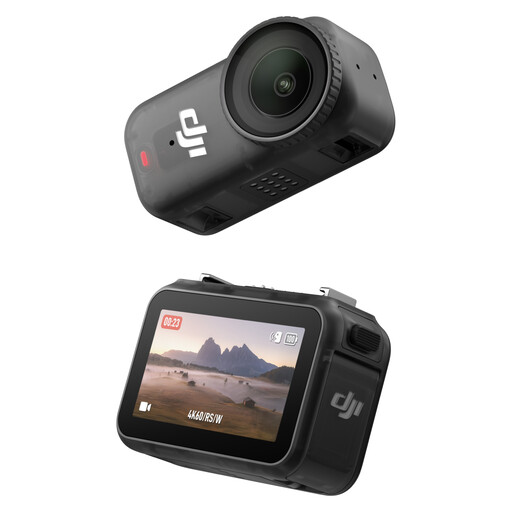
 No image available
For compact 4K video recording; test in advance whether your planned camera position captures the work area you need.
The product description lists 128 GB and 4K video.
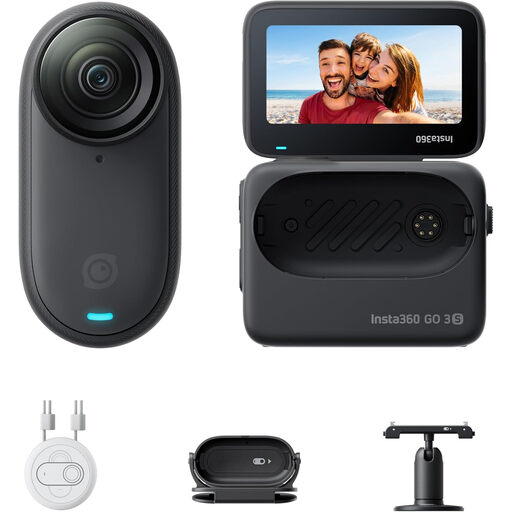
 No image available
For compact, standalone video recording; check whether the stated field of view frames your table as you’d like or captures more of the shared room.
The product description lists 4K/60 fps, a 1/1.3-inch sensor, a 143° field of view and 128 GB of storage.
First, check that the whole book and your hands are visible from the planned mounting height, and that the important details are in focus. Several of the models reviewed list 4K as a recording option, but that alone doesn’t tell you whether the working distance is right for you.
Set up the book and camera for a test recording, then check the lighting, shadows, framing and sound. If you’re using a webcam, also check that the computer software you use saves the recording as intended.
Check what’s included with the version you choose: a mirrorless camera body needs a compatible lens, and you’ll need suitable storage for standalone recording. In Germany, statutory rights against the seller are separate from a voluntary guarantee, as explained by the Verbraucherzentrale (consumer advice centre).
Not simply because the footage was recorded in your own room. The Data Protection Conference (Datenschutzkonferenz) notes that data protection obligations may apply to recording and further use when these activities go beyond purely personal or family purposes. Keep the frame focused on your work table, and before sharing footage, agree with anyone affected on what will be shown. Whether a particular use is permitted depends on the circumstances.