Bookbinders who need a fixed desk view
If you want to show your book and hands from above, compare the capture area you need with the camera position available to you. IPEVO lists a maximum capture area of 34,2 × 25,5 cm for the V4K PRO.


For a mostly fixed overhead view, a USB document camera is a natural place to start. IPEVO lists a maximum capture area of 34,2 × 25,5 cm for the V4K PRO, which you should compare with your book and hands on your own desk. If you need to switch between different views, a mirrorless camera with a suitable lens offers greater creative flexibility. A webcam is better suited to live tutorials run through a PC, while a gimbal camera is an option for moving perspectives. Whatever you choose, check the focus, lighting and recording time for your specific set-up.
If you want to show your book and hands from above, compare the capture area you need with the camera position available to you. IPEVO lists a maximum capture area of 34,2 × 25,5 cm for the V4K PRO.
If you want to switch between a full view and close-ups of details such as a fold or binding, the framing and the lens you actually use are key. Sony lists an E PZ 16–50 mm F3.5–5.6 OSS II lens with the ZV-E10 II kit, while Canon offers the EOS R50 V with an RF-S 14–30 mm lens.
A PC-connected desk view can work well for video-call tutorials. IPEVO lists USB-UVC for the V4K PRO, while Logitech describes the MX Brio’s Show Mode, which lets you show notes and sketches on your desk during a call.
| What you need | What to look for | Who will find this most important? |
|---|---|---|
| Capture the whole work surface | Measure your book, tools and hand movements, then check the framing from the mounting height available to you. IPEVO lists a maximum capture area of 34,2 × 25,5 cm for the V4K PRO. | If I want to show my book, tools and hands together, the framing needs to suit my desk. Around 36% of consumers put a full desk view first. |
| Show small details | Check the focus distance and the close-up framing you can achieve with the specific model or lens. Make sure there’s also enough room for your hands. IPEVO lists a focus range starting at 10 cm for the V4K PRO. | If I want to film a fold or binding clearly, a close-up matters more to me than showing the whole work surface. Around 29% of consumers prioritise small bookbinding details. |
| Record longer processes | Check the recording time with your chosen settings, as well as the power supply, storage and audio. Nikon lists up to 125 minutes of continuous footage for the Z 30; this isn’t a guarantee for every recording situation. | If I want to record a longer step in one take, I need to plan the recording time and power supply accordingly. Around 21% of consumers prioritise long, uninterrupted takes. |
| Teach live or change perspective | Decide whether you want the image to run through a computer or need moving shots. Then check the framing and mounting options for the specific model. | If I want to teach live from a computer or capture additional moving shots, I need a set-up that suits that exact workflow. Around 14% of consumers prioritise live tutorials or moving shots. |
A high resolution doesn’t tell you whether an open book and your hands will be fully visible from your planned mounting height.
Compare the book size, hand movements and camera position with the framing offered by the specific model.
The kit lenses listed for Sony and Canon don’t prove that you’ll be able to capture tiny binding details clearly from your working distance.
Before planning any extra accessories, check the focus distance and close-up framing with the exact lens included.
The IPEVO V4K PRO outputs its image via USB-UVC. Its published system requirements distinguish between live streaming and video recording.
Before you buy, decide where you want to save your recordings and check that your computer and software are suitable.
The V4K PRO is a USB document camera designed for a PC-connected desk view.
The MX Brio is a webcam for computer streams, with a tilting desk view for calls.
The ZV-E10 II is a video-focused APS-C mirrorless camera with interchangeable E-mount lenses.
The EOS R50 V is a video-focused mirrorless camera. The German kit researched includes an RF-S 14–30 mm lens.
The Osmo Pocket 3 is a compact gimbal camera for adding moving perspectives.
The Z 30 is a mirrorless option for recording your own tutorials and planning longer takes.
This selection includes webcams, a mirrorless camera and an action camera for PC-connected tutorials, flexible framing or longer video recordings.
 No image available
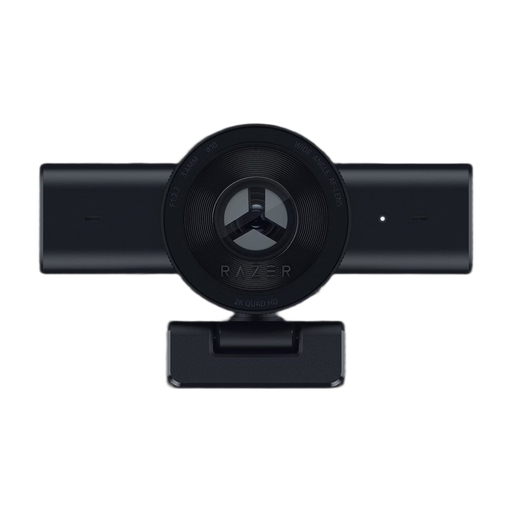
This webcam could be a good choice for PC-connected video recordings or streams, provided its field of view suits your set-up.
The product description lists 1080p at 60 fps, autofocus, USB and an 80° field of view. It also mentions an integrated privacy shutter and compatibility with OBS and XSplit.
 No image available
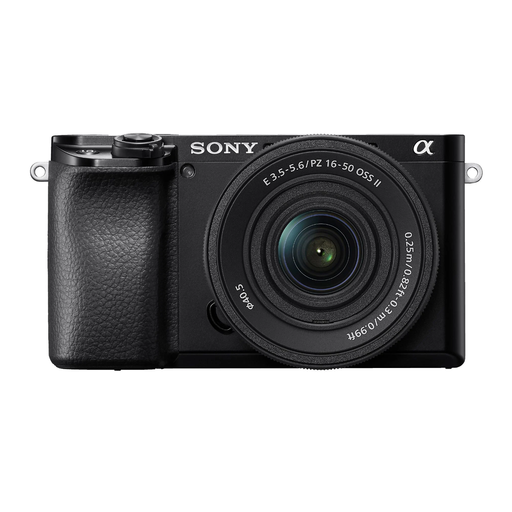
A mirrorless camera could be a good fit if you want control over the framing. Check the focus distance and field of view with the included lens to see how it handles your bookbinding details.
The product title lists a 16–50 mm power zoom lens, 4K video recording and a tilting display. The product description specifies a Sony E-mount.
 No image available
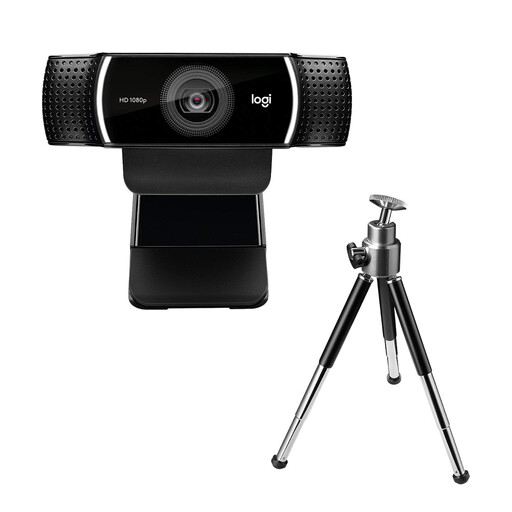
This webcam could work well for PC-connected tutorials if you want a flexible desk set-up.
The product description lists 1080p at 30 fps, autofocus, exposure correction and UVC support. It also mentions a USB cable and a desk tripod that extends up to 18,5 cm.
 No image available
This webcam could suit PC-connected streaming or video calls if you’re looking for a USB-A connection and autofocus.
The product description lists 4K video at 30 fps, autofocus, two integrated microphones and a manual privacy shutter. It also specifies USB-A and compatibility with Zoom and Microsoft Teams.
 No image available
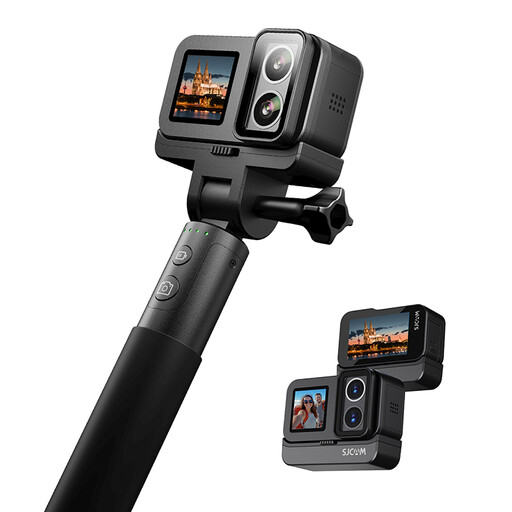
An action camera could be worth considering for different perspectives or longer recordings. If you want a fixed overhead view, also check how you’ll mount it above your desk.
The product description lists 4K recording at 30 fps, two displays, six-axis stabilisation, portrait and time-lapse modes. The battery life of up to 480 minutes applies when used with an extended battery module.
No. Also check the framing and focus range from your planned camera position. IPEVO lists a focus range starting at 10 cm and a maximum capture area for the V4K PRO, but these specifications alone don’t tell you how clearly it will capture details in your book.
First, make sure there’s enough room in the frame for your book and hands, then check the computer connection. IPEVO lists USB Type A and UVC for the V4K PRO; Logitech says you can tilt the MX Brio towards your desk during a call. Test the framing in practice before making a longer recording.
Check whether you’ll need a lens, mount, storage or power accessories for your set-up. The Canon kit researched doesn’t include a USB-C charger. According to consumer information from the European Union, goods bought by consumers from a business seller are covered by a minimum two-year legal guarantee. Online distance purchases covered by the relevant rules generally come with a 14-day right to cancel, although exceptions apply. A manufacturer’s warranty is not the same as a legal guarantee.
If other people can be recognised, check that you have an appropriate legal basis and have considered their personality rights before filming and publishing. The Virtual Data Protection Office notes that footage featuring identifiable people may be relevant under data protection law. Consent is one possible basis, but not the only one. Whether publication is permitted depends on the content and intended use.