Computer users without an amplifier
You mainly listen at your desk and want to connect a stereo pair to compatible outputs on your computer, without setting up a separate hi-fi system.


If you want to listen to music at your computer without a separate amplifier, an active pair of speakers with suitable inputs could be right for you. If you already have a compatible amplifier, you could also choose passive bookshelf speakers. Before deciding, check that you have room for both speakers, that your music sources have compatible connections, and consider the extra equipment and wiring an amplifier requires. A manufacturer’s list of connections is not evidence of any particular sound benefit for folk music.
You mainly listen at your desk and want to connect a stereo pair to compatible outputs on your computer, without setting up a separate hi-fi system.
You need to fit two speaker cabinets around your monitor and work essentials, while making sure they’re positioned properly for where you sit.
You’d like to keep using a compatible amplifier you already own and choose your speakers and electronics separately.
A good fit if: you want to listen without a separate hi-fi amplifier and one of the inputs is compatible with your sources.
Things to consider: Inputs vary by model, so make sure to allow for a power supply and the connection between the speakers too.
A good fit if: you already have a suitable amplifier or want to choose your amplifier and speakers separately.
Things to consider: A passive pair needs a separate amplifier. Check whether you’ll also need speaker cables.
| What matters | What to check before buying | Who is this important to? |
|---|---|---|
| Sound from your listening position | Position both speakers as symmetrically as possible. Genelec notes that similar reflections on the left and right help create a stereo image. | If I listen to folk at a fixed spot at my desk, I want to judge the voices and instruments for myself and position both speakers accordingly. Around 36% of consumers prioritise sound from their listening position. |
| Room for two speakers | Measure the available space for both cabinets, including room for connections and cables. For comparison, Edifier lists the dimensions of one R1280DBs cabinet as 146 × 234 × 196 mm (W × H × D). | If there’s little room around my monitor and work essentials, I need to allow for the footprint of both cabinets. Around 29% of consumers prioritise space requirements and positioning. |
| Connecting your music sources | Check your devices’ audio outputs against the specific model: Nubert lists USB-C for the nuBoxx A-125 pro, while Edifier lists USB-C, AUX and Bluetooth for the M60. | If I want to connect my computer or phone using the ports I already have, I check the input list for the exact model. Around 21% of consumers prioritise having the right connection for their sources. |
| Reusing your amplifier | With a passive pair, check that your amplifier is compatible and that you have the right cables. KEF describes passive bookshelf speakers as models that need a separate amplifier. | If I have a suitable hi-fi system, I want to keep using the amplifier or choose the components separately. Around 14% of consumers prioritise using an amplifier they already own. |
Bluetooth, USB audio and network features are different ways to connect, and they’re not all available on every model.
Before you decide, check the input list for the exact model variant against the connections you need.
Passive speakers need a suitable external amplifier. Without compatible electronics, your system won’t be complete.
Check your amplifier, sources and cable requirements together before comparing active and passive options.
If you don’t already have a suitable amplifier, you’ll need to include one in your system plan. You may also need speaker cables.
For the KEF LSX II LT, the manufacturer specifies a cable connecting the speakers. So network features don’t automatically mean that the speakers connect to each other wirelessly.
For any active system, check the power supply, source connection and connection between the speakers separately.
Cable routing can affect the space available and where you can position the speakers on your desk.
For a left-right setup, the number of speakers and exact model variant need to match the listing. Teufel explicitly states that the ULTIMA 20 Mk4 comes as a pair of two speakers.
Check the full model name, quantity and what’s included before buying.
If a listing doesn’t include the pair you planned for, you’ll need to adjust your choice or setup accordingly.
Edifier offers active models for a range of computers and music sources.
The nuBoxx A-125 pro is an active stereo pair for anyone looking to connect a computer via USB-C and other sources through different inputs.
KEF offers the active LSX II LT system with computer and network connections, as well as the passive Q1 Meta for a separate amplifier setup.
The active Debut ConneX DCB41 could suit anyone with several wired sources.
The D3V is an active desktop monitor pair for a dedicated computer listening position.
The ULTIMA 20 Mk4 is a passive bookshelf speaker pair for anyone looking to use a suitable amplifier.
This selection includes active computer speakers and passive bookshelf speakers for your workspace. Passive models need a suitable external amplifier.
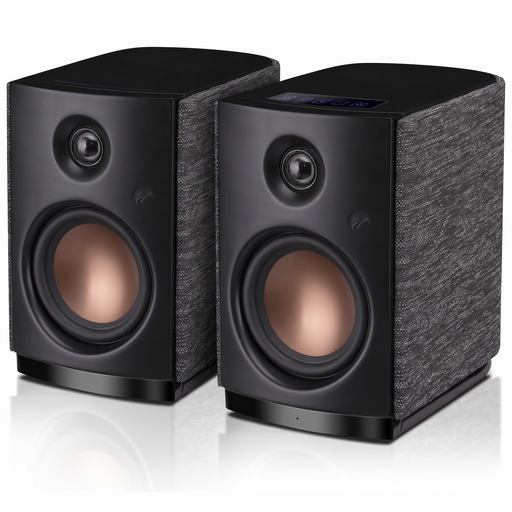 No image available
These active computer speakers could suit a desk setup if Bluetooth works with the sources you want to use.
Bluetooth 5.0; 4-inch woofer; 62 W RMS according to the product title.
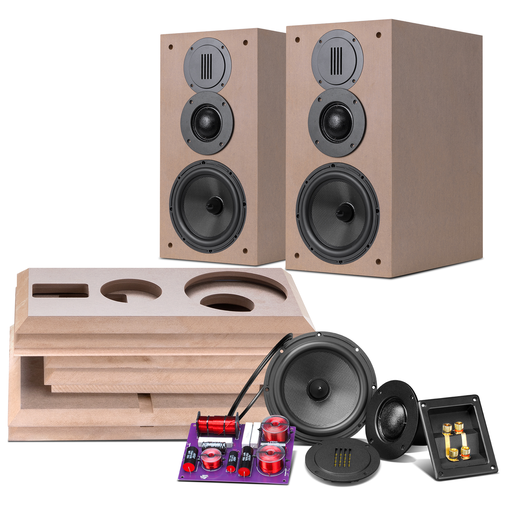 No image available
This passive pair could suit you if you’d like to use a suitable external amplifier.
6.5-inch bookshelf speakers; listed as a pair.
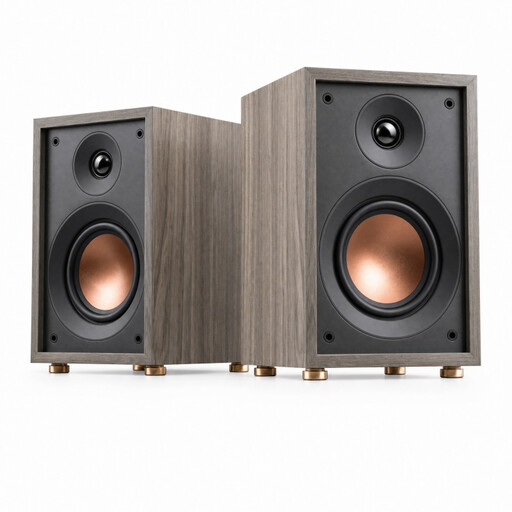 No image available
As a passive bookshelf speaker, this model needs a suitable external amplifier.
2-way bass-reflex system; 4-inch woofer; 20 mm dome tweeter; 60 Hz–20 kHz; 4 Ω.
 No image available
This passive model could suit you if you’re planning to use a suitable external amplifier.
2-way system; 6.5-inch mid-woofer; 28 mm soft-dome tweeter; rear bass-reflex port; 8 Ω.
No. Passive speakers need a suitable external amplifier. If you want to listen without a separate amplifier, look for an active pair with an input that’s compatible with your laptop.
Position both as symmetrically as possible in relation to your regular listening spot, and aim for a similar height and setting on the left and right. Genelec explains how positioning and reflections can affect the sound; it’s also important to follow the specific placement guidance for your model.
No. Your statutory consumer rights generally apply against the seller, while a warranty is an additional voluntary service with its own terms. The Verbraucherzentrale lists repair or replacement as ways of putting faults right.
In Germany, online consumer contracts generally come with a 14-day right to cancel, and you must notify the retailer that you’re cancelling. Check the terms of your specific purchase, and don’t confuse your legal cancellation right with a longer voluntary returns period.
The Bundesnetzagentur explains that products covered by the relevant EU harmonisation legislation must carry the CE marking. The CE mark is a declaration by the manufacturer, not an independent sound or quality certification. The model name alone isn’t a substitute for checking the specific listing.