Computer listeners without an amplifier
If you want to listen to music from your work computer, first check that an active stereo pair has the right input for your source. Nubert lists USB-C, digital inputs and Bluetooth for the nuBoxx A-125 pro.


If you mainly play music from your work computer and don’t have an amplifier, an active stereo pair is a natural place to start. Check that its inputs suit your source and that both speakers will fit on your desk or around your listening position. Passive bookshelf speakers are worth considering if you already have a suitable amplifier or would prefer to choose the components separately. If space is tight, dimensions matter more than the wattage figure alone. Neither type guarantees that you’ll enjoy the sound at low volume.
If you want to listen to music from your work computer, first check that an active stereo pair has the right input for your source. Nubert lists USB-C, digital inputs and Bluetooth for the nuBoxx A-125 pro.
If there’s little room alongside your monitor and work essentials, make sure both speakers will fit and can be positioned to suit your listening spot. Edifier lists dimensions of 146 × 234 × 196 mm per speaker for the R1280DBs.
If you already own an amplifier, passive speakers are also an option. KEF explains that passive bookshelf speakers need a separate amplifier; check that the specific pair is compatible with your equipment.
First, work out whether you need an amplifier, then check that the source, inputs and space requirements suit your workspace. If quiet background music matters to you, try to assess the sound at the volume you usually listen at.
| What matters | What to check before buying | Who should pay particular attention? |
|---|---|---|
| Connecting to your music source | Match your computer’s output to the inputs on the exact model variant; don’t assume USB audio, AUX and Bluetooth are interchangeable. | If I want to play music directly from my work computer, its output needs to be compatible with the speakers. That’s why around 33% of consumers prioritise connectivity with their source. |
| Desk space and positioning | Measure the width and depth available for both speakers, then compare this with their cabinet dimensions. | If my desk is short on space, I need to be able to position both speakers so they work for my listening spot. Around 27% of consumers therefore prioritise the space available. |
| Listening at low volume | Where possible, assess the sound and controls at your usual listening volume; wattage figures alone won’t tell you how it sounds. | I want to be able to listen to quiet background music without basing my decision solely on a power rating. Around 20% of consumers focus on how speakers perform at low volume. |
| Amplifier and system set-up | With passive speakers, allow for a suitable amplifier and its connection requirements; active models have amplification built in. | If I already own an amplifier or want to choose my speakers and electronics separately, a passive pair could be a good fit. Around 20% of consumers prioritise the system set-up. |
Passive speakers need an external amplifier; a computer’s audio output can’t do that job.
Before you buy, check whether you have a suitable amplifier. If not, compare the extra component you’ll need with an active pair.
Connections vary by model. For example, a USB port may be intended for playing MP3 files and may not work as an audio input for a computer.
Check the exact model variant’s specifications against the connection you need.
A stereo pair needs two suitable spots. A power rating on its own won’t tell you whether you’ll enjoy the sound at your usual quiet working volume.
Measure the space for both speakers and, if possible, assess the sound and controls at the volume you actually listen at.
The active R1280DBs and M60 models cater for different connection and space requirements.
The active nuBoxx A-125 pro is designed, among other things, for computer use.
The passive ULTIMA 20 Mk4 is an option for a system with a suitable amplifier.
The active LSX II LT combines a computer connection with network and multi-room features.
The 104-BT are compact desktop reference monitors with Bluetooth.
The Joybuy products below include active bookshelf speakers for compatible computer sources, as well as passive pairs for a separate amplifier system.
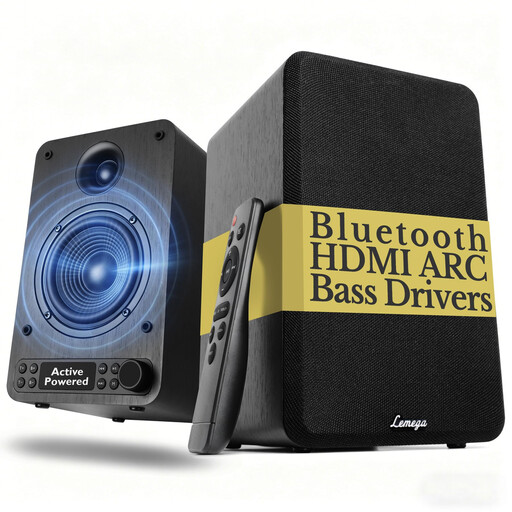 No image available
An active pair for music from a compatible source; the product name lists Bluetooth, HDMI ARC, an optical input, AUX and RCA.
The USB port is listed for MP3 playback, not as a USB audio input for a computer. Bass and treble controls and a remote control are also listed.
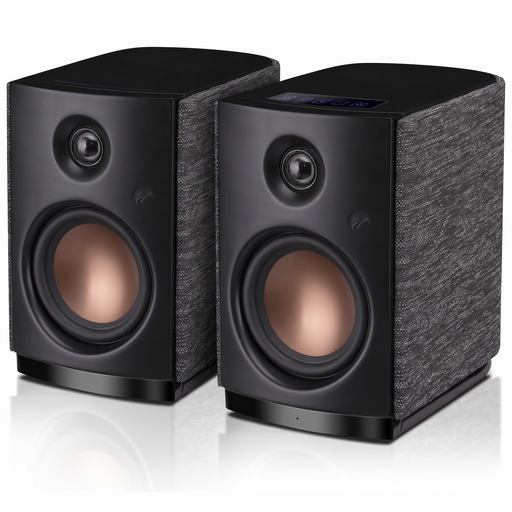 No image available
An active stereo pair for computer sources; the product name lists Bluetooth 5.0, AUX and touch controls.
Specifications include a 4-inch woofer and 62 W RMS.
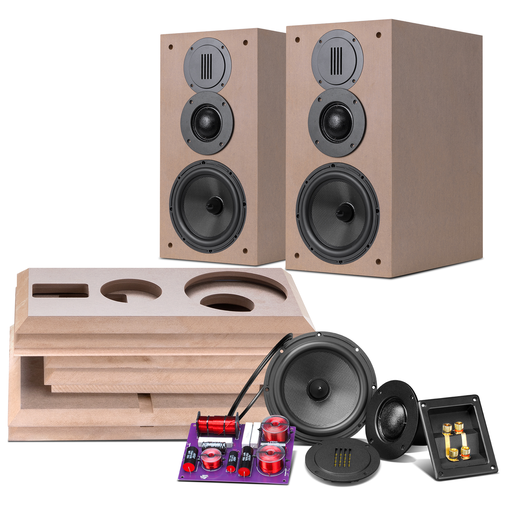 No image available
A passive bookshelf speaker pair for a system with a suitable amplifier.
The product name lists 6.5-inch speakers and a pair. A separate amplifier is required.
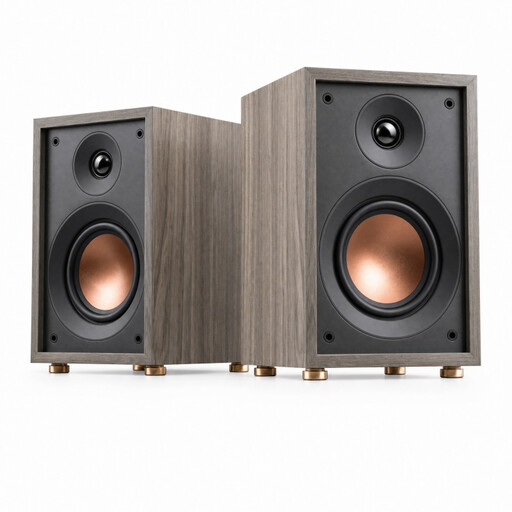 No image available
A passive 2-way bookshelf speaker pair for a system with a suitable amplifier.
Specifications include a 4-inch woofer, a 20 mm dome tweeter, 4 Ω and a stated power range of 10–50 W. A separate amplifier is required.
 No image available
A passive hi-fi bookshelf speaker pair for a system with a suitable amplifier.
The product name lists a 6.5-inch mid-woofer, a 28 mm tweeter, 8 Ω and a stated power range of 10–120 W. A separate amplifier is required.
For passive models, yes; active speakers have amplification built in. KEF explains that passive bookshelf speakers need to be connected to a separate amplifier. For active models, also check that one of the inputs suits your music source.
No. A USB port isn’t automatically a USB audio input for a computer. Check the details for the specific model variant and match them to your computer’s output; the Lemega speakers in this selection list USB for MP3 playback.
Check the power supply, volume, audio cables, selected input and whether the source is sending a signal. Edifier recommends these steps for the R1280DB; for other models, follow the relevant instructions.
Not simply because it’s a speaker. According to the European Union, CE marking is required for products covered by harmonised EU rules that require it. The requirements for a specific model depend on the applicable regulations; CE marking is not a sound-quality rating.