What should you consider when choosing?
Two separate speakers
A good fit if: you listen attentively from a dedicated position and have room for a speaker on each side.
Bear in mind: you’ll need space for both speakers, and their connection must work with your desk setup.
A single speaker
A good fit if: space is limited and you mostly listen in the background.
Bear in mind: a single unit can’t be positioned like two separate speakers, one on each side of your listening position.
First decide what matters most to you: spacious sound, a direct computer connection, a small footprint or being considerate of others in your home.
| Priority |
What to check when buying |
Who is it important to? |
| Spacious sound at your listening position |
Check whether both speakers can be placed at a similar height and angled towards your seat. |
If I want to appreciate the stereo image of brass band music at my desk, I need two speakers that can be positioned suitably. Around 36% of consumers prioritise the stereo image. |
| Connection for your music source |
Check your computer’s audio output against the inputs specifically listed for the exact model, and find out whether you’ll need any adapters. |
If you mainly listen from your work computer, you’ll want to connect it without running into an incompatible connection. Around 29% of consumers prioritise computer connectivity. |
| Desk space and easy playback |
Measure the available space and check whether you want to listen from your computer, via Bluetooth or through supported streaming options. |
If I have limited desk space and mostly listen in the background, a speaker that’s easy to position is important. Around 21% of consumers prioritise a small footprint and straightforward playback. |
| Being considerate at home |
Check the applicable quiet hours and house rules, and consider the volume at your intended listening position. The German Environment Agency refers to state law, local regulations and house rules. |
If you listen to music in a flat, you’ll want to adjust the volume and avoid disturbing others unnecessarily. Around 14% of consumers consider being considerate the most important condition for listening. |
Joybuy products for brass band music in your home office
The following Joybuy products range from USB computer speakers to separate bookshelf speakers. Passive speakers require a compatible amplifier.
 No image available
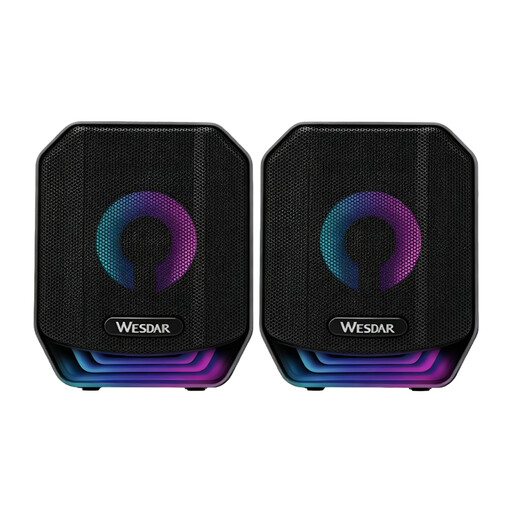
PC speaker set, USB stereo, 2-piece, RGB, black
For computer playback through two separate speakers with a wired USB connection.
As stated in the product name: two-piece stereo set with a USB connection and RGB lighting.
View at Joybuy
 No image available
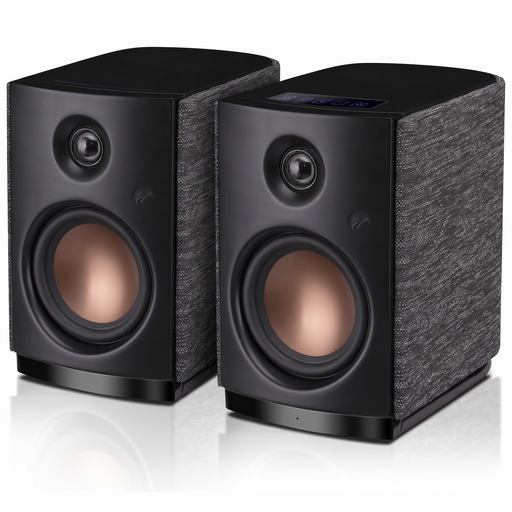
HiVi-Swans OS-10, active stereo bookshelf speakers
For separate stereo placement at your desk, if you’re considering active computer speakers with Bluetooth.
As stated in the product name: Bluetooth 5.0, 4-inch woofer and 62 W RMS.
View at Joybuy
 No image available
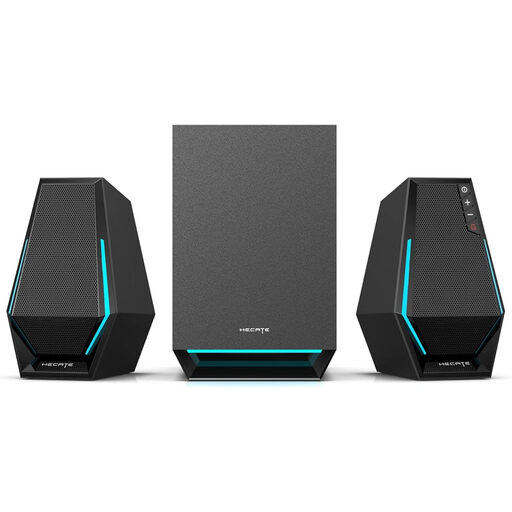
Edifier Hecate G1500 MAX, 2.1 speaker system
For PC playback through two satellite speakers and a subwoofer, if you want to use the listed wired inputs.
As stated in the product name: 60 W, subwoofer output, Bluetooth 5.3, USB, Type-C and 3.5 mm AUX.
View at Joybuy
 No image available
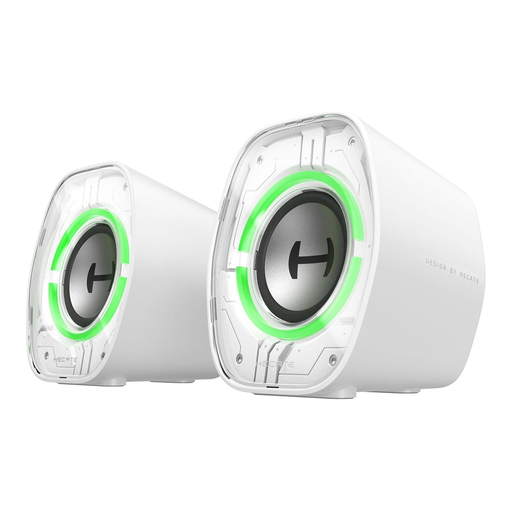
Edifier G1000 II desktop computer speakers, white
For computer playback at your desk, with several connection options listed in the product name.
As stated in the product name: 2.5-inch full-range drivers, Bluetooth 5.4, USB-C and AUX, plus nine RGB lighting modes.
View at Joybuy
 No image available
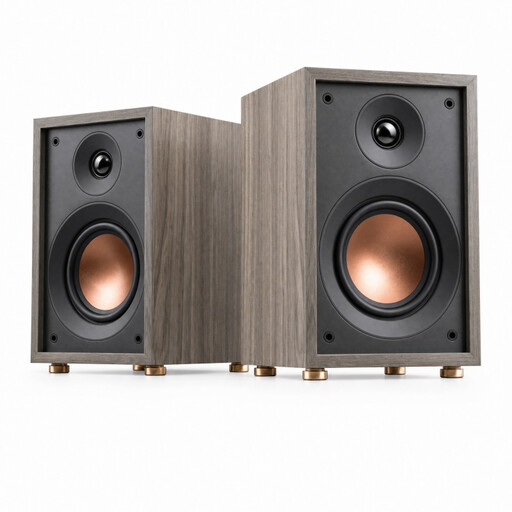
HiVi-Swans Oasis, passive two-way bookshelf speakers
For separate stereo placement if you already have a compatible amplifier or are planning to get one.
As stated in the product name: 4-inch woofer, 20 mm dome tweeter, 60 Hz–20 kHz, 4 Ω and 10 W–50 W. A compatible amplifier is required for use.
View at Joybuy
Frequently asked questions
How should I position two speakers at a dedicated desk?
Position them as symmetrically as possible on either side of your listening position, and angle both towards your seat. Genelec notes that room reflections and unequal distances can affect the stereo image; studio placement is a guide, not a requirement for every home office.
Can I connect any speaker directly to my computer via USB-C?
No. Check the USB audio function of the specific model. Teufel describes a USB-C sound card function for the ULTIMA 25 AKTIV 2, while Sonos says the Era 100’s USB-C port is for adapters for line-in and Ethernet.
What should I check after setting the speakers up?
Listen from your usual seat to check that both channels sound balanced. If the stereo image seems off, first try adjusting the speakers’ angle and position. Genelec lists speaker placement and room reflections as factors that affect what you hear.
What quiet hours apply to listening to music in a home office?
The rules depend on where you live and your house rules. The German Environment Agency lists state law, local regulations and house rules as possible sources of quiet-hour requirements for neighbourhood noise; check the rules that apply where you live.
What if I don’t like the sound after buying online, or the device is faulty?
For an online consumer contract, you generally have a 14-day right to cancel; you must notify the other party to the contract that you wish to cancel. If a product is faulty, your statutory rights against the seller are separate from any voluntary guarantee. Check the terms of your specific purchase.


