Bread bakers with long proving times
If you want to set a long interval before checking your dough again, look for an adjustable hours range rather than just a minutes display.


Choose a timer based on the longest interval before you need to check your dough again. For long single countdowns, TFA Dostmann specifies that model 38.2051.02 counts down for up to 99 hours, 59 minutes and 59 seconds; according to the manufacturer, model 38.2025 displays two measurements at once. A short timer with a maximum of 99 minutes and 59 seconds is only suitable if your checking interval falls within that range. The alarm reminds you to check the dough, but it does not tell you whether it has finished proving.
If you want to set a long interval before checking your dough again, look for an adjustable hours range rather than just a minutes display.
If you want to keep track of another dinner task while your dough proves, a model with two separately displayed countdowns can help you keep both timings in view.
If you only set a short interval at a time and check the dough afterwards, a single short timer may be enough.
King Arthur Baking says that proving typically takes around 1 to 2 hours, depending on the dough and the surroundings. Set your countdown to suit your recipe and kitchen routine, then check that it falls within the model’s maximum countdown time.
Suitable if: you want to time a long proving or checking interval without having to reset the timer.
Keep in mind: A single timer cannot track a second task at the same time; TFA Dostmann says that the two AAA batteries for the TFA 38.2051.02 are not included.
Suitable if: you want to time proving and another task independently; according to TFA Dostmann, model 38.2025 displays two measurements at once.
Keep in mind: The manufacturer says that model 38.2025 requires two AAA batteries, which are not included.
Suitable if: each of your checking intervals lasts no more than 99 minutes and 59 seconds and you only need to track one time.
Keep in mind: For a longer single interval, you’ll need to reset the timer or plan differently.
| Buying criterion | What to check | Who is it important to? |
|---|---|---|
| Countdown length | Check the maximum time you can set and compare it with when you plan to check the dough. | If I can’t check the dough again until after a longer proving time, I want the timer to keep running without having to reset it. Around 36% of consumers give a long single countdown as their top priority. |
| Two timers at once | Look for two countdowns that run in parallel and have separate displays. | If I’m proving dough and working on dinner at the same time, I don’t want to have to overwrite one of the timings. Around 29% of consumers say that parallel countdowns are their top priority. |
| Alarm and display | Check the alarm settings, mute function and visual alerts for the model you’re considering. | If I have guests or won’t be near the timer all the time, I need a reminder that suits the situation. Around 21% of consumers say that alerts are their top priority. |
| Ease of use | Check the countdown range, mounting options and battery type, including what’s supplied. | If I only need short intervals, I don’t want to choose features I won’t use. Around 14% of consumers say that a simple short timer is their top priority. |
A timer with a maximum of 99 minutes and 59 seconds cannot be set for a longer single countdown.
Compare the stated maximum countdown time with the interval you plan to leave before checking.
The alarm marks a time to check the dough. The time it needs to prove depends on factors including the dough and its surroundings.
Use the alarm as a reminder, then assess the dough using suitable signs.
Battery requirements and mounting options vary between models.
Check in advance that there’s a suitable surface for a magnet where you plan to put the timer, and check the battery type and what’s included.
If the batteries aren’t included with the model, you’ll need to buy them separately before use.
Models 38.2051.02 and 38.2025 are options for long single countdowns and for displaying two timings at once, respectively.
The Hama 00002949 is a short timer for individual intervals of up to 99 minutes and 59 seconds.
The Technoline KT 200 is a digital countdown timer and stopwatch for individual intervals.
The GEFU CONTARE 12330 is another short-timer option, with a magnet or stand.
This selection includes digital timers for short checking intervals and a mechanical egg timer. The egg timer isn’t suitable if you specifically need a digital countdown. For longer proving times, check the maximum countdown time for the model you’re considering.
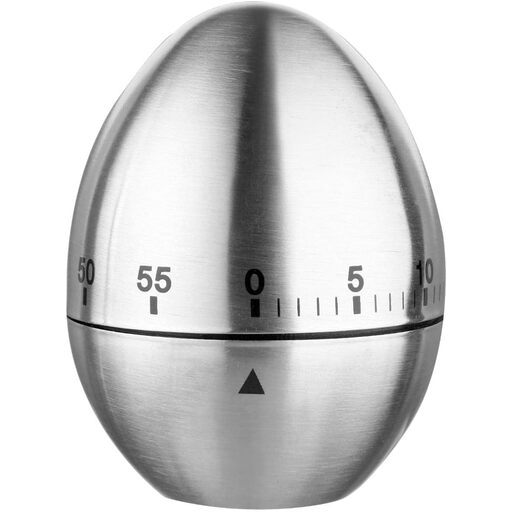 No image available
This mechanical egg timer isn’t suitable if you specifically need a digital countdown.
Stainless steel; 6.1 cm; silver-coloured.
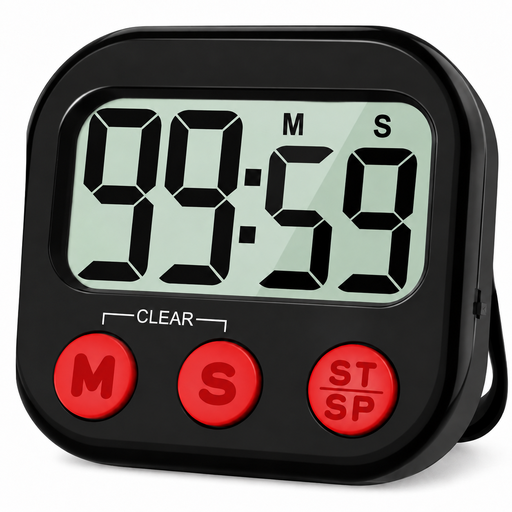 No image available
For individual checking intervals of up to 99 minutes and 59 seconds, with adjustable alarm volume.
Countdown up to 99 min 59 sec; LCD display; stand, magnet and hanging option.
You can’t set a longer single countdown with this model.
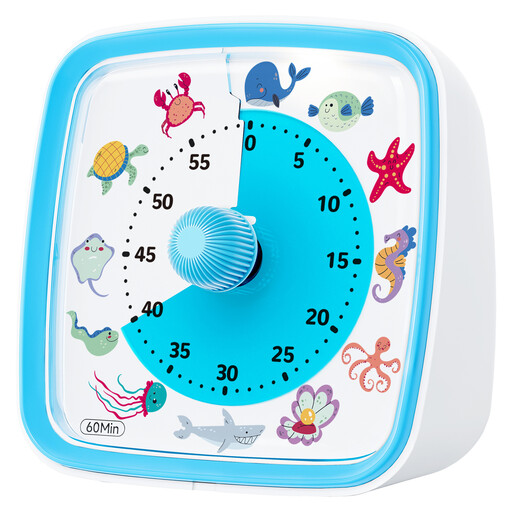 No image available
For short checking intervals when it’s helpful to see time passing.
Countdown up to 60 minutes; shrinking colour display; pause function and audible alarm.
The countdown is limited to 60 minutes.
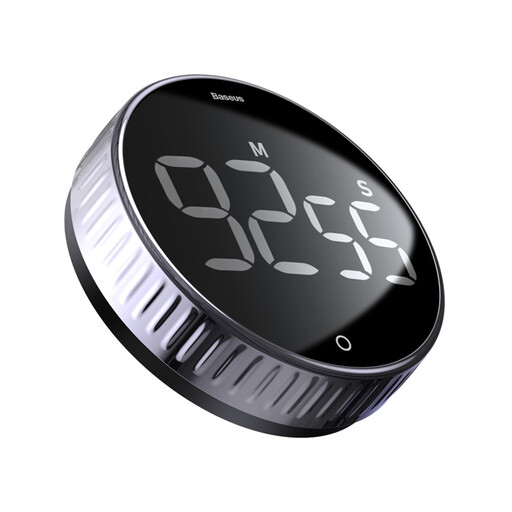 No image available
For individual checking intervals of up to an hour, if you prefer to set the countdown by turning a dial.
Countdown from 1 to 60 minutes; LCD display; audible signal when the countdown ends.
The countdown is limited to 60 minutes.
No, not based on the alarm alone. The timer reminds you to check the dough; proving time depends on the dough and its surroundings. Crumbs & Crust describes a gentle finger test as one possible guide for doughs made mainly with wheat or spelt flour. For rye doughs, look at signs such as an increase in volume and cracking instead.
First check whether there’s a suitable surface for a magnet where you want to put it; otherwise, a stand may be an option on models that have one. TFA Dostmann specifies two AAA batteries for model 38.2025, which are not included. GEFU says that one AAA battery is included with the CONTARE 12330.
For consumer purchases made at a distance, you generally have a 14-day right to cancel from the date the goods are delivered; Your Europe notes that exceptions may apply and that return costs may be payable. The Verbraucherzentrale distinguishes between your statutory rights against the seller and a voluntary guarantee.
No. The German Environment Agency explains that waste electrical equipment should be collected separately. Remove any batteries that can be taken out and dispose of them separately at a battery collection point before handing in the device.