Bread bakers with long proving times
You want to track a longer proving time with a continuous countdown, then decide for yourself whether the dough is ready.


Choose a timer based on how long you want to monitor proving without resetting it: for a long single countdown, you’ll need a sufficiently high time limit; for proving and a second task, two countdowns running at the same time may be useful. Also check that you can see the display or hear the alarm from where you plan to place it in the kitchen. The alarm is a cue to check the dough, but it doesn’t prove that it’s ready to bake.
You want to track a longer proving time with a continuous countdown, then decide for yourself whether the dough is ready.
You want to keep track of proving and another task separately while your kitchen is being set up.
You need a timer whose display or alarm you can see or hear wherever you’re working, and that you can position or attach as needed.
Best for: When your planned proving time is longer than a short-duration timer can be set for. According to TFA Dostmann, the TFA Dostmann 99HOURS 38.2049.02 has an hours countdown of up to 99 hours and 59 minutes.
Consider: Saved times aren’t the same as two countdowns running at once. The AAA batteries required for this model aren’t included.
Best for: When proving and another task need to run independently. TFA Dostmann lists a maximum of 99 hours, 59 minutes and 59 seconds for the 38.2025; ADE lists a limit of 23 hours, 59 minutes and 59 seconds for the KT102.
Consider: Compare the time limit for each countdown with your routine. The AAA batteries required for the TFA 38.2025 aren’t included.
Best for: When you mainly set shorter check-in intervals and restart the countdown as needed. According to the manufacturer, the Technoline KT 200 counts down for up to 99 minutes and 59 seconds.
Consider: This time limit isn’t long enough for an extended, uninterrupted proving time. One AAA battery is required and isn’t included.
| Criterion | What to look for | Who should pay particular attention? |
|---|---|---|
| Countdown run time | Compare the longest planned time until your next check with the stated maximum countdown duration. | If I want to monitor a long proving time without resetting the timer, I need a sufficiently long single countdown; around 29% of consumers prioritise a suitable run time. |
| Parallel timing | Look for two countdowns that can be used at the same time, and check the maximum duration of each one. | If proving and kitchen set-up tasks have different end times, I want to track them separately; around 23% of consumers prioritise timing tasks in parallel. |
| Alarm and placement | Check the volume, visual alert and whether the timer has a stand or magnet for your chosen spot. | If the timer needs to move while the kitchen is being set up, I need to be able to hear or see it where it’s placed; around 18% of consumers pay particular attention to the alarm and placement. |
| Ease of use when checking | Understand the difference between a memory function, stopwatch and independent countdowns; check how to start and stop the specific model. | If I set check-in intervals repeatedly, I want to start them easily without confusing saved times with parallel timers; around 18% of consumers prioritise ease of use. |
| Batteries | Check the battery type, quantity and what’s included with the exact model variant. | If I want to avoid having to buy anything extra, what’s included matters to me; around 12% of consumers pay particular attention to batteries and ongoing costs. |
A timer measures time, not whether dough is ready. Plötzblog suggests looking for an increase in volume and how the dough springs back after a gentle press with your finger.
Saved presets aren’t a substitute for two independent timers when proving and another task have different end times.
Look for an explicit mention of two countdowns that can run at the same time in the product description.
The maximum countdown time varies by model. A device with a limit of 99 minutes and 59 seconds can’t be used as a single countdown for every longer proving time.
Compare the longest time until your next check with the stated countdown limit. If it isn’t long enough, you may need a timer with a longer run time.
The timer tells you when the set time has elapsed, not what state the dough is in.
Use the alarm as a reminder to check the dough, then assess it according to your recipe.
Battery inclusion and placement options vary by model. A magnet will only work on a suitable magnetic surface.
Check the batteries and intended location together. If there’s no suitable magnetic surface, you’ll need another suitable spot; any batteries not included will need to be bought separately.
The models mentioned offer options for long single countdowns or two measurements running at the same time.
The KT102 is an option if you want to track proving and another task at the same time.
The KT 200 is worth considering for shorter check-in intervals that you restart regularly.
The Attimo is an option for different ways of using and positioning a timer, with both count-up and countdown functions.
The 00002949 digital kitchen timer is an option if volume settings and a visual alarm are important to you.
This Joybuy selection includes timers for kitchen countdowns and short check-in intervals. For longer proving times, the stated maximum duration of each model is what matters.
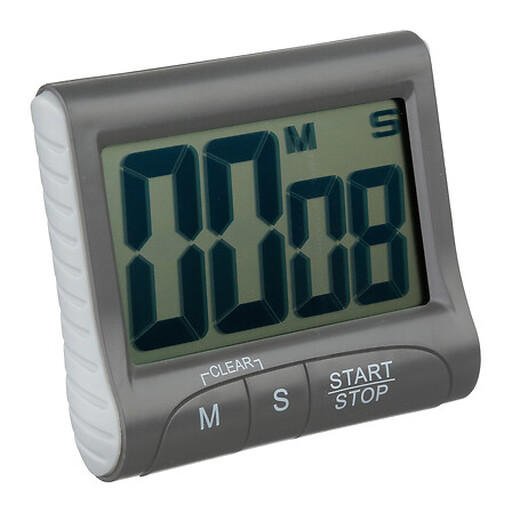 No image available
An option for kitchen and baking tasks if you’re looking for a countdown with an audible alarm, and a timer that you can stand up or hang.
According to the product description, one AAA battery is included. Keep it away from water and extreme heat.
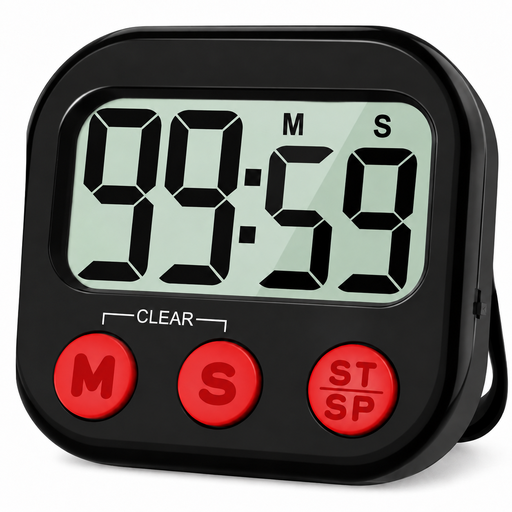 No image available
For shorter check-in intervals, if you’re looking for adjustable volume and different placement options.
The countdown runs for up to 99 minutes and 59 seconds. This limit isn’t long enough for every extended, uninterrupted proving time.
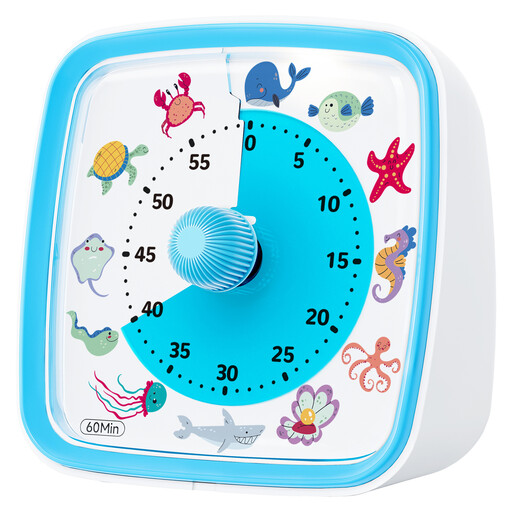 No image available
An option for shorter kitchen check-in intervals if you’re looking for a visual display with an additional audible signal.
The countdown is limited to 60 minutes. The pause function described doesn’t change this time limit.
No. The alarm alone doesn’t tell you that the dough is ready. Use it as a reminder to check: Plötzblog suggests looking for an increase in volume and seeing how the dough reacts to a gentle press with your finger. The right signs also depend on the dough and the type of bake you’re making.
Choose a spot where you can see the timer clearly and notice its signal. TFA Dostmann lists stands and magnetic holders for the 38.2025, while Technoline lists them for the KT 200; you’ll need a suitable surface for magnetic attachment. If the timer only has a visual signal, keep the display in your line of sight.
Check the battery type required and what’s included with your exact model. If a purchased product is faulty, your statutory rights against the seller are separate from any voluntary manufacturer’s guarantee; the consumer advice centre explains the difference.
Don’t put waste electrical equipment in your household rubbish. The German Environment Agency recommends removing any detachable batteries before disposal, collecting them separately and taking them to a battery collection point.