Families who watch TV during the day
If you watch family videos in bright daylight, screen brightness and anti-reflection performance in your chosen spot matter. Check how windows and lights appear on screen from the seats you usually use.


For family videos in a bright living room, first check how brightness and reflections look from your planned seating position, then match the screen size to your viewing distance. If you’re playing videos from USB storage, check the file system, video format and audio track supported by the specific TV; a USB port alone doesn’t guarantee compatibility. Mini-LED LCD could be a good choice if daylight and reflections are your main concerns. A bright OLED is also worth considering if dark film scenes matter to you and you can manage distracting light sources in the room.
If you watch family videos in bright daylight, screen brightness and anti-reflection performance in your chosen spot matter. Check how windows and lights appear on screen from the seats you usually use.
If your recordings are stored on USB drives or come in different formats, check how the TV will play your files. A USB port alone doesn’t tell you whether the picture and sound will play directly on the TV.
If you watch from different distances or at an angle, factor in viewing distance, available space and the viewing angle of the specific model.
The consumer advice centre recommends considering screen size, lighting conditions and viewing angles together at the intended location.
| Buying consideration | What to check before buying | Who it matters to most |
|---|---|---|
| Screen visibility in daylight | Check brightness measurements and the anti-reflection performance of the specific model; look for reflections on the switched-off screen from your seat. | If daylight from a window falls on the screen, I want to see faces without distracting reflections. Around 36% of consumers would put screen visibility in daylight first. |
| Playing your own videos | Check the file system, video format and audio track against the specifications for the specific model; for USB playback, check the drive’s file system too. | If our family archive contains different types of recording, I want to know before buying whether the picture and sound will play directly. Around 29% of consumers prioritise playing the videos they already have. |
| Screen size and multiple viewing positions | Measure your viewing distance and available space; assess the picture and viewing angles from the seats at either end. | If several people watch from different seats, the screen should suit the sofa and the room. Around 21% of consumers prioritise a good view for everyone. |
| Running costs and practical considerations | Check the model’s energy consumption details, dimensions and any delivery or installation services you may need. | If the TV is on regularly, I want to consider energy use and the practicalities of setting it up. Around 14% of consumers make running costs and practical considerations their main concern. |
A measurement taken in the brightest picture mode doesn’t automatically tell you how bright the picture will look in Cinema or Filmmaker mode. Reflections in your chosen spot are a separate consideration too.
Compare measurements for your preferred picture mode and anti-reflection performance separately. CHIP notes differences between picture modes in its tests.
A USB port or recording function doesn’t confirm that the TV can play the file systems, video formats and audio tracks used by your own recordings.
Check a typical file of your own against the playback specifications for the full model name. If it won’t play directly, an external player may provide another way to watch it, but you’ll need to operate an additional device and have a suitable connection.
Viewing distance, available space and seats off to the side all affect which screen size is right for your room. On larger screens, the lower resolution of older recordings may also be more noticeable.
Measure the room and your usual viewing distance, and check the picture from the seats at either end too. If necessary, check the dimensions of the stand and casing.
Wall mounting also involves extra planning and the practical task of securing the TV safely.
The BRAVIA 9 II K-65XR95M2 is a specific LCD example to consider for bright rooms.
Mini-LED LCD models are one option if daylight and reflections are your main considerations.
The OLED55G59LS is a specific OLED alternative to consider if dark film scenes matter as well as daylight viewing.
The QN90F is a Mini-LED LCD option that Samsung advertises with a Glare-Free screen.
The tested 55UR8DS and 55U7DS Pro add specific LCD TVs to the selection.
This Joybuy selection includes Mini-LED LCD and OLED models to help you weigh up bright rooms, reflections and multiple viewing positions.
 No image available
This Mini-LED LCD model is worth considering if you pay particular attention to how the picture looks in your chosen spot during daylight.
Specifications in the product name: 55 inches, 4K, SQD Mini-LED, HDR peak brightness of 2,000 nits and Anti-Reflection.
 No image available
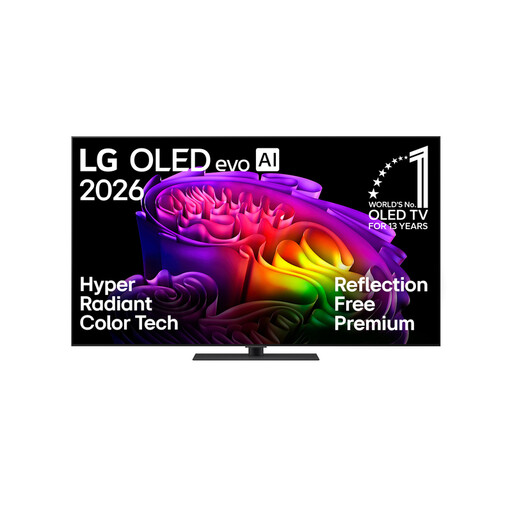
This OLED model is worth considering if dark film scenes matter as well as daylight viewing; check for reflections in your room.
Specifications in the product name: 65 inches, 4K, OLED evo and stand.
 No image available
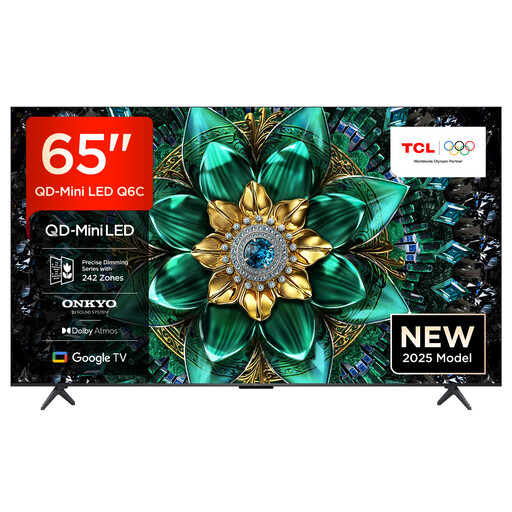
This Mini-LED model is one option for a bright living room; check how the picture looks in your planned spot and follow the installation guidance.
Specifications in the product name: 65 inches, 4K and Mini-LED.
The product instructions advise against exposing the TV to direct sunlight.
 No image available
This Mini-LED LCD model is an option if you want to factor daylight and multiple viewing positions into your choice.
Specifications in the product name: 65 inches, QLED Mini-LED and 4K.
 No image available
The larger screen may suit a room with several viewing positions, provided your viewing distance and available space are right for it.
Specifications in the product name: 75 inches, QLED Mini-LED and 4K. The product warning says to mount it securely on a wall or place it on a stable cabinet to prevent it from tipping over.
No. Check the file system, video format and audio track supported by the specific model too. For example, Sony Germany lists USB file systems and playback specifications for the K-65XR95M2; you can’t assume other TVs will be compatible based on this.
Measure your usual viewing distance and consider the resolution of your recordings, along with the seats at either end. The consumer advice centre treats screen size, viewing distance, lighting conditions and viewing angles as connected factors when choosing a TV.
Mini-LED LCD is one option if daylight and reflections are your main concerns. A bright OLED could suit you if dark film scenes matter too and you can manage distracting light sources in your chosen spot. Check the specific model’s features, as panel technology alone doesn’t determine how well it handles reflections.
Check the dimensions, stand and ventilation requirements of the specific TV. Sony also advises avoiding direct sunlight for the LCD TVs covered by its support article; this is manufacturer guidance, not a general legal requirement for TV installation.
Compare the energy consumption details for each model on its EU energy label or product data sheet. The German Federal Office for Information Security recommends asking about security updates and access controls before buying, and installing available updates promptly.