For teachers who need a detailed overhead view
If you want to show the start of each stroke, the brush tip and your writing hand from a fixed position, make sure the focusing distance, lens and paper suit your planned framing.


Start by choosing a set-up that keeps the paper, brush tip and writing hand in sharp focus and fully in frame from your planned camera position. A mirrorless camera lets you choose your lens, a camcorder has built-in optical zoom, and a webcam fits into a computer-based workflow; a gimbal camera is mainly useful for adding moving shots. In window light, check how the paper looks and adjust the white balance in a test recording.
If you want to show the start of each stroke, the brush tip and your writing hand from a fixed position, make sure the focusing distance, lens and paper suit your planned framing.
When using ink on light-coloured paper by a window, it’s important to be able to check how colours and brightness look while recording.
For a longer recording, you’ll need a suitable set-up for audio, storage and power. If you teach using a computer, the camera should fit into your computer-based workflow.
A good choice if: you want to switch between showing the whole sheet and close-up details, and adjust the lens and framing to suit your working distance.
Keep in mind: You’ll need to choose a suitable lens and a stable mount. The Canon EOS R50 V and Sony ZV-E10 II have different lens mounts, so check the specific lens or kit.
A good choice if: you want to record without changing lenses and adjust the framing using optical zoom.
Keep in mind: Canon states that the LEGRIA HF G70 has a minimum focusing distance of around 1 cm at the wide-angle end and 60 cm across the rest of the zoom range. Check the focusing distance and framing at the same zoom setting.
A good choice if: your lesson already runs through a computer and you can point the camera at your writing surface. Logitech describes the MX Brio as having a downward-facing Show Mode.
Keep in mind: Show Mode isn’t a substitute for a suitable overhead mount. Check that your writing hand and the whole sheet fit in frame, and that your software works with the set-up.
A good choice if: you want to add moving shots around your workspace alongside views of your desk. The DJI Osmo Pocket 3 has a mechanical three-axis gimbal.
Keep in mind: A gimbal isn’t a substitute for a fixed overhead view. As DJI specifies, the fixed 20 mm-equivalent lens and focusing range from 0.2 m need to suit your paper size and camera position.
| Buying priority | What to check before buying | Who it matters most to |
|---|---|---|
| Clearly visible brush strokes | Check the working distance, focus at the focal length you’ll use and framing together. | If I want to show the brush tip, my writing hand and the whole sheet from above, the focus and framing need to suit where I mount the camera. Around 36 % of consumers put clearly visible brush strokes in an overhead view first. |
| Paper colour in window light | Check the white balance and exposure; record a test using your paper and ink at the time of day you plan to film. | When I’m demonstrating ink on light-coloured paper, I want to see how the paper and ink look as the window light changes. For around 29 % of consumers, controlling colour and light is the priority. |
| Recording and audio | Check the microphone input, storage media, planned recording time and power supply for the specific model. | For a complete lesson recording, I need clear audio and suitable storage and power. Around 21 % of consumers prioritise recording long sessions with audio directly on the camera. |
| Computer-based or live teaching | Check the USB connection, operating system, recording software and position above your desk together. | If I teach from my computer, the camera should fit into my computer-based or live set-up. Around 14 % of consumers put this integration first. |
Canon states that the LEGRIA HF G70 focuses from around 1 cm at the wide-angle end, but from 60 cm across the rest of the zoom range. The shorter distance doesn’t apply at every zoom setting.
Check the focusing distance and the framing you want using the same zoom setting you plan to use later.
The DJI Osmo Pocket 3’s gimbal stabilises moving shots. For a fixed view of your desk, the mount, focusing range and framing are still essential.
For a steady overhead view, plan the mount, working distance and clear view of the paper first.
Mirrorless cameras need a suitable lens, while camcorders and webcams have different connection and recording options. For teaching, you’ll also need to consider audio, storage and a secure position above your desk.
Before buying, work through the whole process, from mounting the camera to creating a finished recording with audio or a live stream.
The EOS R50 V is a mirrorless camera with an RF and RF-S lens mount; the LEGRIA HF G70 is a camcorder with built-in optical zoom.
The ZV-E10 II uses interchangeable E-mount lenses; the ZV-1F is a compact camera with a fixed wide-angle lens.
The Osmo Pocket 3 is a compact gimbal camera worth considering for adding moving perspectives.
The MX Brio is a USB webcam for a computer-based teaching set-up.
The Z 30 is a mirrorless camera with interchangeable Z lenses for recording or streaming.
The products below include compact video cameras for changing perspectives and a USB webcam for computer-based teaching. For a fixed overhead view, check the framing and make sure you can mount the camera securely at your workspace.
 No image available
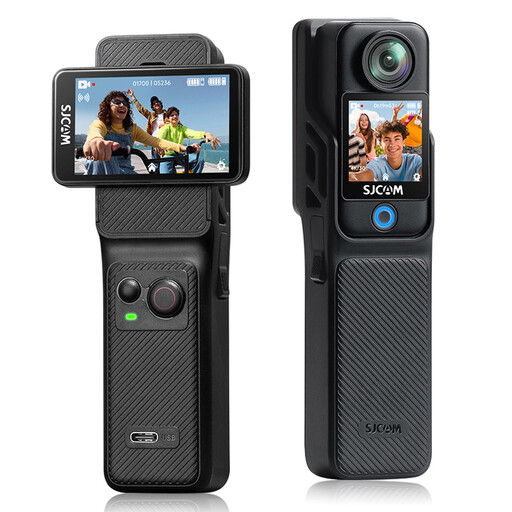
For compact vlog recordings with an adjustable camera angle. Check in advance whether the paper and brush tip will be in frame from your position.
The description lists autofocus, a lens that rotates through 330°, a 1.72-inch touchscreen and a mini tripod. A MicroSD card is required separately, according to the description.
 No image available
For a brush lettering lesson using a USB-connected computer, if you can position the camera and desk stand suitably above your writing surface.
The description lists 1080p at 30 fps, autofocus, exposure compensation, UVC compatibility and a built-in stereo microphone. Check that you can get the framing you want from your planned position.
 No image available
For adding moving perspectives around your workspace. You’ll need to plan the mount and framing separately for a fixed overhead view.
According to the description, the Creator Kit includes a DJI Mic 2 transmitter, a battery handle and a mini tripod. DJI gives a focusing range from 0.2 m for the fixed 20 mm-equivalent lens; check that this distance suits your paper size and mounting position.
 No image available
For recordings where you want to adjust settings such as white balance and exposure. Check the effect on your paper in window light with a test recording.
The product description lists 4K at 30 fps, a 154° wide-angle lens, electronic six-axis image stabilisation, white balance presets and exposure compensation.
No. Resolution alone doesn’t tell you that. First, check the framing and focus on the paper and brush tip from your planned camera position. Canon gives different minimum focusing distances for the LEGRIA HF G70 depending on the zoom setting.
Record the paper and ink you’ll actually use from your planned angle, then check the brightness of the paper and the white balance. Canon explains that cameras may reproduce a white sheet differently from the human eye under ambient light. Repeat the test if the light from the window changes.
Check that you have a stable mount, clear audio, and enough storage and power for the planned recording time. Canon says the LEGRIA HF G70 has two SD card slots and an external microphone input. Nikon states that the Z 30 can record continuously for up to 125 minutes under the specified conditions; this isn’t guaranteed for every setting or power supply.
In Germany, consumers generally have a 14-day right to cancel an online purchase. The Verbraucherzentrale says the period starts when the contract is made or the goods are received; check which date applies to your purchase. The right to cancel is separate from claims relating to faulty goods.