Plan reviewers working with fine drawing details
If you review small labels or lines, a high native resolution can be helpful. Microsoft Support notes that text can look blurred when displayed below the native resolution.


For reviewing building plans across two monitors, 27-inch 4K is a good choice if you often assess fine labels and lines, and can read them clearly in your software with the right scaling. Dell Germany lists a resolution of 3840 × 2160 pixels for the P2725QE and 2560 × 1440 pixels in QHD for the P2725DE. QHD may be enough if having two separate workspaces matters more to you than extra pixels. Also check that your computer supports two displays at the resolution you want, and that both monitors will fit on your desk.
If you review small labels or lines, a high native resolution can be helpful. Microsoft Support notes that text can look blurred when displayed below the native resolution.
For two external displays, your specific laptop’s video outputs and supported number of monitors need to match the monitors you choose. USB-C docking and daisy-chaining depend on the model, so you’ll still need to check that everything is compatible.
If you use two screens for extended periods, desk space, positioning and adjustability all matter. For workplaces within its scope, the German Federal Institute for Occupational Safety and Health sets out requirements for screen-based work in ASR A6.
A good fit if: you often review fine labels and drawing details across both displays.
Consider: Dell Germany lists a resolution of 3840 × 2160 pixels for the P2725QE. Try your preferred scaling to check readability, and make sure you have room for both monitors.
A good fit if: you want to view plans and supporting documents in separate workspaces, and QHD is enough for your plans.
Consider: Dell Germany lists a resolution of 2560 × 1440 pixels for the P2725DE. That’s fewer native pixels than the documented 4K example.
A good fit if: you use the main screen for drawings and the other for things like bills of quantities, emails or references.
Consider: The different pixel densities may call for different scaling settings. Arrange the displays in your operating system to match their actual positions.
| Consideration | What to check before buying | Who it matters most to |
|---|---|---|
| Connecting two displays | Check how many external displays your computer supports and at what resolution, and make sure the monitors have compatible inputs and outputs. | If I work on a laptop, I want to know whether it can output to two external displays at the resolution I need. This connection-related consideration is a priority for around 31% of consumers. |
| Seeing details and labels | Try a typical plan in your software at the native resolution and with your preferred scaling. | If I regularly read small labels on plans, what matters to me is how easy they are to read at my usual viewing settings. Around 25% of consumers prioritise this. |
| Fitting two screens on your desk | Allow for the space taken up by both monitors, including their stands, and consider height and swivel adjustment. | At my existing desk, I want to position both displays so the plan view I use most often is easy to see. Around 19% of consumers consider positioning their main concern. |
| Assessing colours in visualisations | Check the colour mode of the specific model for your intended use, and consider the manufacturer’s claims in that context. | If I review colour designs or presentations as well as plans, I look for suitable display settings. Colour reproduction is the main consideration for around 13% of consumers. |
| Costs and service | Budget for both monitors, any cables you need and, if required, a docking station, as well as the terms of the specific service offering. | For a workstation I use every day, I want to understand the total cost of two usable displays and the service terms. This is the most important consideration for around 12% of consumers. |
A USB-C port or monitor hub on its own doesn’t tell you whether your computer can output to two external displays at the resolutions you want. Daisy-chaining also requires a compatible connection between your computer and the monitors.
Check the entire signal path from your computer to the second display, and make sure all the devices involved support the features you need.
More native pixels don’t automatically mean labels and controls will be easy to read with your preferred scaling. Text can look blurred if the display output is below the native resolution.
Try a typical plan at the native resolution and with scaling that feels comfortable to you.
BenQ describes the PD2706U’s CAD/CAM mode as a display feature for lines and shapes. This doesn’t show that it can detect technical errors in plans.
Use these modes if the display helps you, but continue to check drawing content and measurements using the appropriate method.
The FlexScan EV2740X and EV2795 are documented 27-inch options for workstations, with USB-C docking and daisy-chaining respectively.
The Pro Plus P2725QE and P2725DE are documented 27-inch examples with 4K and QHD resolutions respectively, and a USB-C hub.
The ProArt PA279CRV is a documented 27-inch 4K option with colour modes and DisplayPort daisy-chaining.
The DesignVue PD2706U is a 27-inch 4K model with manufacturer-described display modes for technical illustrations and colour design work.
The ThinkVision P27u-20 is a documented 27-inch 4K option with Thunderbolt 4 ports and a hub.
The single monitors below include 27-inch 4K models for detailed views and one QHD model for separate workspaces. To use two displays, you’ll need two compatible monitors and a computer that supports both.
 No image available
Its stated 4K resolution makes this a potential option for viewing building plans in detail. For two displays, your computer’s video outputs also need to be suitable.
3840 × 2160 pixels, 60 Hz and HDR Ready. HDMI and DisplayPort inputs are listed, along with a stand that adjusts for height, swivel, tilt and pivot.
 No image available
Its stated 4K resolution makes it worth considering if fine labels on plans are a priority. Readability also depends on your software and scaling settings.
3840 × 2160 pixels and 120 Hz. Features include USB-C with 90 W Power Delivery, HDMI and DisplayPort connections, PIP/PBP, and a height-adjustable stand.
 No image available
Its stated 4K resolution may be useful for detailed plan views. Check separately whether your computer supports two external displays.
3840 × 2160 pixels. Features include USB-C with 65 W power delivery, KVM, VESA compatibility, and height, tilt and swivel adjustment.
 No image available
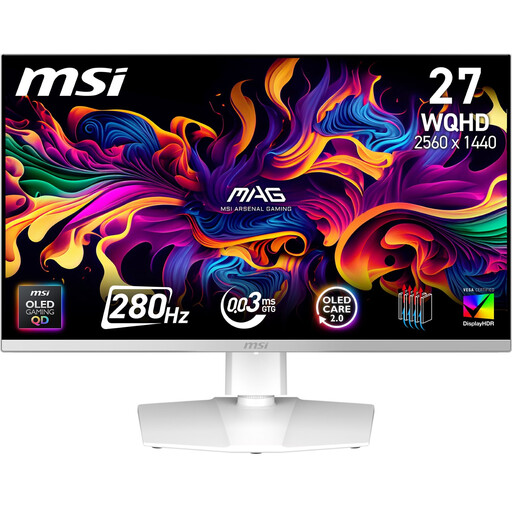
Its stated QHD resolution may suit you if viewing plans and supporting documents in separate workspaces matters more than the extra native resolution of 4K.
2560 × 1440 pixels. HDMI, DisplayPort and a USB hub are listed; the stand offers height adjustment, pivot and tilt.
 No image available
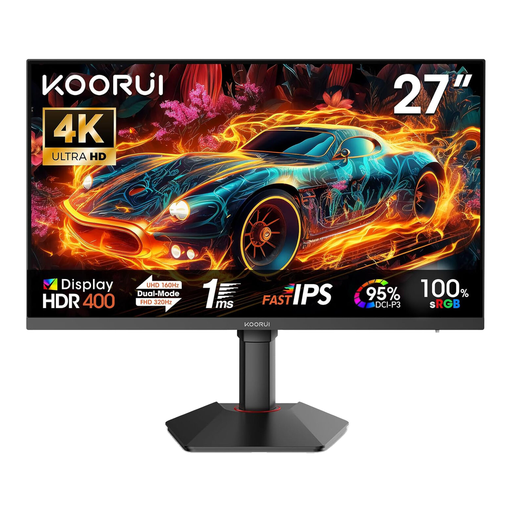
Its native 4K resolution is worth considering for fine drawing details. Check how easy they are to read with your usual scaling settings.
3840 × 2160 pixels. HDMI 2.1 and DisplayPort 1.4 are listed, along with height adjustment, tilt and pivot.
In Windows, you can identify your displays in the display settings and arrange them to match their actual positions. Set the resolution and scaling for each monitor, then try a typical plan to check that the text is easy to read and the mouse moves as you expect.
No, the connector shape alone isn’t enough. Check the video and charging features of your specific laptop against the documented features of the monitors. Daisy-chaining is a specific connection feature and isn’t the same as an ordinary USB-C hub.
Check that both displays suit your seating position and task, and that plans remain easy to read at the selected resolution and scaling. For workplaces within its scope, ASR A6 sets out requirements for screen-based work; it doesn’t apply universally to all personal use.
Budget for both monitors and the cables you actually need, or a docking station if required. Service commitments apply to specific models and offers: EIZO lists a five-year warranty for the EV2740X, including an on-site replacement service. Check the terms of the offer.
It depends on whether you need the extra native resolution for your plans and how easy labels are to read with your preferred scaling. ASR A6 sets out requirements for screen-based work within its scope; it doesn’t mean you have to buy 4K monitors in every case.