Joybuy laptops for comparing documents on screen
The Joybuy laptop options below are a starting point for comparing scans and an index on a built-in screen. Also check that the keyboard layout, ports and operating system suit the way you work and the software you use.
 No image available
Lenovo ThinkBook 16 G9 AHP 21UT
The 16-inch display is an option for comparing documents on the built-in screen.
16 inches, WUXGA, AMD Ryzen 5 220 at 3.2 GHz, 32 GB RAM, 1 TB SSD, Windows 11 Pro and Radeon 740M.
Listed connections include HDMI 2.1 and two USB4-C ports.
Joybuy
 No image available
HP OMEN 16-ap1071ng
The built-in 16-inch display is an option if you want to compare a scan with an index on your laptop.
16 inches, QHD, AMD Ryzen 7 8745HX, 16 GB RAM, 1 TB SSD, GeForce RTX 5060 and Windows 11 Home.
Listed connections include HDMI 2.1 and three USB 3.2 ports.
Joybuy
 No image available
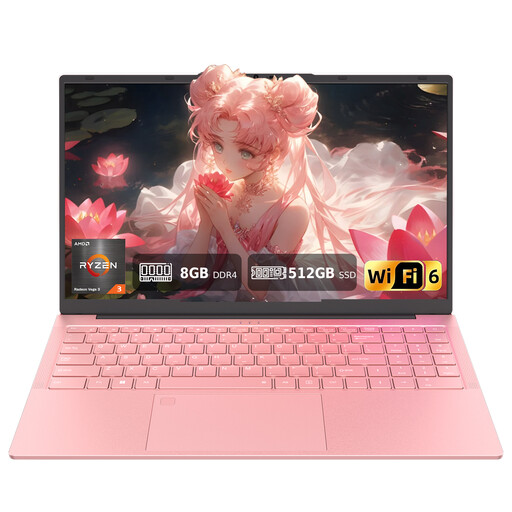
Auusda T156A
The 15.6-inch display is designed for comparing documents on the built-in screen.
AMD 3250C, 8 GB DDR4 RAM, 512-GB SSD and 15.6-inch FHD display.
The description mentions Office applications and a US QWERTY keyboard. If you need a German layout, check this difference before buying.
Joybuy
 No image available
HONOR Magicbook X16 AMD 2025
The 16-inch display gives you a built-in screen option for comparing scans with an index.
AMD Ryzen 5 6600H, 16 GB RAM, 512-GB SSD and German keyboard.
The listed colour is Cloud Gray.
Joybuy
 No image available
MSI Katana A15 AI B8VG-459
The 15.6-inch display is a built-in screen option for working with documents and spreadsheets.
15.6-inch touchscreen, AMD Ryzen 9.8945HS, 16 GB RAM, 1 TB SSD, NVIDIA GeForce RTX 4070 and Windows 11 Home.
Listed connections include HDMI 2.1 and USB-C with DisplayPort.
Joybuy
Frequently asked questions
Should I delete findings that appear to be duplicates from the index straight away?
No. First decide which fields define an identical finding, then check any flagged rows against the original. Microsoft Support notes that the columns you select determine the duplicate check, and that removing duplicates can permanently delete values.
How can I make image-based scans searchable?
You’ll need text recognition, also known as OCR, in a suitable application. Adobe describes OCR for scanned PDFs. Compare matching recognised text with the original rather than accepting OCR results as findings without checking them.
What should I connect at my workstation for long indexing sessions?
For longer sessions using mobile devices, DGUV recommends an external keyboard and mouse, as well as an external screen where possible. Check that the ports on the specific laptop configuration are compatible with your devices.
Which data protection measures matter if building survey notes contain personal data?
When a data controller processes personal data, the GDPR requires appropriate technical and organisational measures to protect it, proportionate to the risks. The Federal Commissioner for Data Protection lists encryption as one possible measure and points out that it does not, by itself, protect a device that is switched on or unlocked. The measures required for your files depend on their content and how they are processed.
Are a manufacturer’s warranty and statutory rights the same thing?
No. The Verbraucherzentrale distinguishes statutory rights against the seller from a voluntary guarantee. Also check the accessory list for the specific offer: the documented Dell Pro 14 PC14250 configuration did not include a power adapter.
What should I bear in mind when buying a laptop with a US QWERTY keyboard?
If you need a German keyboard layout for typing, check the keyboard layout of the exact model before deciding. According to the product description, the Auusda T156A configuration described has a US QWERTY layout.


