
Lieferung heute & morgen

Qualitätsgarantie

Willkommens-Angebote freischalten: KOSTENLOSE Lieferung | Bis zu 80 % RABATT | Kostenlose 30-Tage-JoyPlus-Testphase
App herunterladen
Clear, disruption-free communication is the foundation of productive work. Whether in a bustling open-plan office, a call centre, or a home office, background noise and poor audio quality can shatter concentration and lead to misunderstandings. Selecting the right business headset is therefore a crucial decision for boosting the efficiency of phone calls and video conferences.
This guide serves as a point of reference. As a Joybuy Product Recommendation Officer, I have made it my mission to provide you with objective information and practical criteria. This will enable you to make an informed decision tailored to the specific demands of your workday.
The market offers a vast array of models with different features. To find the right device, you should consider several technical characteristics that are essential for professional use.
The method of connection to your device (PC, laptop, smartphone) is a fundamental selection criterion.
A headset with noise cancelling is a worthwhile investment for loud environments. A distinction is made between two technologies:
For users who work extensively with applications like Microsoft Teams, Skype, or Cisco, an official certification is a key feature. An MS Teams certified headset guarantees seamless plug-and-play integration. Functions like answering calls, muting the microphone, or adjusting the volume can often be controlled directly via buttons on the headset, which streamlines your workflow.
Based on the criteria mentioned, we have compiled a selection of models suitable for various professional profiles.
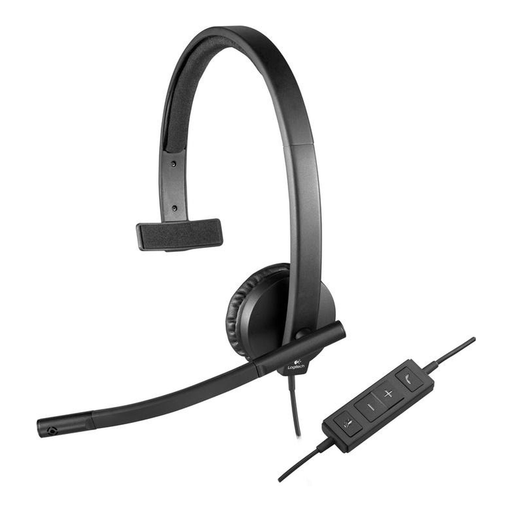
Logitech H570e Headphones with Microphone, Mono Headset, Noise Cancelling
Why It Stands Out: The Logitech H570e is a functional, wired mono headset designed for reliability and ease of use. The USB-A connection ensures stable plug-and-play functionality on PC and Mac. Its monaural design allows you to keep one ear open to your surroundings.
Advantages:
Who It's For: This model is an excellent choice for employees in call centres, support roles, or at workstations where a constant, straightforward audio connection is required while maintaining awareness of the immediate environment.
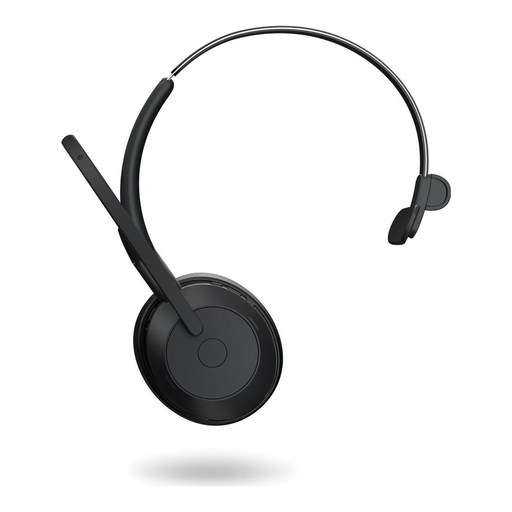
Jabra Evolve2 55 Mono Wireless Headset, MS Teams Certified
Why It Stands Out: The Jabra Evolve2 55 combines wireless flexibility with professional communication features. It is certified for Microsoft Teams and features Active Noise Cancellation (ANC) to minimise distractions. The design, which Jabra calls "Air Comfort Technology," aims for superior comfort throughout the entire workday.
Advantages:
Who It's For: Ideal for professionals in a home office or hybrid work models who value freedom of movement and need effective noise cancellation for uninterrupted conversations.
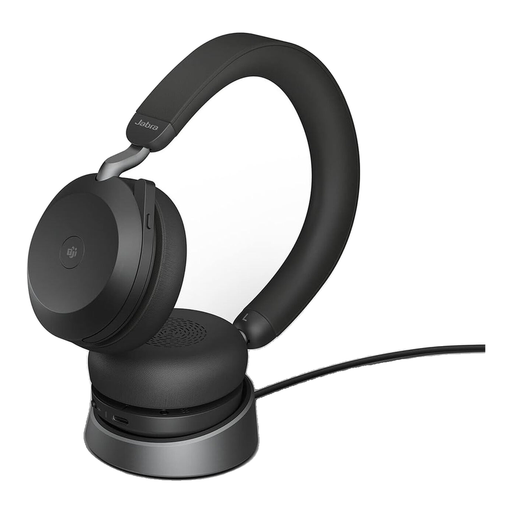
Jabra Evolve2 75 Wireless PC Headset with Charging Stand, MS Compatibility
Why It Stands Out: The Jabra Evolve2 75 is a stereo headset designed for demanding users in noisy office environments. It features advanced ANC technology and an 8-microphone array for precise voice pickup. The included charging stand also serves as a convenient desktop storage solution.
Advantages:
Who It's For: This office headset is aimed at managers and professionals in open-plan offices who frequently participate in important conferences and require the highest level of audio quality and focus. The stereo design is also well-suited for media playback.
The selection presented here covers common professional requirements. However, if you are looking for a different model or are specifically interested in other single-ear headsets, you can find additional alternatives in our broader product category.
Discover Our Full Range of Mono Headsets
1. What is the difference between a mono and a stereo business headset? A mono (single-ear) headset covers only one ear. This allows you to remain aware of your immediate surroundings with your other ear, which can be advantageous in certain office situations or customer service roles. A stereo (dual-ear) headset covers both ears, which enhances concentration, improves noise isolation, and provides a more immersive audio experience for calls and media.
2. Is a headset with noise cancelling necessary for a home office? The necessity depends on your work environment. If you work in a quiet room, ANC may not be essential. However, with background noise from family, pets, or street traffic, a headset with noise cancelling can significantly improve your concentration and the quality of your professional conversations.
3. What does "MS Teams certified headset" mean? A certification for Microsoft Teams means the headset has been optimised by the manufacturer for seamless operation with the software. This typically includes automatic detection (plug-and-play) and often a dedicated button on the headset that allows you to directly control Teams functions, such as answering a call or opening the application.