
Lieferung heute & morgen

Qualitätsgarantie

Willkommens-Angebote freischalten: KOSTENLOSE Lieferung | Bis zu 80 % RABATT | Kostenlose 30-Tage-JoyPlus-Testphase
App herunterladen
The idea of transforming digital designs into tangible objects at the push of a button fascinates hobbyists, engineers, and creatives alike. But anyone looking to buy a 3D printer is often confronted with a jungle of marketing promises and technical specifications. This frequently leads to purchasing decisions that later prove to be costly or impractical.
As your Joybuy Product Recommendation Officer, I'm here to help you identify the common pitfalls and make an informed decision. Two of the most frequent mistakes are:
To avoid these traps, you should focus on a few critical technical features. These will determine whether a printer is suitable for your projects.
The most fundamental decision is the choice of technology. Both have specific strengths and weaknesses.
These three factors are inextricably linked.
Based on these objective criteria, we have identified some models that are particularly well-suited for specific user profiles.
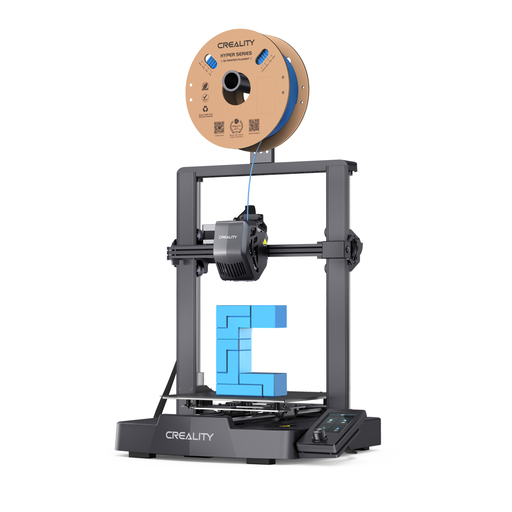
Why this model is a fit: Ideal for anyone wanting to get into 3D printing without major hurdles. The printer combines an affordable price with modern features that significantly ease the learning curve and prevent frustration.
Thanks to CR-Touch auto-leveling and automatic Z-offset calibration, the manual and error-prone adjustment of the print bed is eliminated. Assembly is completed in about 20 minutes, directly bypassing the "hidden complexity" trap.
The "Sprite" direct drive extruder reliably processes PLA, PETG, and flexible TPU. The dual Z-axis ensures stability and improved print quality.
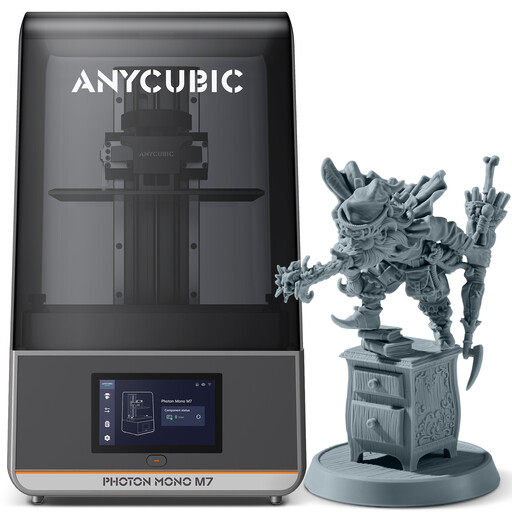
Why this model is a fit: For users whose top priority is maximum detail fidelity. Perfect for creating miniatures, jewellery prototypes, or other intricate objects where FDM printers reach their limits.
This model focuses on one core competency: ultra-high resolution. Instead of making compromises, it delivers an XY resolution of 16.8 × 24.8 μm with its 14K monochrome screen, resulting in razor-sharp details.
The level-free design significantly simplifies setup. The high print speed of up to 150 mm/h (with appropriate resin) allows for efficient production.
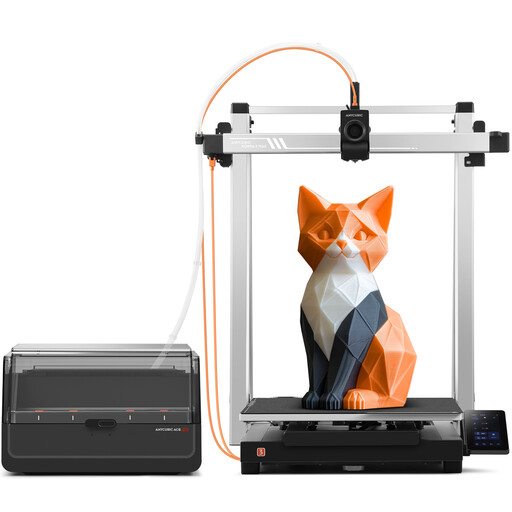
Why this model is a fit: For users who want to make no compromises on size, speed, and colour variety. This system is designed for realising large, complex, and multi-colour projects.
The speed trap is bypassed by a stable gantry structure and LeviQ 3.0 Auto-Leveling, which ensure reliable results even at high speeds (up to 600 mm/s, according to the manufacturer). The integrated filament dry box also prevents material-related issues.
An extremely large build volume of 420 × 420 × 500 mm and the ACE Pro system for 8-colour printing open up enormous creative possibilities. AI functions for error detection minimise print failures.
We have compiled a complete, up-to-date list of products that fully meet these strict selection criteria and relevant safety standards.
For starters, PLA (Polylactide) is the most straightforward choice. It's low-odour, doesn't require a heated print bed (though it benefits from one), and hardly warps when cooling. It's available in many colours, including special variants like Silk PLA for a glossy effect. When you buy PLA filament, look for good quality to avoid nozzle clogs.
This varies greatly by model. Inexpensive kits can require several hours of assembly and manual calibration. However, modern printers like the Creality Ender 3 V3 SE are often pre-assembled and feature fully automatic calibration functions, allowing you to start your first print within 20-30 minutes.
The main costs are consumables (filament or resin) and electricity. A 1 kg spool of PLA filament costs between €15 and €30 and is sufficient for many prints. The power consumption of an FDM printer is typically between 100 and 350 watts, which can add up during long print jobs. Resin is generally more expensive per litre, and you also have the added cost of isopropyl alcohol for cleaning.
Your Joybuy Product Recommendation Officer