
Lieferung heute & morgen

Qualitätsgarantie

Willkommens-Angebote freischalten: KOSTENLOSE Lieferung | Bis zu 80 % RABATT | Kostenlose 30-Tage-JoyPlus-Testphase
App herunterladen
Entering the world of 3D printing is a fascinating experience. The ability to transform your ideas into tangible objects, layer by layer, opens up countless creative and practical possibilities. However, anyone looking to buy a 3D printer is quickly confronted with a flood of technical specifications and marketing promises. This often leads to purchasing decisions that are later regretted. As your Joybuy Product Recommendation Officer, I'm here to help you identify the common pitfalls and make an informed decision.
Two of the most common pitfalls are:
To find the right device for your needs, it's crucial to understand the key technical features and relate them to your projects.
The two most common technologies for home use are FDM and Resin.
The size of your projects determines the required build volume. A large build volume (e.g., 300 x 300 x 300 mm) allows for printing large models in one piece but also requires a larger footprint. When it comes to speed, three values are relevant:
Sturdy frame constructions, often made of die-cast aluminium, and advanced motion systems like CoreXY are crucial for minimising vibrations at high speeds and ensuring print quality.
For a seamless start, automation features are of great importance. Look for features such as:
Here are some recommendations tailored to different needs and use cases.
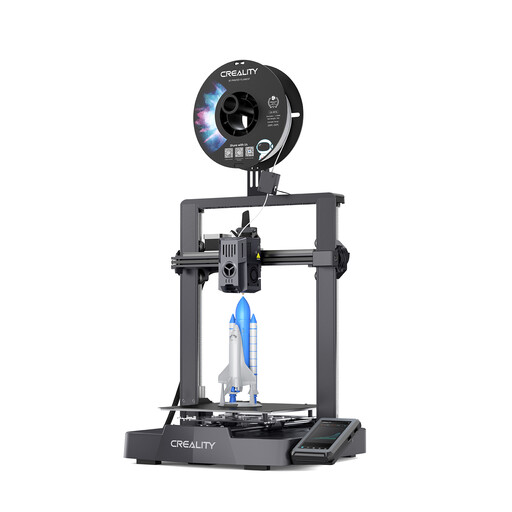
Why This Fits Their Persona: Ideal for anyone seeking a straightforward and affordable entry into 3D printing. This model combines proven technology with modern convenience features without breaking the bank. Perfect for first projects, functional prints, and learning the fundamentals.
Debunks the 'plug-and-play' myth with a genuinely functional automatic levelling system (CR Touch) and a high degree of pre-assembly, significantly reducing setup time.
Sprite Direct Extruder: Ensures reliable feeding of various filaments. High Compatibility: Supports temperatures up to 300°C for materials like PLA, PETG, ABS, and TPU.
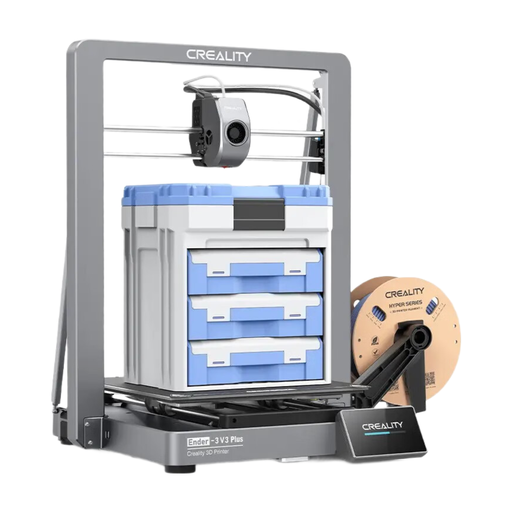
Why This Fits Their Persona: For hobbyists and prosumers who have big ideas and need a correspondingly large build volume. This model offers the speed and volume for ambitious projects, from cosplay armour to full-scale functional prototypes.
Avoids the trap of exaggerated speed claims with a stable CoreXZ structure and additional support rods. This design minimises vibrations, allowing the high print speed of 600 mm/s to be genuinely usable.
Large Build Volume: At 300 x 300 x 330 mm, it can print large objects in one piece. Stable Mechanics: Precision linear shafts and dual Y-axis motors ensure stability, even with heavy prints.
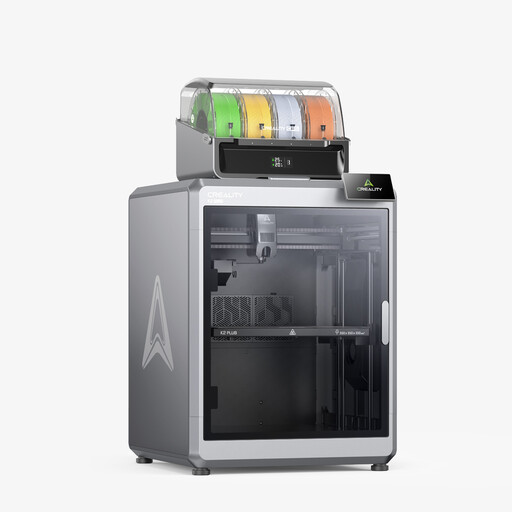
Why This Fits Their Persona: For designers, artists, and advanced users who want to print their models in multiple colours without manual filament changes. This system enables complex, colourful prints straight from the machine.
Bypasses the hidden costs and hassle associated with aftermarket multi-colour printing solutions. The integrated Creality Filament System (CFS) is an all-in-one solution that manages automatic colour changes.
Integrated Multi-Colour System: The CFS allows for printing with up to 16 colours (using 4 CFS units). Heated Chamber: The active chamber heating (up to 60°C) improves print results with demanding materials like ABS or ASA.
We have compiled a complete, up-to-date list of products that fully meet these strict selection criteria and safety regulations.
The operating costs are mainly composed of three factors: filament, electricity, and consumable parts. A 1 kg spool of PLA filament costs between 15 and 30 euros, depending on quality and colour. The power consumption of an FDM printer is around 250–350 watts during heating and drops during printing. Consumable parts like nozzles are inexpensive and only need to be replaced occasionally.
This depends heavily on the model. Many modern printers, like the Creality K1 SE, are highly pre-assembled and can be set up in just a few minutes, according to the manufacturer. For more traditional kits, you should expect 1 to 2 hours for assembly and initial calibration. Automatic levelling significantly speeds up the process, but fine-tuning the Z-offset is still often recommended for a perfect first layer.
The choice depends on your primary application.