
Lieferung heute & morgen

Qualitätsgarantie

Willkommens-Angebote freischalten: KOSTENLOSE Lieferung | Bis zu 80 % RABATT | Kostenlose 30-Tage-JoyPlus-Testphase
App herunterladen
AR glasses can expand a smartphone, laptop or handheld console with a virtual big-screen display. For films, gaming, 3D content and mobile working, it sounds straightforward at first: put on the glasses, connect a USB-C cable and get started. In practice, however, a lack of device compatibility, unclear display specifications and an uncomfortable fit often lead to disappointing purchases.
This buying guide from the Joybuy Product Recommendation Officer explains which details really matter before buying XR glasses, video glasses or gaming glasses.
Specifications such as “201 inches” or “500 inches” describe a virtual display, not the size of a physical screen. You should also consider:
An AR headset with a virtual display is therefore not automatically suitable for working with spreadsheets. For documents and small text, edge sharpness, image positioning and support for multiple virtual windows are what really count.
Many models use USB-C but specifically require DisplayPort Alt Mode or comparable video output. A smartphone may have a USB-C port but still be unable to output a video signal through it.
Before buying, you should check:
The statement “compatible with iPhone and Android” must therefore always be checked against the specific device.
A 120 Hz display can show fast-moving images more smoothly. For everyday use, however, weight, nose pads, adjustable arms and the distance between your eyes and the optics are equally important. A pair of glasses weighing 75 or 88 grams may fit differently depending on your head shape than a lighter model.
You should also take regular breaks. Extended use can cause visual fatigue, headaches or dizziness. Stop using the glasses if you experience any discomfort. AR glasses are not safety glasses and must not be used while driving, cycling or operating machinery.
A Micro-OLED display is used in many video glasses and can combine a compact design with high-contrast images. For films and games, brightness, HDR support and colour reproduction are also important alongside the panel technology. High nit values are often quoted as peak brightness and should not be confused with brightness that is available continuously.
For text and home-office use, you should check the stated resolution per eye and clarity at the edges of the image. A wide field of view can be comfortable for games and films, but it does not automatically make small text easier to read.
A refresh rate of up to 120 Hz can display fast camera movements more smoothly when used with compatible sources. However, the source must support this output. A game with a low frame rate will not automatically become smoother through the glasses.
3DoF stands for three degrees of freedom. Depending on the model, this can position the virtual display in space, centre it or keep it stable as you move your head. It should not be confused with full room-scale VR tracking.
For a Steam Deck, ROG Ally, laptop, Android smartphone or iPhone, the connections are crucial. Before buying, check:
If you are looking for Steam Deck glasses, you should also check whether the handheld can output the display directly and whether it needs to be charged while you play.
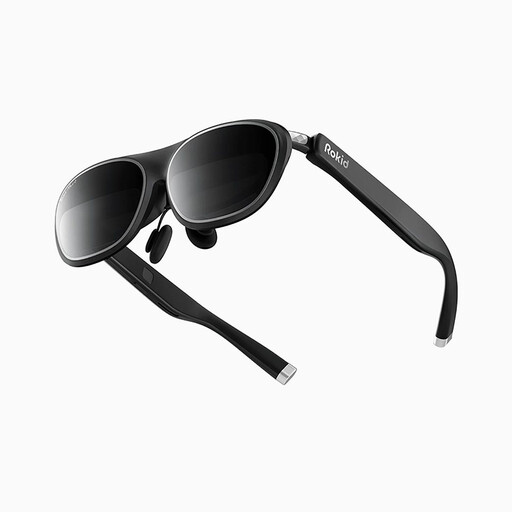
Why this product suits this profile: For users who want to enjoy films, games and mobile content from Android, PC or handhelds on a private big-screen display.
The product details specify connection sources such as Android, Windows, Switch and Steam Deck. You should still check your own device’s video output before buying.
Micro-OLED display, 120 Hz and integrated adjustment for short-sightedness up to 600 dioptres according to the product description; stated weight: 75 g.
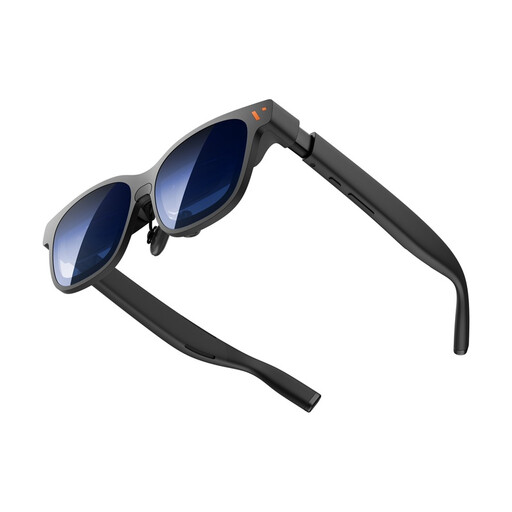
Why this product suits this profile: Suitable for users who want a private display for streaming, documents and gaming while out and about, working from home or travelling.
The description mentions USB-C devices with video output, as well as possible additional adapters for certain consoles and older devices. Check the compatibility list against your devices before placing your order.
The stated features include a 146-inch XR display, 1080p, up to 120 Hz, Sony Micro-OLED and a weight of 63 g.
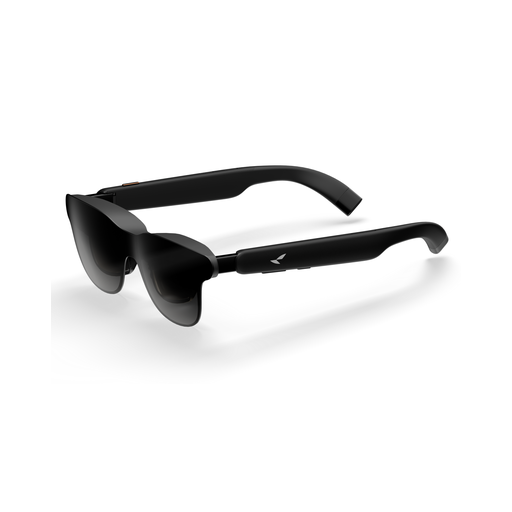
Why this product suits this profile: For film fans and users who value immersive visuals, Dolby Vision and integrated audio playback.
The product description specifies 3DoF tracking and a stated weight of 68 g. The manufacturer’s safety instructions still apply when using the glasses during activities involving movement.
The stated features include a virtual 201-inch cinema display, Dolby Vision support, dual-chip architecture and a quad-speaker system.
We have put together a complete, regularly updated list of products that fully meet these strict selection criteria and the safety regulations applicable in the EU.
No. The smartphone generally needs USB-C with DisplayPort video output or a suitable adapter. With iPhones, the specific model is particularly important. Android devices with USB-C can also differ in terms of video output and power supply.
AR glasses can be practical for individual documents, presentations and a private display. If you plan to work for many hours, you should also consider edge sharpness, text rendering, 3DoF functions and wearing comfort. For some workspaces, a physical monitor remains the simpler solution.
The glasses themselves can draw power from the connected device. Depending on the smartphone, laptop or handheld, this can reduce battery life. Mobile docks or power banks can extend usage time, but they must be compatible with the particular model. Before buying, check the connection, charging power and accessories.