
Lieferung heute & morgen

Qualitätsgarantie

Willkommens-Angebote freischalten: KOSTENLOSE Lieferung | Bis zu 80 % RABATT | Kostenlose 30-Tage-JoyPlus-Testphase
App herunterladen
If you want to buy a computer, you’ll find a wide choice of laptops, desktop PCs, mini PCs and specialist AI systems. The technical specifications may look clear at first glance, but they can be difficult to compare without context. More RAM won’t make up for an unsuitable graphics card, a fast SSD won’t solve a storage shortage, and a compact case isn’t necessarily designed for sustained workloads.
This buying guide explains which specifications matter before you buy, which common marketing traps to watch out for, and which devices suit different needs.
“Computer with 32GB RAM” may sound like a straightforward measure of performance. But the processor, type of memory and intended use all matter too. For office work, studying and web applications, 8 or 16GB may be enough. For video editing, virtual machines, large image projects or modern games, 32GB gives you more headroom.
On Apple devices, RAM is referred to as Unified Memory. It’s shared between the processor and graphics. It can’t be upgraded after purchase on every model, so it’s worth choosing the right memory capacity when you buy.
A computer with an SSD will usually start up quickly and open programmes promptly. But capacity alone doesn’t tell you how fast data can be transferred. 256GB may be enough for the operating system and a few applications, but games, photos and videos can soon fill it up.
For studying and office work, 512GB is often a good starting point. For gaming, creative work or local AI models, 1TB or more is more practical. Also check whether you can install additional drives. Upgrading later is often limited on a compact mini PC or MacBook.
An AI PC may have an NPU, a powerful GPU or specialist software features. That alone doesn’t guarantee that every AI application will run locally. Check the specific hardware, operating system, available drivers and your software’s requirements.
An AI supercomputer, such as a system with NVIDIA GB10 and 128GB Unified Memory, is designed for local model development, inference and data science workloads. It’s in a different product category from a standard office laptop with an integrated NPU.
For office work, video calls and research, a modern multi-core processor with integrated graphics is usually enough. For 3D applications, gaming and GPU-accelerated software, a dedicated graphics card is essential. If you’re looking at an RTX gaming PC, check the graphics memory as well as the model. 8GB GDDR7 is a specific specification, but it doesn’t tell you what frame rate to expect in every game.
For a gaming laptop, cooling, the power supply and the display matter too. A high refresh rate, such as 120 or 180Hz, can make fast-moving images look smoother. But it also places greater demands on the graphics card and may affect power consumption.
When buying a laptop, many people focus on screen size and weight. For everyday use, resolution, brightness, reflections and keyboard layout matter too. A German QWERTZ keyboard is more practical than an international layout if you regularly type in German.
Check the available ports as well. Two USB-C ports may be enough if you mainly use wireless devices. Creative professionals and business users may need more ports for a docking station, external SSD, monitor and memory card reader.
Desktop PCs usually offer more room for upgrades and more powerful cooling. However, a tower takes up space and needs good ventilation on all sides. When checking a gaming PC, also consider the power supply capacity, case dimensions and access to the graphics card ports.
Pay particular attention to what’s included with Apple MacBook models: no power adapter is included with the devices listed here. You’ll need to have or buy a compatible USB-C power adapter separately. Mini PCs often don’t include a monitor, keyboard or mouse either.

Why this product suits this profile: Weighing 1.23 kg, this compact 13-inch model has a German QWERTZ keyboard, 512GB SSD and macOS, making it suitable for studying, office work and use on the go.
The 512GB SSD reduces the risk of quickly running out of basic storage. Remember to factor in a USB-C power adapter before buying, as one isn’t included.
13-inch Liquid Retina display, A18 Pro chip, up to 16 hours of video playback according to the manufacturer, and support for one external 4K display.

Why this product suits this profile: This desktop PC combines an Intel Core Ultra 9 285K with 32GB DDR5, a 2TB SSD and an RTX 5080 with 16GB GDDR7, making it well suited to demanding games and creative applications.
The dedicated graphics card and 240mm liquid cooling system are clearly specified. The case is also designed for tool-free upgrades.
32GB DDR5, 2TB SSD, Wi-Fi 7, seven USB-A and three USB-C ports, plus an integrated NPU for AI PC features.
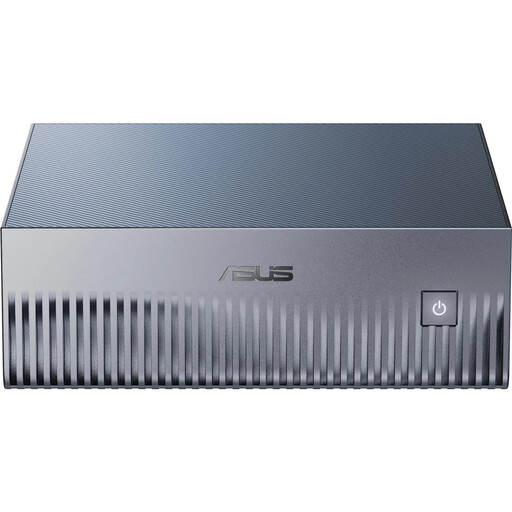
Why this product suits this profile: This compact AI supercomputer is designed for developers, data science professionals and businesses looking to develop or run local AI models using NVIDIA DGX Spark technology.
The product category and intended use are clearly stated: DGX OS, CUDA, PyTorch, TensorFlow and 128GB Unified Memory. Windows isn’t pre-installed.
128GB LPDDR5X, 4TB PCIe 5.0 SSD, Wi-Fi 7, 10GbE networking and a 20-core NVIDIA GB10 chip, all in a 150 × 150 × 51 mm case.
We’ve put together a complete, regularly updated list of products that meet these strict selection criteria and fully comply with the safety regulations applicable in the EU.
For office work, studying and streaming, 8 to 16GB is often enough. If you use lots of programmes at once, edit photos and videos, run virtual machines or play the latest games, consider 32GB RAM. Choosing the right amount is especially important if the Unified Memory can’t be upgraded.
Good cooling, regular software updates and enough storage headroom all help keep a computer useful for longer. Desktop PCs also benefit from upgradeable RAM, extra SSD slots and a suitably rated power supply. Remove dust regularly, taking care not to damage the fans or components.
A laptop usually uses less energy for everyday tasks because its processor, display and battery are designed for mobile use. A gaming PC or AI supercomputer can draw considerably more power under heavy loads. Running costs therefore depend on how often you use it, the power supply capacity, energy-saving features and actual workload.