
Lieferung heute & morgen

Qualitätsgarantie

Willkommens-Angebote freischalten: KOSTENLOSE Lieferung | Bis zu 80 % RABATT | Kostenlose 30-Tage-JoyPlus-Testphase
App herunterladen
If you want to buy a graphics card, you should look beyond the model number, memory capacity and advertised frame rates. What really matters is whether the card is compatible with your monitor, power supply, case and intended use. A powerful gaming graphics card may be impractical in a case that is too small; conversely, a compact card may not be powerful enough for current 4K games.
16 GB of video memory sounds convincing at first. However, actual performance also depends on the memory type, memory interface, bandwidth and GPU architecture. A 16 GB GDDR7 graphics card can offer advantages at high resolutions and with large textures, but it is not automatically suitable for every game or professional application.
A card with 8 GB may also be suitable for 1080p and many 1440p scenarios, while 4K, ray tracing and demanding creative projects benefit from greater reserves.
Many models support outputs of up to 8K. This initially describes the possible signal resolution, not necessarily the frame rate in games. When choosing a graphics card for 4K gaming, you should consider GPU performance, ray-tracing support, upscaling technologies and available VRAM alongside the resolution.
A graphics card for 1440p gaming generally has lower requirements. However, if you use a monitor with a high refresh rate, you should also look for stable frame rates and support for the connection standard you want.
Current models can occupy three or more slots and measure over 30 cm in length. According to the product specifications, the GIGABYTE AORUS GeForce RTX 5080 MASTER 16G measures 360 × 150 × 75 mm and is listed as “Overwidth”. With cards of this size, you need to check the graphics card support bracket, side panel, front fans and cable clearance.
The power supply is equally important. An RTX 5080 with a stated power consumption of 360 W requires a recommended power supply of 850 W or more, depending on the model. An RTX 5070 may be suitable for a lower-rated power supply. The specifications provided by the respective manufacturer take precedence.
For office work, multimedia and older games, basic models such as the GT 710 may be sufficient. According to the product specifications, the SOYO Gaming GeForce GT 710 2GB DDR3 has a power consumption of 19 W and is designed as a low-profile card. However, it should not be considered equivalent to a modern NVIDIA GeForce RTX graphics card or AMD Radeon graphics card for current games.
For 1440p, models such as the RTX 5060 Ti, RTX 5070 or Radeon RX 9060 XT may be suitable, depending on the game, quality settings and frame rate. For demanding 4K gaming, the RTX 5070 Ti and RTX 5080 offer greater processing and memory reserves. A professional GPU for AI or server applications serves a different purpose from a desktop gaming card.
Pay attention to:
A PCIe 5.0 graphics card can provide a suitable interface for current systems. It can generally also be used in many older PCIe slots, although the platform and motherboard determine the actual connection.
Three fans often distribute heat across a larger heatsink, but they require more space. Compact dual-fan or SFF models fit more easily into small cases, although they may have different temperature and noise characteristics under heavy loads.
RGB lighting is primarily a design feature. A graphics card with RGB lighting should therefore not be chosen solely for its illumination. The heatsink, fan control, slot width and airflow inside the case are more important.
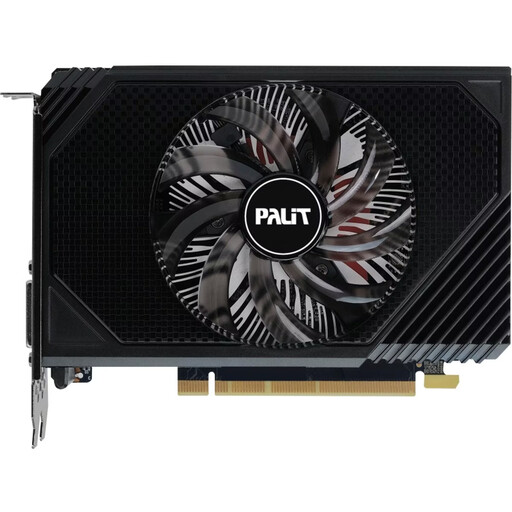
Why this product suits this profile: This compact card is aimed at users who want to upgrade an existing desktop PC for gaming, multimedia or multiple monitors.
The 16.2 cm length and stated power consumption of 70 W make it easier to check case and power supply compatibility.
6 GB GDDR6, PCIe 4.0, HDMI 2.1 and DisplayPort 1.4a; according to the product specifications, up to three monitors are supported.
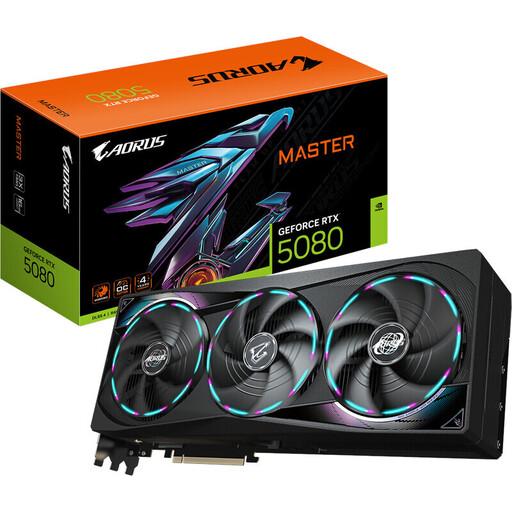
Why this product suits this profile: For 4K gamers and users with demanding creative workflows, this model offers an extensive range of technical features.
The product specifications state a power consumption of 360 W, a recommended 850 W power supply and precise dimensions for checking case compatibility.
10,752 CUDA cores, 16 GB GDDR7, a 256-bit memory interface, PCIe 5.0 and three DisplayPort 2.1b outputs.
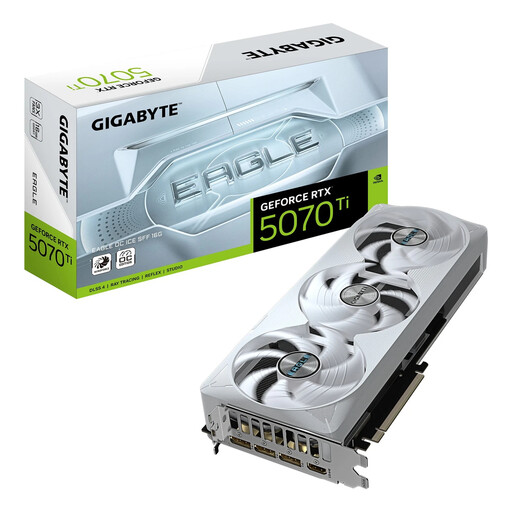
Why this product suits this profile: This SFF-ready model is aimed at buyers who want to combine high graphics performance with a more compact case.
The stated SFF suitability and dimensions of 304 × 126 × 50 mm help with compatibility checks before purchase.
16 GB GDDR7, a 256-bit memory interface, PCIe 5.0, three fans and, according to the product specifications, power consumption of 300 W.
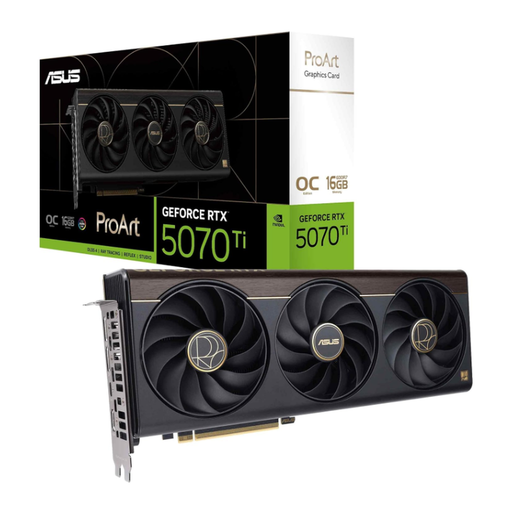
Why this product suits this profile: This model combines 16 GB GDDR7 with a 2.5-slot design and an additional USB-C port for creative workstations.
The card height and range of connections are clearly specified, so you can check them against your workstation and case before ordering.
16 GB GDDR7, 256 bit, PCIe 5.0, USB-C and a boost clock speed of up to 2,610 MHz according to the product description.
We have put together a complete, regularly updated list of products that fully meet these strict selection criteria and the safety regulations applicable in the EU.
That depends on the game, quality settings and frame rate you want. According to their stated specifications, models such as the RTX 5060 Ti, RTX 5070 and Radeon RX 9060 XT are designed for 1080p and 1440p scenarios. For particularly high frame rates or ray tracing, you should also compare GPU performance and VRAM.
4K benefits from greater processing power and more memory reserves. The RTX 5070 Ti and RTX 5080 have 16 GB GDDR7 according to the product data mentioned. Whether the performance is sufficient still depends on the game, graphics settings, ray tracing and use of upscaling.
There is no one-size-fits-all answer. For example, the product data specifies 550 W for an ASUS RTX 5060, 750 W for several RTX 5070 Ti models and 850 W for selected RTX 5080 cards. Alongside the wattage, you must consider the correct connectors, the quality of the power supply and the power consumption of the other PC components.