
Lieferung heute & morgen

Qualitätsgarantie

Willkommens-Angebote freischalten: KOSTENLOSE Lieferung | Bis zu 80 % RABATT | Kostenlose 30-Tage-JoyPlus-Testphase
App herunterladen
If you’re looking to buy a graphics card, you’ll probably start by comparing GPU model, memory size and boost clock. These specifications matter, but they’re not enough to make an informed choice. A card might fit your budget but still be unsuitable because of its length, power consumption or connector requirements.
Three common pitfalls can lead to the wrong purchase:
Full HD gaming often requires a different level of performance from a 4K graphics card. If you play at 1440p with high frame rates, consider GPU performance, memory bandwidth and the game engine together. An 8K graphics card is mainly of interest for professional displays, multiple monitors or specialist workflows. Maximum output resolution alone isn’t a reliable indicator of actual gaming performance.
For ray tracing, dedicated processing units and supported upscaling technologies are important. A ray tracing graphics card, such as an NVIDIA GeForce RTX graphics card, can use features such as DLSS in compatible applications. The RTX 50 Series Blackwell models list DLSS 4 as a supported technology. Its actual effect depends on the game, the settings you choose and the driver.
When comparing a graphics card with GDDR7, look at several specifications:
An AMD Radeon graphics card such as the RX 9060 XT, with 16 GB GDDR6, may be a good option for 1440p gaming and content creation. Depending on the model, NVIDIA cards such as the RTX 5060 Ti, RTX 5070 Ti and RTX 5080 pair GDDR7 with different memory interfaces.
Before buying, check the specifications for your power supply and case. Pay particular attention to:
If you’re upgrading your PC, also check that your motherboard has a suitable PCIe x16 slot, your processor can support the frame rate you want, and your existing monitor cables are compatible with HDMI 2.1 or DisplayPort 2.1.
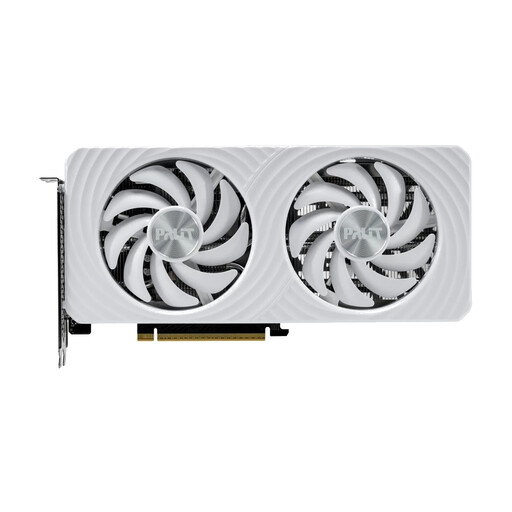
Why this product suits this profile: With 16 GB GDDR7, a 165-watt TDP and a recommended power supply of at least 450 watts, this card is an interesting choice for a well-balanced gaming or upgrade build.
The 16 GB of memory reduces the risk of choosing a card based only on low power consumption, then finding yourself limited by memory-intensive games or creative projects.
16 GB GDDR7, PCIe 5.0, 1x HDMI 2.1b and 3x DisplayPort 2.1b; white design with ARGB lighting.
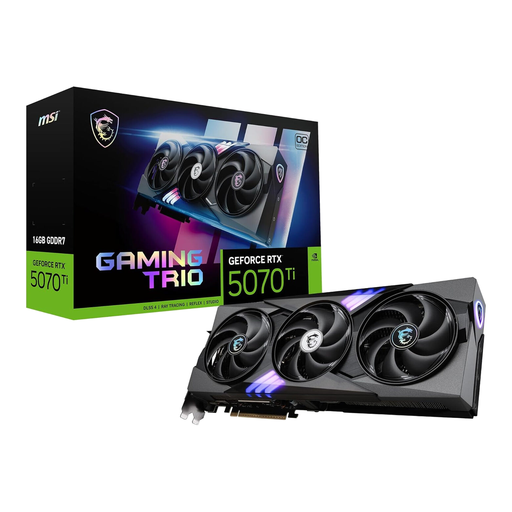
Why this product suits this profile: The RTX 5070 Ti combines 16 GB GDDR7 with a 256-bit interface and active cooling from three fans. It’s well suited to demanding 1440p and 4K gaming.
The wide memory interface and 16 GB capacity tell you more than a boost clock promoted in isolation. However, check that your case can accommodate a card with three fans.
16 GB GDDR7, 256-bit interface, PCIe 5.0 and 3x DisplayPort plus HDMI; rated at 300 watts of power consumption according to the product details.
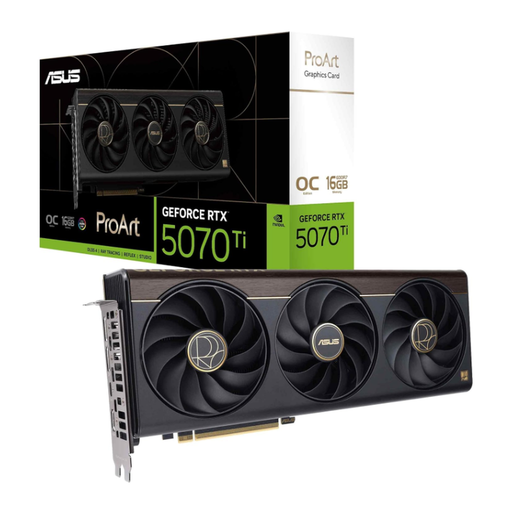
Why this product suits this profile: According to the product description, this card is designed for content creators, gamers and AI users. The 2.5-slot design and USB-C connector can be useful in compatible workstations.
This choice takes more into account than gaming credentials alone: it also considers the range of connections, card height and 16 GB of graphics memory for creative workflows.
16 GB GDDR7, 256-bit interface, 2.5-slot design, USB-C and a boost clock of up to 2,610 MHz in OC mode, according to the product details.
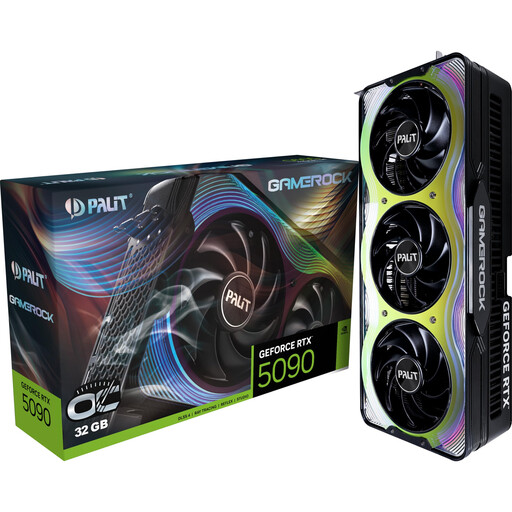
Why this product suits this profile: For users with 4K or 8K displays, large 3D scenes, AI applications and extensive video projects, the product details list 32 GB GDDR7 and a 512-bit interface.
The generous memory capacity is suited to memory-intensive applications. At the same time, its 332 mm length, weight and recommended power supply of at least 1,000 watts mean you’ll need to check your system carefully.
32 GB GDDR7, 512-bit interface, stated memory bandwidth of 1,792 GB/s and a GPU support bracket included.
We’ve put together a complete, regularly updated list of products that meet these strict selection criteria and fully comply with the safety regulations in force in the EU.
Before installation, switch off your PC completely and disconnect it from the mains. Don’t touch the gold PCIe contacts, and ground yourself to protect against electrostatic discharge. Once installed, secure the card to the case with screws and connect it using the cable specified by the manufacturer.
Next, install the latest driver from NVIDIA or AMD. After installation, check the temperatures, fan curve and stability under load. Good case ventilation won’t automatically extend the card’s lifespan, but it can help keep thermal loads within the intended operating range. Use a support bracket to prevent heavier models from sagging.
It depends on the game, quality settings, frame rate you want and upscaling support. Product details position models such as the RTX 5070 Ti, RTX 5080 and RTX 5090 for 4K scenarios. However, the specific demands of your games, power supply and case remain important.
8 GB can be enough for Full HD. For 1440p, 4K, modding, video editing and 3D projects, 12 or 16 GB gives you more headroom. A 32 GB card may be useful for particularly large scenes or AI applications, provided the rest of your hardware can keep up.
Running costs depend on power consumption, how many hours you use the card each day and your electricity tariff. A 165-watt card uses considerably less energy under load than a 360-watt model. For a realistic estimate, consider not just peak power consumption, but also idle use, gaming and creative applications.