
Lieferung heute & morgen

Qualitätsgarantie

Willkommens-Angebote freischalten: KOSTENLOSE Lieferung | Bis zu 80 % RABATT | Kostenlose 30-Tage-JoyPlus-Testphase
App herunterladen
If you want to buy a graphics card, you will find plenty of models with high clock speeds, generous graphics memory and modern features such as DLSS 4 and ray tracing. However, the key factor is not the longest product description. What matters is the combination of resolution, memory, case compatibility, power supply and intended use.
In Germany in particular, three common buying misconceptions can lead to unnecessary expense:
For 1440p gaming, the performance class you need will vary depending on the game and desired frame rate. A 4K gaming graphics card should have not only a powerful GPU but also sufficient video memory. More memory can be useful for very high texture quality, mods, 3D scenes or local AI applications.
As a practical guide:
A graphics card with GDDR7 uses a newer type of memory and can provide high memory bandwidth, depending on the model. However, GDDR6 is not automatically unsuitable: the overall memory architecture and the specific intended use remain decisive.
Power consumption affects your PSU, heat generation and ongoing energy costs. For the selected models, manufacturer recommendations range from 300 watts for a Palit RTX 3050 StormX to 1,000 watts or more for an RTX 5090 configuration.
Pay attention to:
With powerful cards such as an RTX 5080 or RTX 5090, the PSU should not merely be sufficient on paper. Also check the available cables, connector types and the space available for safe cable management.
A graphics card with three fans needs sufficient clearance from front fans, side panels and drive cages. The GIGABYTE GeForce RTX 5070 Ti Eagle OC ICE SFF, for example, measures 304 × 126 × 50 mm and is designated SFF-Ready. This makes it easier to choose components for compact systems, but it does not replace checking the specific internal dimensions of your case.
With larger cards, pay particular attention to the following:
Many current models offer three DisplayPort connections and one HDMI connection. Some ASUS variants have two HDMI connections. For multi-monitor workstations and content creation, this selection of connections may be more important than an additional RGB feature.

Why this product suits this profile: The NVIDIA GeForce RTX 5060 features 8 GB GDDR7, PCIe 5.0 and three DisplayPort connections. The manufacturer recommends a power supply of at least 550 watts and specifies a 3.125-slot design.
Specific information about the power supply, dimensions and connections helps you avoid buying hardware that is not compatible.
GDDR7 memory, PCIe 5.0 and support for up to 8K output according to the product description.
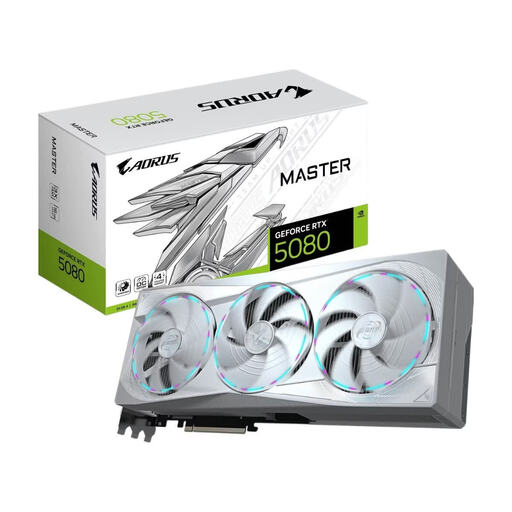
Why this product suits this profile: The RTX 5080 combines 16 GB GDDR7, a 256-bit interface, PCIe 5.0 and a specified memory bandwidth of 960 GB/s. The model supports up to four monitors.
The product data specifies 360 watts of power consumption, an 850-watt PSU and an extra-wide 150 mm format. This allows you to check power and space requirements before buying.
10,752 CUDA cores, 16 GB GDDR7, three DisplayPort and one HDMI 2.1b connection according to the manufacturer’s specifications.
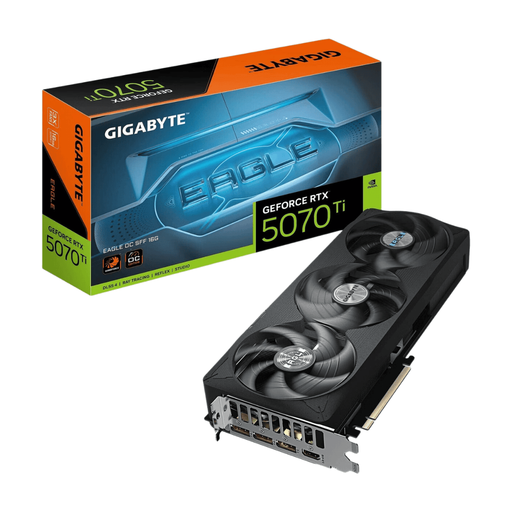
Why this product suits this profile: The RTX 5070 Ti offers 16 GB GDDR7, PCIe 5.0 and an SFF-Ready design. It is suitable for compact gaming PCs, provided the case can accommodate the three slots and the card length.
The specified dimensions of 304 × 126 × 50 mm and the SFF designation make it easier to check compatibility before placing your order.
Boost clock speed of up to 2,610 MHz in OC mode and NVIDIA Blackwell architecture according to the product data.
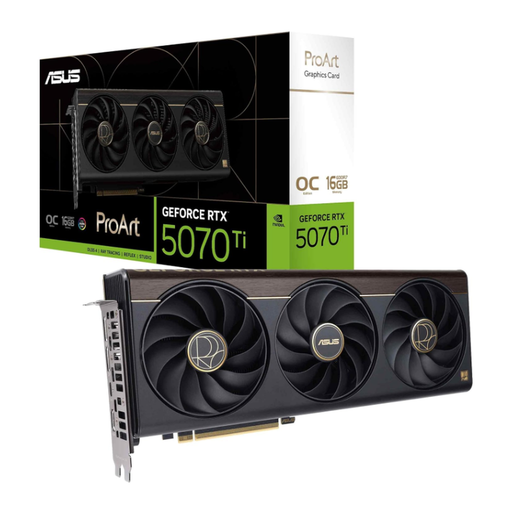
Why this product suits this profile: According to the product description, this model is designed for content creation workflows and offers 16 GB GDDR7, a 2.5-slot design and a USB-C connection.
The 2.5-slot design and additional USB-C connection are clear, verifiable criteria for your workstation and case before buying.
Boost clock speed of up to 2,610 MHz in OC mode and NVIDIA Blackwell architecture according to the product data.
An NVIDIA GeForce RTX graphics card is worth considering if you want to use features such as DLSS 4, G-Sync, CUDA or Studio support. An AMD Radeon graphics card can be a suitable alternative if Radeon drivers, RDNA architecture and your planned gaming or creative workflow are the priorities. For example, the GIGABYTE Radeon RX 9060 XT Gaming features 16 GB GDDR6 and PCIe 5.0.
A professional AI graphics card such as the NVIDIA H200 NVL, on the other hand, is not intended for a standard desktop PC. It requires a compatible server, passive cooling with powerful case airflow, up to 600 watts of power consumption and professional installation. This category of hardware would not be suitable for gaming or a typical video-editing workstation.
We have put together a complete, regularly updated list of products that fully meet these strict selection criteria and the safety regulations applicable in the EU.
That depends on the game, frame rate and quality settings. Models such as the RTX 5070 Ti and RTX 5080 feature 16 GB GDDR7 according to the product specifications and are designed for high resolutions. Also check your power supply, cooling and the requirements of the individual games.
12 GB can be sufficient for 1440p. For 4K gaming, video editing, 3D applications and large textures, 16 GB provides more headroom. However, memory capacity alone does not determine overall performance.
Ongoing costs depend on power consumption, usage time and your electricity tariff. A card drawing 360 watts uses more energy under heavy load than a model drawing 180 or 250 watts. For a rough estimate, multiply the power consumption in kilowatts by the operating hours and your personal price per kilowatt-hour.