
Lieferung heute & morgen

Qualitätsgarantie

Willkommens-Angebote freischalten: KOSTENLOSE Lieferung | Bis zu 80 % RABATT | Kostenlose 30-Tage-JoyPlus-Testphase
App herunterladen
When you want to buy a graphics card, you will often compare the GPU series, clock speed and price first. These figures are relevant, but they are not enough to make a reliable decision. A card can be technically powerful yet still fail to fit inside your existing case, overwhelm your power supply or be unnecessarily powerful for the monitor you plan to use.
This buying guide from the Joybuy Product Recommendation Officer helps you put marketing claims into context and choose a gaming graphics card, a card for content creation or a professional AI accelerator based on clear, verifiable criteria.
Many product pages mention 8K support. This primarily describes the maximum output resolution; it does not mean that every game will run in 8K at a high frame rate. When choosing a graphics card for 4K gaming, GPU performance, memory capacity, game optimisation and your desired frame rates are more important.
More video memory can be useful for high texture detail, large projects or multiple monitors. However, the memory interface, memory type and GPU architecture also affect performance. A GDDR7 graphics card with high memory bandwidth may behave differently in data-intensive applications from a card with more, but slower, memory.
Powerful models are often three or more slots wide and over 30 centimetres long. You also need to make sure that the power supply, power connectors and case ventilation are suitable. For example, the GIGABYTE AORUS GeForce RTX 5080 MASTER 16G measures 360 × 150 × 75 mm, requires a power supply of 850 W according to the product specifications and uses a 12V-2x6 connector.
For Full HD and many 1440p scenarios, models such as the NVIDIA GeForce RTX 5060 or RTX 5060 Ti may be suitable. The GIGABYTE RTX 5060 Ti AERO OC features 4,608 CUDA cores, 8 GB GDDR7 and a stated power consumption of 180 W.
For demanding 1440p and 4K gaming, options include the RTX 5070, RTX 5070 Ti and RTX 5080. According to the product data, the GIGABYTE RTX 5070 EAGLE OC combines 6,144 CUDA cores, 12 GB GDDR7 and a 192-bit memory interface. The RTX 5070 Ti models in this selection offer 16 GB GDDR7 and a 256-bit interface.
An AMD Radeon graphics card can be an alternative when high video memory capacity and traditional rasterisation performance are the priorities. The GIGABYTE Radeon RX 9060 XT Gaming, for example, comes with 16 GB GDDR6, while the Radeon RX 9070 GRE Gaming OC is specified with 12 GB GDDR6 and a 192-bit interface.
Pay attention to:
A PCIe 5.0 graphics card can generally be installed in a suitable PCIe x16 slot. Actual compatibility also depends on the motherboard, case, power supply and available power cables.
Before buying, check:
For compact systems, an SFF graphics card with documented SFF suitability can be a sensible choice. However, this designation does not replace checking the exact dimensions of your case.
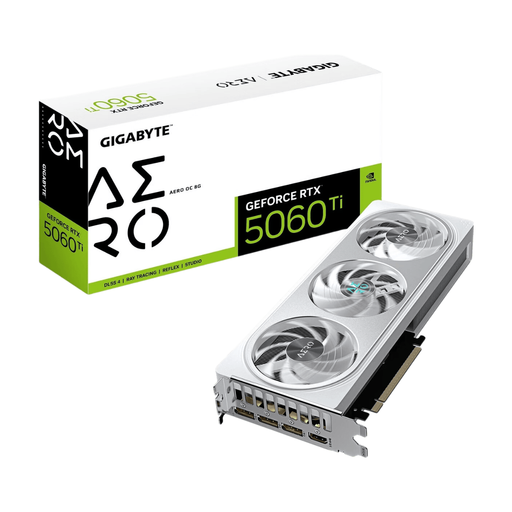
Why this product suits this profile: The card is designed for 1080p and 1440p gaming and is relatively compact at 281 × 117 × 40 mm.
The documented dimensions, 2-slot design and specified 8-pin connector make it easier to check system compatibility.
8 GB GDDR7, PCI Express 5.0, three fans and RGB lighting.
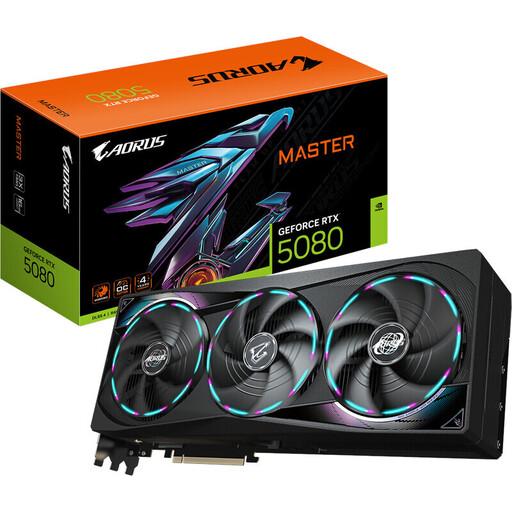
Why this product suits this profile: The RTX 5080 is aimed at users with demanding requirements for 4K gaming, multiple displays and demanding creative applications.
The product data specifies 360 W power consumption, an 850 W recommended power supply and exact dimensions. This makes system planning straightforward to verify.
16 GB GDDR7, 10,752 CUDA cores, PCI Express 5.0 and three DisplayPort 2.1b outputs.
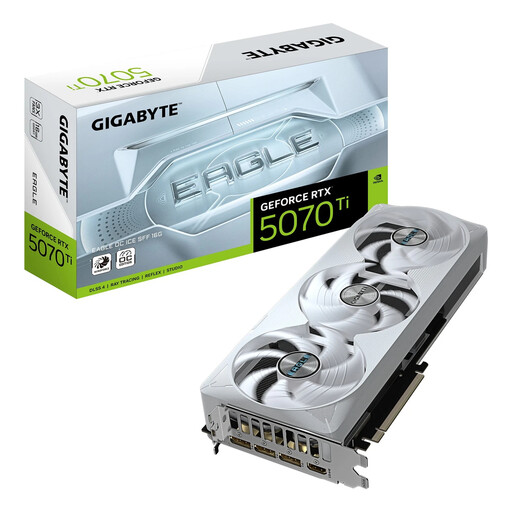
Why this product suits this profile: The SFF-Ready designation and dimensions of 304 × 126 × 50 mm appeal to users planning powerful hardware in a more compact build.
The stated SFF suitability and 3-slot design make it easier to check the card against your case before buying.
16 GB GDDR7, 8,960 CUDA cores, PCI Express 5.0 and DLSS 4 support.
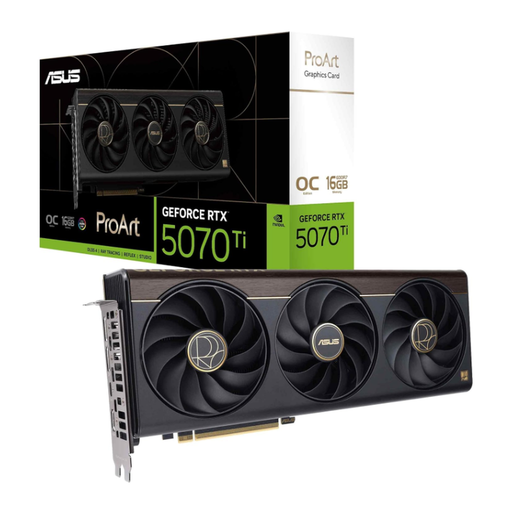
Why this product suits this profile: The 2.5-slot design, 16 GB GDDR7 and integrated USB-C connection are well suited to creative workstations with multiple peripherals.
The more compact design and clearly stated memory specifications reduce the risk of mismatching performance with your workstation requirements.
Boost clock speeds of up to 2,610 MHz in OC mode, 16 GB GDDR7 and NVIDIA Blackwell architecture.
We have put together a complete, regularly updated list of products that fully meet these strict selection criteria and the safety regulations applicable in the EU.
That depends on the game, detail settings and desired frame rate. Models such as the RTX 5060 Ti, RTX 5070 or comparable AMD Radeon cards may be worth considering for 1440p. You should also check the VRAM, monitor refresh rate and power supply requirements.
A fixed lifespan cannot be guaranteed. Factors include operating temperature, dust, workload, power supply quality and regular driver maintenance. Good case ventilation and secure installation can improve operating conditions. Fans and connectors should be checked if you notice unusual noises or instability.
Power consumption affects your electricity usage. A card drawing 360 W requires significantly more energy under load than a model drawing 180 W or 250 W. For a rough estimate, multiply the power consumption in kilowatts by the operating hours and your electricity price. In everyday use, consumption varies depending on the game, application and workload.