
Lieferung heute & morgen

Qualitätsgarantie

Willkommens-Angebote freischalten: KOSTENLOSE Lieferung | Bis zu 80 % RABATT | Kostenlose 30-Tage-JoyPlus-Testphase
App herunterladen
Deciding to buy a new laptop in 2026 can be complex, given the rapid pace of technological evolution. Manufacturers are promoting new buzzwords like "AI Laptop" and impressive performance specs. However, not every innovation is relevant for every user, and some marketing promises can be misleading. This guide will help you distinguish important features from unimportant ones and avoid common pitfalls.
Before you make a purchase, you should be aware of three common marketing traps that can lead to a poor investment:
To make the right choice, focus on the technical specs that matter for your specific needs.
Modern processors from Intel (Core Ultra), Apple (M5 Series), and AMD (Ryzen AI) integrate an NPU optimised for AI tasks. The performance of this unit is often measured in TOPS (Trillions of Operations Per Second).
For demanding visual tasks, such as on a Gaming Laptop RTX 5090 or a mobile workstation, the GPU is critical. Pay attention not only to the model but also to the TGP (Total Graphics Power), specified in watts. This value defines the maximum power the GPU can draw and has a direct impact on its actual performance. A High-End Notebook with an RTX 5080 and a 150W TGP may, in some cases, be more powerful than a model with the same GPU but only a 100W TGP.
The choice of display should depend on the primary use case.
Modern ports like Thunderbolt 5 and Wi-Fi 7 ensure that your device remains compatible with fast external devices and networks for years to come.
Here are some recommendations tailored to specific user groups and their needs.
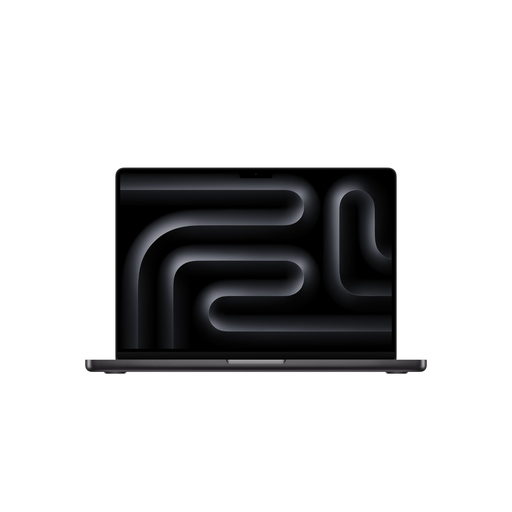
Why This Fits Their Persona: Ideal for video producers, photographers, and designers who need a powerful yet portable device. The M5 Pro chip delivers high efficiency for long battery life during demanding tasks.
The Liquid Retina XDR display offers excellent colour accuracy and brightness that go far beyond mere resolution specs. The efficiency of the M5 Pro chip prevents severe thermal throttling in its compact chassis.
macOS optimisation for creative software like Final Cut Pro and Adobe Creative Suite; high energy efficiency for long work sessions away from a power outlet.
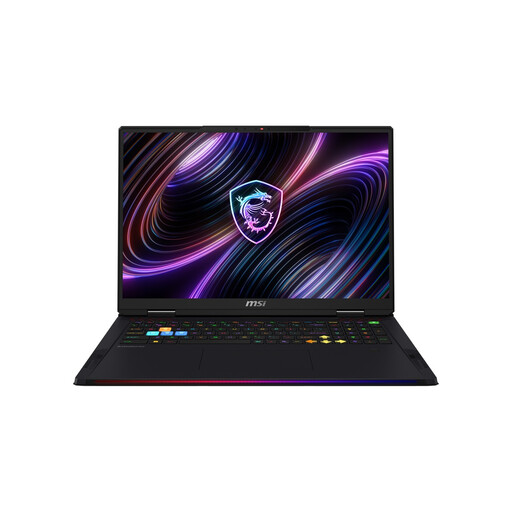
Why This Fits Their Persona: Designed for hardcore gamers and professional users who need maximum performance for 4K gaming, 3D rendering, or complex simulations and refuse to compromise.
This model avoids the thermal throttling trap with a purpose-built cooling system (Cooler Boost 5) and a high 175W TGP, ensuring the RTX 5090's performance can be consistently accessed.
Maximum graphics performance thanks to a high TGP; advanced cooling system for sustained performance; Mini-LED display with UHD+ resolution and 120 Hz.
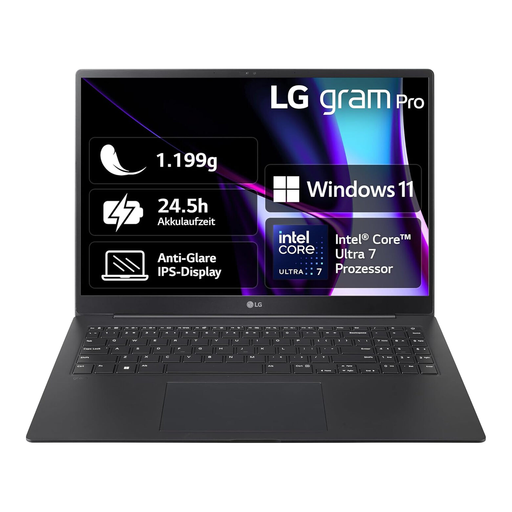
Why This Fits Their Persona: Perfect for professionals, students, and anyone seeking maximum mobility. Weighing only around 1.19 kg, this 16-inch notebook is a `lightweight Ultrabook` and ideal for daily transport.
The LG gram focuses on its strengths—weight and battery life—without making exaggerated gaming performance claims. It's a specialised tool for productivity, thus avoiding the trap of being a mediocre jack-of-all-trades.
Extremely low weight for a 16-inch device; long battery life for a full mobile workday; high-quality magnesium chassis.
We've compiled a complete, real-time updated list of products that fully meet these strict selection criteria and all applicable safety regulations.
TGP is one of the most critical factors for graphics performance. It indicates how much electrical power the graphics chip can draw at maximum. A higher TGP allows the GPU to maintain higher and more stable clock speeds, which directly translates to more frames per second (FPS) in games and shorter render times in creative applications. A laptop review often shows that models with the identical GPU but different TGP values have significant performance differences.
Yes, even for users who aren't involved in AI development. The integrated NPU takes over specialised tasks like improving video calls (e.g., background blur, eye contact correction) or intelligently managing power consumption. This offloads the main CPU, which can lead to longer battery life and a more responsive system. With the increasing integration of AI features into operating systems and standard software, an NPU is becoming increasingly beneficial.
The decision depends on your personal workflow and preferred ecosystem. Choosing a MacBook Pro M5 means opting for a highly integrated system where hardware and software (e.g., Final Cut Pro) are optimally matched, resulting in high efficiency. A Windows-based mobile workstation laptop with a powerful NVIDIA RTX graphics card often offers more raw computing power, broader software compatibility, and more flexibility with hardware upgrades. For 3D-heavy workflows, the Windows platform may be more advantageous, while for pure video editing within the Apple ecosystem, the MacBook Pro offers a very polished experience.