
Lieferung heute & morgen

Qualitätsgarantie

Willkommens-Angebote freischalten: KOSTENLOSE Lieferung | Bis zu 80 % RABATT | Kostenlose 30-Tage-JoyPlus-Testphase
App herunterladen
By Joybuy Product Recommendation Officer, July 14, 2026
Deciding to buy a new MacBook can be a challenge given the diverse model lines and configurations. With the introduction of the 2026 models, including the MacBook Air with M5, the powerful MacBook Pro with M5 Max, and the new MacBook Neo, the choice becomes even more complex. This guide provides a factual overview to help you find the right device for your specific needs—whether for university, creative projects, or professional daily use.
Before making a decision, it's helpful to understand the key technological innovations and their practical benefits.
The central component of any MacBook is its chip. The 2026 generation offers three main variants:
All new MacBook models support Apple Intelligence, macOS's personal intelligence system. However, the efficiency and speed at which AI functions are executed depend on the chip's performance. While the A18 Pro reliably handles basic AI tasks, the M5 chips, with their more advanced Neural Engine and Neural Accelerators, offer significantly faster processing for complex, on-device AI applications.
The choice of the right model also depends on external factors:
Here is a detailed look at three representative models from the current lineup.
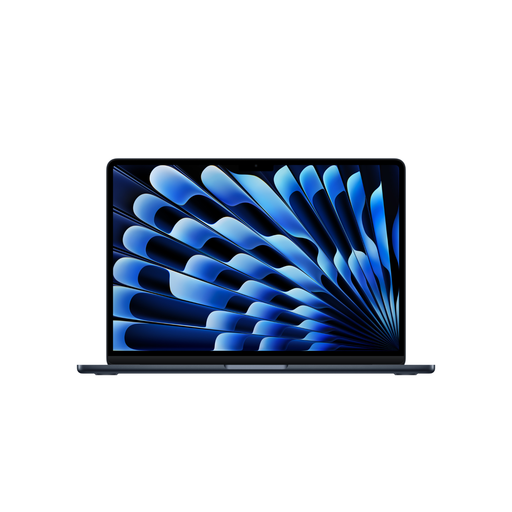
Why It Stands Out: The MacBook Air with the M5 chip is the ideal blend of portability and performance. It's fanless, making it completely silent, yet offers enough processing power for demanding applications. The long battery life makes it a reliable companion for on-the-go use.
Advantages:
Who Is It For? This model is an excellent choice for students, educators, mobile professionals, and anyone looking for a lightweight yet powerful notebook for everyday use and beyond. It is the perfect MacBook for students and users who want a future-proof all-rounder.
View details for the MacBook Air M5

Why It Stands Out: The new MacBook Neo 2026 positions itself as an accessible entry-level model into the world of macOS. It combines a colourful, durable aluminium chassis with solid performance for everyday tasks and offers an attractive price-to-performance ratio.
Advantages:
Who Is It For? The MacBook Neo is the right choice for K-12 students, university students with basic needs, and home users looking for a reliable device for web, email, word processing, and media consumption. It is a compelling option for anyone who wants to buy a new MacBook at a more affordable price.
View details for the MacBook Neo

Why It Stands Out: This MacBook Pro is built for uncompromising performance. The M5 Max chip, with its 18-core CPU and 32-core GPU, handles even the most intensive professional workflows, while the Liquid Retina XDR display sets the standard for colour accuracy and brightness.
Advantages:
Who Is It For? This device is aimed at creative professionals in video editing, 3D animation, music production, and photography, as well as developers and scientists who require maximum computing power.
View details for the MacBook Pro M5 Max
Is the right model for you not listed here, or do you want to compare different configurations and other models? Explore our entire range of Computers and Laptops to find the perfect solution for your needs.
The main difference lies in the processor and the target audience. The MacBook Air with the M5 chip offers higher performance for more demanding tasks and features faster ports (Thunderbolt 4). The MacBook Neo with the A18 Pro chip is designed as a more affordable entry-level model for basic everyday tasks and uses standard USB-C ports.
The upgrade to the M5 Max is worth it if your daily work consists of compute-intensive tasks like professional 8K video editing, complex 3D rendering, or developing large software projects. For general office work, web browsing, or university studies, the performance of a MacBook Air or Neo is typically more than sufficient.
An effective MacBook price comparison should focus on the specifications relevant to you: chip variant (CPU/GPU cores), amount of RAM (GB), SSD storage capacity, and display technology. Define your minimum requirements and then compare the models that meet them to find the device with the right price-to-performance ratio for your budget.