Choosing a new Apple laptop in 2026 requires an analysis of the available models and their technical specifications. With the introduction of the MacBook Air M5 and the MacBook Neo, Apple has expanded its portfolio with devices tailored to different user profiles. This guide focuses on the objective parameters relevant for an informed purchasing decision: processor performance, display technology, connectivity, and form factor.
Purchase Recommendations for MacBook
Selecting the right model depends on your primary use case. The key differentiators in the current generation are chip architecture, display size, and port selection.
Processor Architecture: M5 vs. A18 Pro
A MacBook's performance is primarily determined by its chip. The 2026 models use two distinct architectures:
- Apple M5 Chip: This processor is designed for users who require high computing power for demanding tasks. Featuring a 10-core CPU (split between performance and efficiency cores) and a GPU with up to 10 cores, the M5 chip handles resource-intensive applications like video editing, 3D rendering, and complex data analysis. Its high memory bandwidth of 153 GB/s supports smooth multitasking with large datasets.
- Apple A18 Pro Chip: The A18 Pro, found in the MacBook Neo, is optimized for efficiency in everyday tasks. Its 6-core CPU and 5-core GPU deliver solid performance for web browsing, office applications, media playback, and light creative work.
Both chips feature a 16-core Neural Engine, which serves as the foundation for Apple Intelligence. These on-device AI features are designed to assist with writing, organization, and communication tasks system-wide.
Display Size and Technology: 13-inch vs. 15-inch
The choice of display size affects both portability and working comfort.
- 13-inch Models (MacBook Air and MacBook Neo): A 13-inch MacBook offers a balance between a compact form factor and ample screen real estate. The MacBook Air M5 uses a 13.6-inch Liquid Retina display with a 2560 x 1664 resolution. The MacBook Neo features a 13-inch Liquid Retina display with a 2408 x 1506 resolution and 500 nits of brightness. Both are ideal for on-the-go use.
- 15-inch Model (MacBook Air): The 15-inch MacBook Air is aimed at users who need more screen space for multitasking or displaying detailed content. Its 15.3-inch Liquid Retina display, with a resolution of 2880 x 1864 pixels, provides an expanded workspace, which is particularly beneficial when using multiple windows side-by-side.
Unified Memory and SSD Storage
Unified Memory is an integral part of the Apple chip architecture, shared between the CPU and GPU. A higher capacity (e.g., 16 GB versus 8 GB) allows you to run more applications simultaneously and edit larger files without impacting system performance. All models featured here are equipped with fast SSD storage, ensuring short loading times for the operating system and applications.
Connectivity: Ports and Wireless Technologies
Port selection is a crucial practical criterion.
- MacBook Air (M5): Equipped with two Thunderbolt 4 (USB-C) ports that enable high transfer speeds (up to 40 Gb/s), device charging, and support for up to two external monitors. It also integrates the Apple N1 Wireless Chip for Wi-Fi 7 and Bluetooth 6.
- MacBook Neo (A18 Pro): Offers two USB-C ports with different specifications (1x USB 3 at up to 10 Gb/s, 1x USB 2 at up to 480 Mb/s) and supports one external monitor. Wireless connections are handled by Wi-Fi 6E and Bluetooth 6.
Shop Our Top Choices
Based on the technical specifications and their resulting use cases, we present three configurations.
Apple 13-inch MacBook Air (M5, 2026) - Sky Blue
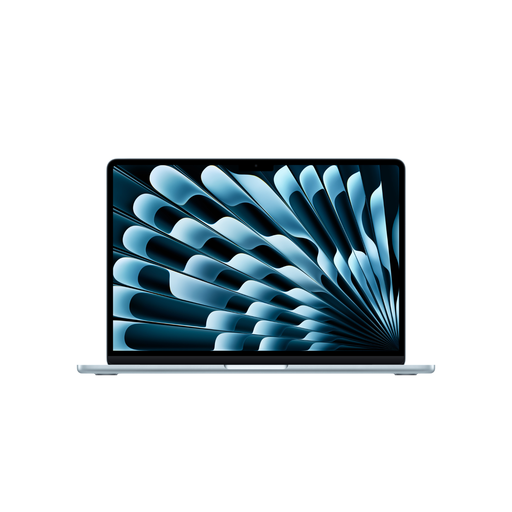
- Why we recommend it: This model represents a perfect balance of high performance and maximum portability. The M5 chip delivers the necessary computing power for demanding software, while its low weight and compact form factor make it easy to use on the go.
- Pros:
- Apple M5 chip with 10-core CPU and 8-core GPU
- Long battery life of up to 18 hours (per Apple's specifications)
- Bright 13.6-inch Liquid Retina display
- Future-proof connectivity with Wi-Fi 7 and two Thunderbolt 4 ports
- 16 GB of unified memory for smooth multitasking
- Who it's for: Students in technical fields, mobile creative professionals, and business users looking for a new, powerful, and lightweight Apple laptop.
Find more technical details and the latest MacBook deals on the product page.
Apple 15-inch MacBook Air (M5, 2026) - Silver
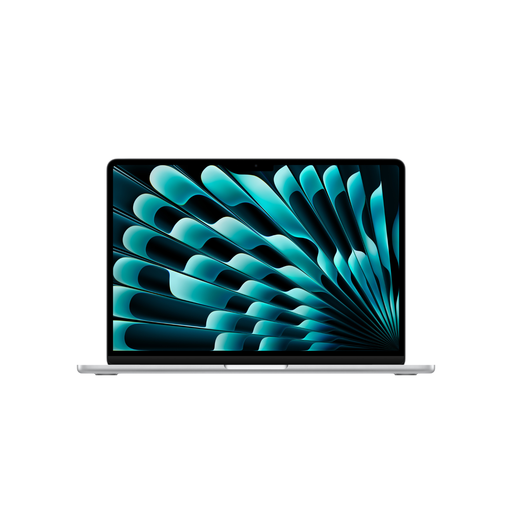
- Why we recommend it: The 15-inch MacBook Air M5 is designed for users who appreciate the comfort of a large screen without sacrificing the benefits of a thin and light design. The additional graphics performance from the 10-core GPU is a bonus for visual applications.
- Pros:
- Large 15.3-inch Liquid Retina display for productive work
- Powerful Apple M5 chip with 10-core CPU and 10-core GPU
- Six-speaker sound system with Spatial Audio
- Support for two external displays
- Slim design weighing only 1.51 kg
- Who it's for: Users who rely on their notebook as their primary work machine, such as developers, analysts, or content creators who need significant screen real estate for their workflows.
Find more technical details and the latest MacBook deals on the product page.
Apple 13-inch MacBook Neo (A18 Pro) - Blush

- Why we recommend it: The MacBook Neo is positioned as an accessible and efficient device for everyday tasks. It combines the core features of the macOS ecosystem, including Apple Intelligence, in a very lightweight chassis and is available in several color options.
- Pros:
- Efficient A18 Pro chip for standard applications
- Extremely lightweight and compact design (1.23 kg)
- Touch ID for secure and fast authentication
- Solid battery life of up to 16 hours (per Apple's specifications)
- Good base configuration with 8 GB of memory and a 512 GB SSD
- Who it's for: An ideal MacBook for students and users whose main requirements involve web browsing, word processing, email, and media consumption.
Find more technical details and the latest MacBook deals on the product page.
Other Options and Alternatives
The MacBook models presented here cover a wide range of use cases. If you are considering a broader spectrum of portable computers, you can find a comprehensive overview in our Laptops category.
Frequently Asked Questions (FAQ)
1. Which MacBook is best for students in 2026? The choice depends on the field of study. For humanities and social sciences, the MacBook Neo with its A18 Pro chip is often sufficient, offering an excellent price-to-portability ratio. For students in STEM or creative fields who rely on computationally intensive software, the 13-inch MacBook Air with the M5 chip is the more suitable choice due to its greater performance headroom.
2. What is the technical difference between the MacBook Air M5 and the MacBook Neo? The main differences are the processor (M5 vs. A18 Pro), connectivity (Thunderbolt 4 and Wi-Fi 7 on the Air vs. USB-C and Wi-Fi 6E on the Neo), maximum battery life (18h vs. 16h, per Apple), and external display support (two on the Air, one on the Neo). The MacBook Air is designed for higher performance, while the Neo is optimized for efficiency in everyday tasks.
3. What is Apple Intelligence and which laptops run it? Apple Intelligence is a personal intelligence system deeply integrated into macOS. It uses on-device processing to enable features like text summarization, image creation, and notification prioritization. Both the M5 chip models and the MacBook Neo with the A18 Pro chip are equipped with the necessary Neural Engine to run these features.
Authored by: Joybuy Product Recommendation Officer


