
Lieferung heute & morgen

Qualitätsgarantie

Willkommens-Angebote freischalten: KOSTENLOSE Lieferung | Bis zu 80 % RABATT | Kostenlose 30-Tage-JoyPlus-Testphase
App herunterladen
Anyone looking to buy a motherboard should not base their decision solely on the chipset, brand name or advertised clock speed. The motherboard connects the processor, RAM, graphics card, SSDs and ports. Choosing incorrectly can mean that existing components are incompatible or that important features are missing.
As a Joybuy Product Recommendation Officer, I filter the relevant information according to practical criteria. Incorrect purchases most often result from three points:
The socket is the key compatibility feature. Depending on the platform, AMD Ryzen processors use sockets including AM4 and AM5. An AM5 Ryzen motherboard supports DDR5 and current Ryzen processors, while AM4 models are generally designed for DDR4.
For Intel, the main differences are between LGA 1700 and LGA 1851. An LGA 1700 motherboard such as the MSI PRO H610M-E or MSI B760M GAMING PLUS WIFI is designed for compatible Intel processors using this socket platform. The ASRock B860M Lightning WiFi, on the other hand, uses LGA 1851 and DDR5.
Before buying, check the manufacturer’s official CPU support list and the required BIOS version. Product data may be incomplete or contradictory for individual offers. This applies, for example, to information about processor series or RAM types.
A DDR4 motherboard can be a sensible choice if you want to continue using existing memory modules. The MSI PRO H610M-G DDR4, for example, supports up to 64 GB of DDR4 across two DIMM slots. The ASRock A520M-HDV and GIGABYTE A520M DS3H V2 are also designed for AM4 and DDR4 systems.
A DDR5 motherboard, by contrast, provides a current memory platform but requires you to buy new RAM modules. When comparing models, do not just look at the maximum speed. Also consider:
Two memory slots are often sufficient for an office PC. For gaming, video editing or virtual machines, four DIMM slots provide more scope for future expansion.
A Micro-ATX motherboard fits compact cases and is suitable for many everyday and gaming PCs. Before ordering, check the existing standoffs and the maximum graphics card length supported by the case.
An ATX motherboard provides more room for expansion cards, M.2 SSDs and additional connections. According to the product specifications, the GIGABYTE B850 Eagle Ice has four DIMM slots, three M.2 slots and several PCIe slots. This equipment may be more practical for content creators or heavy users than an especially compact layout.
Also pay attention to:
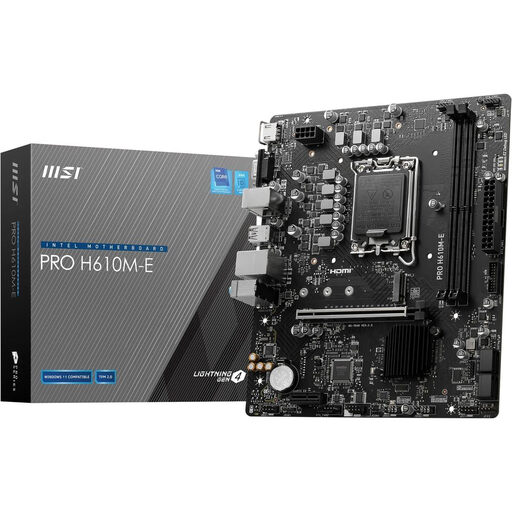
Why this product suits the profile: This Micro-ATX model is designed for compact Intel systems with LGA 1700 and DDR5. It provides a straightforward specification for office PCs and basic upgrades.
The specifications clearly state the socket, chipset, two DDR5 slots and a maximum capacity of 64 GB. This makes it easier to check your memory plans before buying.
PCIe 4.0 x16, one M.2 slot, 1-Gbit LAN, plus HDMI and VGA.
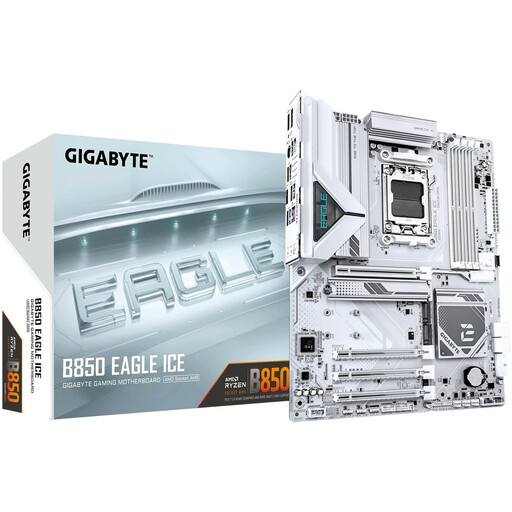
Why this product suits the profile: This ATX motherboard is designed for current AM5 Ryzen systems, with four DDR5 DIMM slots and several storage options.
The specifications explicitly list the AM5 socket, B850 chipset, three M.2 slots and PCIe 5.0. This allows you to compare your planned expansion needs with the product data sheet in advance.
Up to 256 GB DDR5, 2.5-Gbit LAN, three M.2 slots, plus HDMI 2.1 and DisplayPort 1.4.
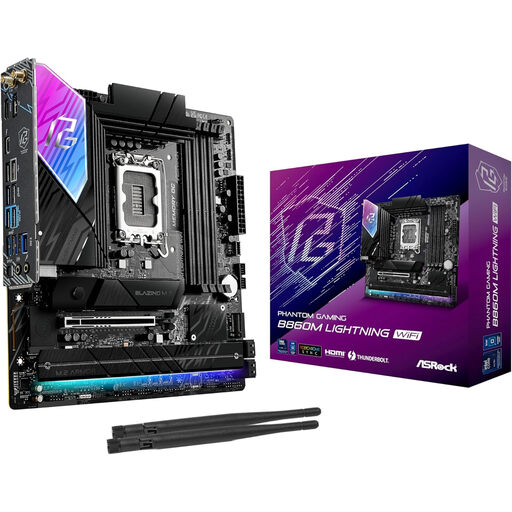
Why this product suits the profile: For users who need integrated Wi-Fi, fast M.2 interfaces and a modern Intel platform, this Micro-ATX model combines several connections in a compact footprint.
The LGA 1851 socket and DDR5 support are clearly specified. This helps avoid the common mistake of confusing it with LGA 1700 models.
PCIe 5.0 x16, one PCIe 5.0 M.2 slot, three additional M.2 connections, Wi-Fi 6E and Thunderbolt 4.
We have compiled a complete, regularly updated list of products that fully meet these strict selection criteria and the safety regulations applicable in the EU.
Before installation, disconnect the power supply completely from the mains. Handle the board by its edges wherever possible and avoid static discharge. Socket pins, RAM contacts and M.2 slots are particularly sensitive.
After installation, check the following:
A motherboard does not have a fixed general replacement interval. Dust-free cooling, a suitable power supply and careful installation have a greater impact on service life than advertised maximum specifications. If you notice visible damage, unusual heat generation or unstable operation, switch off the PC and investigate the cause.
First check the socket, then the chipset and BIOS compatibility. AM4, AM5, LGA 1700 and LGA 1851 are different platforms. The manufacturer’s CPU support list is the definitive reference.
Not automatically. Gaming performance mainly depends on the processor, graphics card, RAM and cooling. A gaming motherboard may offer additional features such as improved power delivery, multiple M.2 slots, Wi-Fi or more extensive fan control. These features should suit the system you are planning.
PCIe 5.0 is an interface option, not proof of performance on its own. It may be useful for compatible SSDs or future upgrades. If your components use PCIe 4.0, the connection will generally work within the relevant platform, but at the speed it supports.