
Lieferung heute & morgen

Qualitätsgarantie

Willkommens-Angebote freischalten: KOSTENLOSE Lieferung | Bis zu 80 % RABATT | Kostenlose 30-Tage-JoyPlus-Testphase
App herunterladen
Choosing a new PC mouse can quickly become overwhelming given the countless models and technical specifications available. Whether for the home office, gaming sessions, or everyday use, the right mouse can significantly boost productivity and comfort. However, many users fall into marketing traps that lead to unsuitable purchases. This guide will help you understand the crucial criteria and make an informed decision.
As your Joybuy Product Recommendation Officer, I have identified the most common pitfalls you should avoid during your purchase:
To make an informed choice, you should focus on three core parameters that determine the actual utility.
The sensor is the heart of every PC mouse. Modern optical sensors work reliably on most surfaces. More important than the sensor type is the balance between DPI and polling rate.
The choice of connection technology depends on your priorities: maximum performance or maximum flexibility.
A truly ergonomic mouse adapts to your hand and grip style. There are three main types of grips:
Look for models designed for right- or left-handers, or choose an ambidextrous design.
Here are some recommendations tailored to specific user profiles and the criteria mentioned above.
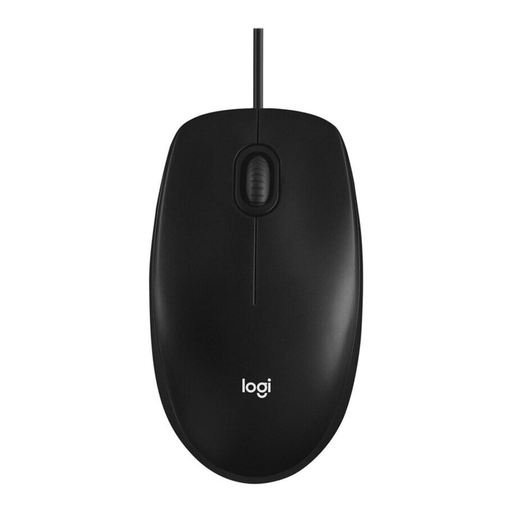
Why This Fits Their Persona: This model is the definition of reliability. It is ideal for users who need a straightforward, wired mouse for everyday tasks in the office or at home. The plug-and-play functionality makes setup effortless.
It forgoes superfluous marketing features. The 1000 DPI is optimal for office applications, and the simple, ambidextrous design is functional without making a vague ergonomic promise.
High reliability and durability thanks to Logitech's proven quality; simple setup without any software installation.
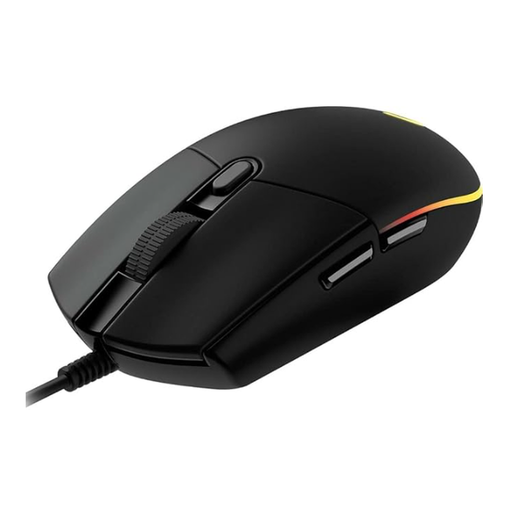
Why This Fits Their Persona: This mouse offers an excellent entry point into the world of gaming. It combines a precise sensor with programmable buttons and customizable RGB mouse lighting, making it a versatile tool for various game genres.
The DPI value of up to 8000 is practical for gamers and adjustable via software. The classic, proven shape is functional and not just a marketing gimmick. The 1000 Hz polling rate is a concrete performance metric.
Gaming-grade sensor and 6 programmable buttons; customizable LIGHTSYNC RGB lighting for a personalized setup.
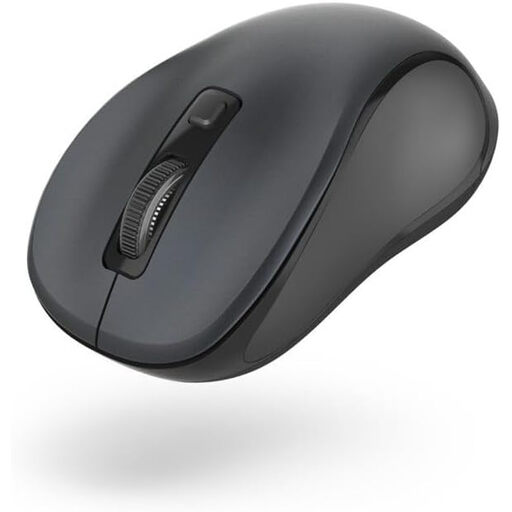
Why This Fits Their Persona: This silent mouse is ideal for open-plan offices, libraries, or the home office where you don't want to disturb others. As a Bluetooth mouse, it also offers maximum flexibility without cable clutter and without occupying a USB port.
It solves a specific problem—noise—instead of relying on empty marketing phrases. The ergonomics are supported by tangible features like rubberized side grips for better hold.
Near-silent buttons for distraction-free work; flexible connectivity via Bluetooth 5.0 and adjustable DPI levels.
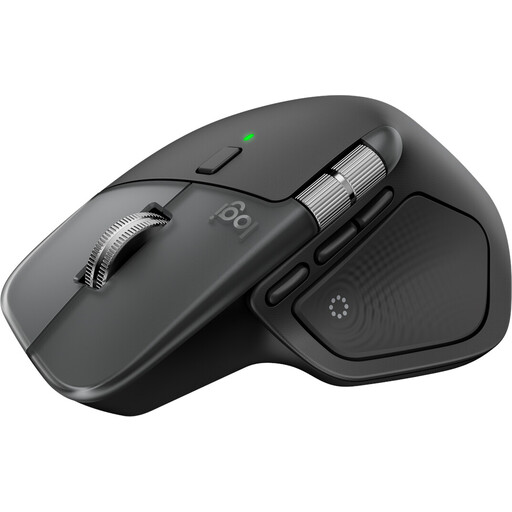
Why This Fits Their Persona: This mouse is designed for professional users who value efficiency and comfort. As a dedicated mouse for Mac, it integrates seamlessly into the Apple ecosystem and offers advanced features for demanding workflows.
The ergonomic promise is delivered through a meticulously sculpted shape and a thumb wheel. High-end features like the MagSpeed scroll wheel and the 8K DPI sensor, which works even on glass, offer genuine added value.
Advanced productivity features like ultra-fast scrolling and haptic feedback; seamless control of up to three devices.
We've compiled a complete, up-to-date list of products that fully meet these strict selection criteria and German safety regulations.
The lifespan of a PC mouse depends heavily on the quality of its internal switches and the intensity of use. Inexpensive models can fail after just one to two years, while high-quality mice, with buttons rated for 20 million clicks or more, often last three to five years or longer.
In principle, most USB and Bluetooth mice work flawlessly with macOS. However, a special mouse for Mac, like the Logitech MX Master series, can offer advantages such as better integration with the operating system, support for specific gestures, or a design that matches the aesthetic of Apple products.
DPI (Dots Per Inch) indicates how sensitive a mouse is to movement. A higher value means the cursor travels a greater distance on the screen with the same hand movement. For office work and general use, 800–1,600 DPI is ideal. Gamers playing on large, high-resolution monitors benefit from values of 4,000 DPI or more to execute swift turns with precision.