
Lieferung heute & morgen

Qualitätsgarantie

Willkommens-Angebote freischalten: KOSTENLOSE Lieferung | Bis zu 80 % RABATT | Kostenlose 30-Tage-JoyPlus-Testphase
App herunterladen
If you’re looking to buy PC components, don’t focus solely on model names, memory capacities or advertised clock speeds. What matters is whether the graphics card, motherboard, SSD, power supply and case will actually work together. High theoretical performance is of little use if the graphics card won’t fit in your case, the power supply lacks the required connector or the SSD is installed in the wrong M.2 slot.
This guide is for PC gamers, enthusiasts, content creators, video editors and professional users. It focuses on clear, practical technical specifications and common buying mistakes.
Many graphics cards support 4K or 8K output, according to their specifications. This initially describes the maximum display resolution, not necessarily the frame rate you can expect in the latest games. When choosing a gaming graphics card, you should also consider video memory, memory interface, cooling, power consumption and the resolution you actually play at.
A card with 8 GB of memory may be suitable for certain 1080p or 1440p setups. More video memory can be useful for high texture settings, demanding mods or content creation projects.
A PCIe 5.0 SSD or graphics card can generally run in a PCIe 4.0 system, either with limitations or through backwards compatibility. The speed you can actually achieve will then depend on the slower standard. So, when buying an NVMe SSD, check which generation the motherboard supports at the relevant M.2 slot.
A PCIe 4.0 SSD is enough for many games. PCIe 5.0 may be worth considering for large file transfers, professional video editing or certain workstation tasks. A suitable M.2 heatsink and adequate case ventilation are still important.
An Intel motherboard with an LGA 1700 socket isn’t compatible with an AMD AM5 processor. DDR4 and DDR5 memory also can’t be swapped freely between motherboards. Before you buy, check that the CPU socket, chipset, BIOS support, memory type and form factor are all compatible.
When buying a graphics card, check at least the following:
For 4K gaming, AI applications or content creation, a card with 16 GB or 32 GB of memory may be suitable. For compact 1080p systems, smaller models with lower power consumption and a shorter form factor may make more sense.
When choosing an NVMe SSD, consider these parameters:
A gaming motherboard should be compatible with your CPU generation and case. You should also check:
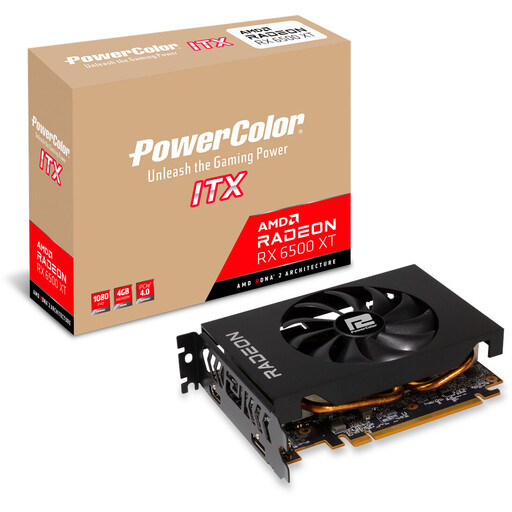
Why it suits this profile: This compact ITX model is designed for smaller cases. According to the product details, it has a power consumption of 107 W and a recommended power supply capacity of at least 400 W.
Its short design makes it easier to plan your build. Before buying, bear in mind that it has 4 GB of GDDR6 memory and is intended for 1080p use.
165 mm long, with a 2-slot design, PCIe 4.0 and a 6-pin connector.
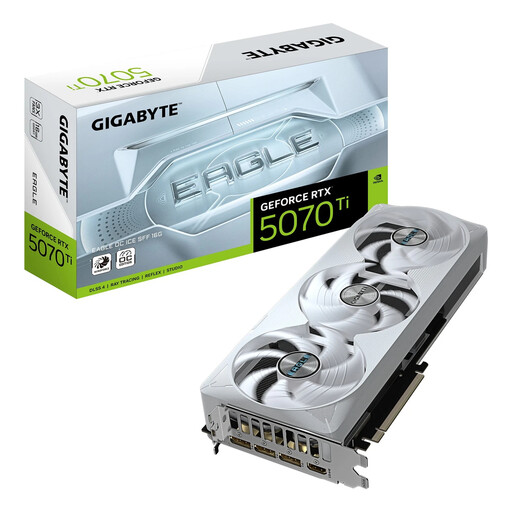
Why it suits this profile: According to the product details, this gaming graphics card combines 16 GB of GDDR7, a 256-bit memory interface and a PCIe 5.0 interface with an SFF-Ready form factor.
Its dimensions of 304 × 126 × 50 mm and recommended 750 W power supply class make it easier to plan your system.
16 GB of GDDR7, a stated memory bandwidth of 896 GB/s and support for up to four monitors.
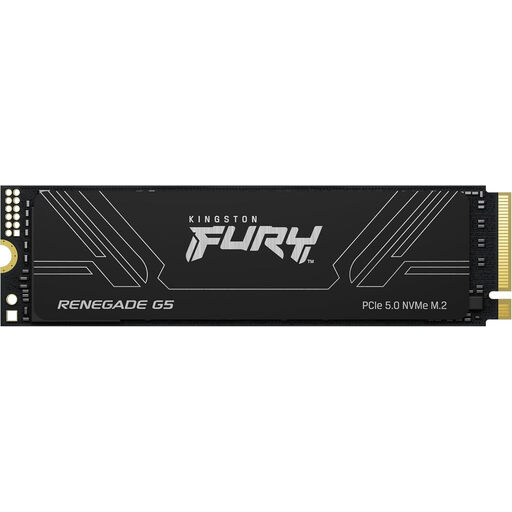
Why it suits this profile: Its 4 TB capacity and stated 3D TLC NAND make it suitable for large media libraries, project files and extensive software installations.
Its stated PCIe 5.0 compatibility makes it easier to choose the right interface. However, your motherboard must have a compatible M.2 slot.
Read speeds of up to 14,800 MB/s, write speeds of up to 14,000 MB/s and an M.2 2280 form factor, according to the product details.
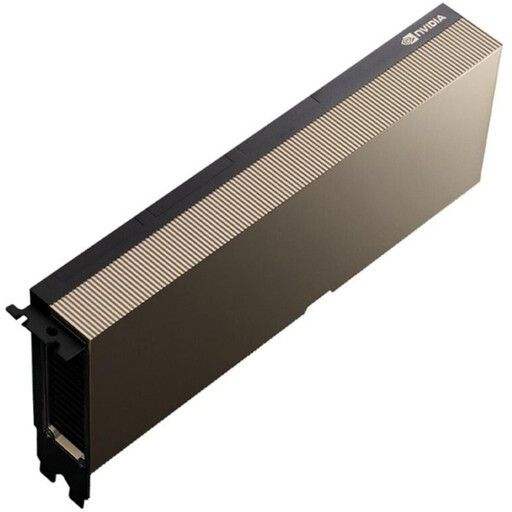
Why it suits this profile: According to the manufacturer, this card is designed for compatible data centre servers, AI training and LLM inference, not standard desktop PCs.
Its clear positioning as a server product helps avoid the common mistake of confusing a data centre AI accelerator with a desktop GPU.
141 GB of HBM3e, PCIe 5.0 x16 and passive cooling for servers with forced airflow.
We’ve put together a complete, regularly updated list of products that meet these strict selection criteria and the safety regulations in force across the EU.
It depends on what’s holding your system back. For better gaming performance, the graphics card is often the key component. An NVMe SSD can reduce loading times if you’re still using an older hard drive or SATA SSD. If your memory is under heavy pressure or you’re moving to a new platform, it may make sense to upgrade the motherboard, CPU and DDR5 memory together.
There’s no set lifespan that applies to every drive. Write volume, NAND type, temperature and usage all matter. The manufacturer’s TBW rating is a useful technical guide. You should still keep a separate backup of important files, whatever SSD model you use.
The cost depends on power consumption, how many hours you use it each day and your electricity tariff. A card with higher power consumption may use more energy if it’s frequently running at full load. So, compare not only processing performance but also the stated power consumption, power supply requirements and your own usage.