
Lieferung heute & morgen

Qualitätsgarantie

Willkommens-Angebote freischalten: KOSTENLOSE Lieferung | Bis zu 80 % RABATT | Kostenlose 30-Tage-JoyPlus-Testphase
App herunterladen
If you’re looking to buy PC components, don’t focus solely on clock speed, core count or eye-catching product claims. For a stable, powerful PC, the processor, motherboard, memory, cooling and power supply all need to work together. The following selection from Joybuy’s Product Recommendation Officer highlights which specifications matter before you buy and which common mistakes you can avoid.
An AMD Ryzen processor won’t automatically fit every AMD motherboard. The specific socket is what matters. A Ryzen 7000 or Ryzen 9000 processor for AM5 needs an AM5 motherboard and DDR5 memory. Older Ryzen models for AM4, on the other hand, use DDR4.
The socket is just as important when choosing an Intel processor. Depending on the chipset and BIOS, LGA1700 motherboards support specific Intel Core generations. So an LGA1700 motherboard isn’t necessarily fully compatible with every Intel CPU just because it has the right socket.
A high core count or boost clock tells you little if the CPU cooler isn’t suited to the thermal design power (TDP). Some processors are sold without a cooler. These include the Threadripper models listed with TDPs of 280 and 350 watts, as well as the Ryzen 9 9950X, with a TDP of 170 watts.
Before placing your order, check:
Thermal paste should also be part of your installation plan. A small, even amount on the heat spreader is usually enough. Remove all the old paste before replacing a cooler.
Figures such as ‘up to 8000 MHz’ or ‘DDR5-7200+ MHz (OC)’ refer to overclocking profiles supported by the motherboard. They don’t necessarily represent the guaranteed standard operating speed of every memory module. A processor’s maximum boost frequency also depends on cooling, BIOS settings and workload.
When buying a motherboard, look beyond advertised peak speeds and check the official specifications for memory frequency, BIOS support, power delivery and expansion slots.
The socket must match exactly: AM5, LGA1700, sWRX8 and sTR5 are not interchangeable. The chipset also affects memory support, PCIe version, M.2 connectors, networking features and available BIOS options.
If you’re upgrading a PC and keeping your existing CPU, checking the BIOS is especially important. A BIOS update may be needed for newer processors. Check the motherboard manufacturer’s website before installation.
A DDR5 motherboard needs DDR5 modules; DDR4 and DDR5 memory can’t be used interchangeably. You should also consider:
Two or four memory modules are often enough for gaming and general desktop use. Depending on the software, professional workstations can benefit from more channels and greater capacity.
A PCIe x16 slot is usually used for the graphics card. For NVMe SSDs, look for M.2 slots with the right PCIe generation. A motherboard with PCIe 5.0 provides the relevant interface, but the speed you can actually achieve also depends on the drive you install.
With high-performance processors, you should also check the CPU power connectors, the motherboard’s power delivery and the power supply’s capacity headroom. This is particularly important for a Threadripper CPU and an sTR5 workstation processor.
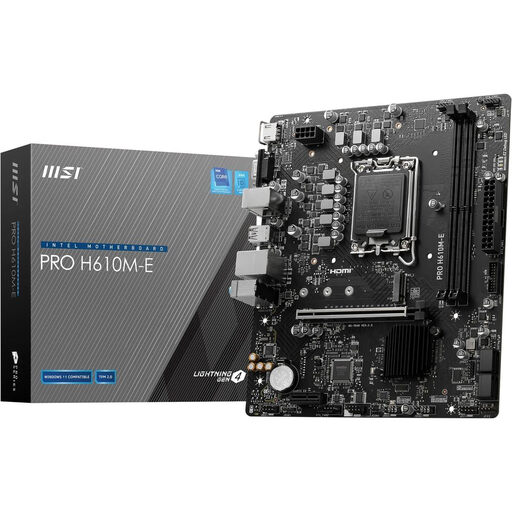
Why this product suits this profile: This Micro-ATX motherboard is designed for compact office and entry-level PCs with compatible Intel CPUs. It supports DDR5 up to 5600 MHz (OC) and up to 64 GB of memory.
The supported CPU generations, LGA1700 socket and two DDR5 slots are clearly specified. This helps prevent buying components for an incompatible platform.
PCIe 4.0 x16, one M.2 slot, four SATA connectors, and HDMI and VGA outputs.
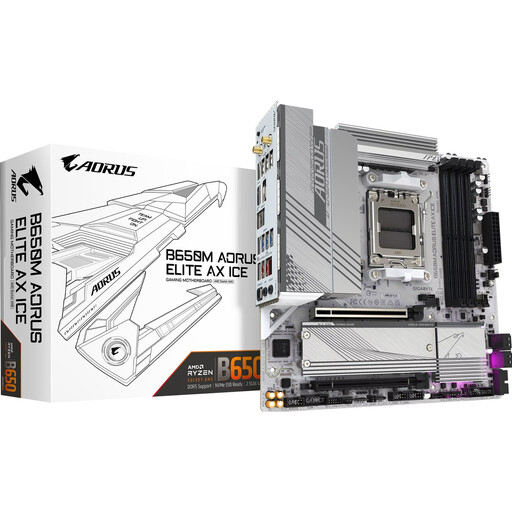
Why this product suits this profile: The AM5 platform, four DDR5 DIMM slots, two M.2 connectors, Wi-Fi and 2.5 GbE LAN offer plenty of upgrade options for a modern desktop PC.
The details on AM5, DDR5, PCIe 5.0 and storage interfaces make it easier to check platform compatibility before you buy.
Four DIMM slots, two M.2 slots, Wi-Fi and Bluetooth, plus HDMI 2.1 and DisplayPort 1.4.
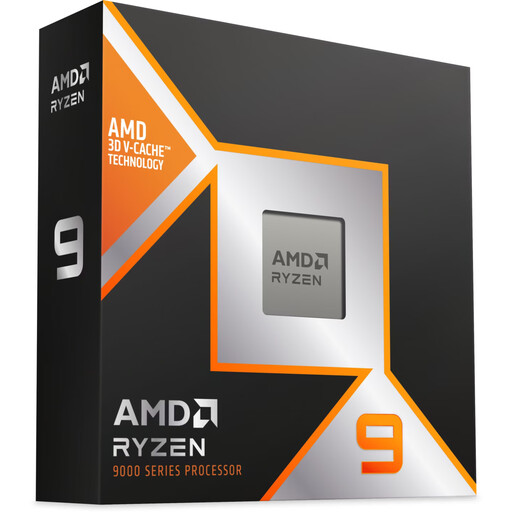
Why this product suits this profile: With 16 cores, 32 threads, AM5 support and DDR5 compatibility, it’s well suited to multitasking, demanding applications and gaming systems.
The product details specify the socket, TDP, memory standard and PCIe generation. With a TDP of 170 watts, you’ll need to plan for a separate CPU cooler.
16 cores, 32 threads, boost clock speeds of up to 5.70 GHz and 20 PCIe Gen 5 lanes, according to the product details.
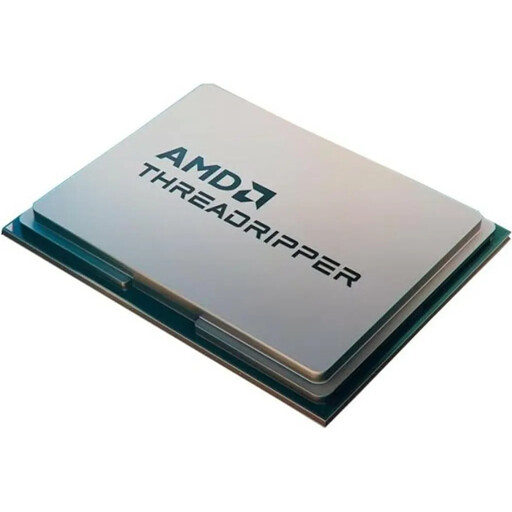
Why this product suits this profile: With 64 cores and 128 threads, it’s designed for workstation users tackling rendering, simulation, data processing and other highly parallel workloads.
The sTR5 socket, DDR5 support and 350-watt TDP make it clear that you’ll need a compatible workstation platform and powerful cooling.
64 cores, 128 threads, 256 MB L3 cache and PCIe 5.0 according to the product description; cooler not included.
We’ve put together a complete, regularly updated list of products that meet these strict selection criteria and fully comply with the safety regulations in force in the EU.
It depends on the socket and generation. Ryzen 7000 and Ryzen 9000 models generally need an AM5 motherboard with DDR5 support. Older AM4 processors need an AM4 motherboard with DDR4. Check the motherboard manufacturer’s CPU compatibility list before you buy.
Lifespan depends on usage, temperatures, dust levels and power supply. Good CPU cooling, regular cleaning and a suitable power supply help reduce thermal stress. When upgrading a PC, you’ll also need to consider interfaces and BIOS support, as not every older platform is compatible with new processors.
Power consumption is mainly determined by the processor, graphics card, workload and how long the PC is switched on. A CPU with a higher TDP may use more energy under load, while office work and idle periods can use considerably less. For a realistic estimate, consider the power consumption of the whole system and how you use it.