
Lieferung heute & morgen

Qualitätsgarantie

Willkommens-Angebote freischalten: KOSTENLOSE Lieferung | Bis zu 80 % RABATT | Kostenlose 30-Tage-JoyPlus-Testphase
App herunterladen
If you’re looking to buy PC components, you’ll find a huge range of graphics cards, SSDs, Wi-Fi adapters and professional PC hardware to choose from. Technical specifications such as boost clock, memory bandwidth and PCIe generation may look impressive, but they only matter when considered as part of a compatible system. A high figure on its own won’t count for much if your power supply, case or motherboard isn’t up to the job.
Most costly mistakes come down to three things:
Before you buy, check your motherboard manual and the dimensions of your case. For graphics cards, these measurements are particularly important:
If you’re looking for an SFF graphics card, don’t rely on the “SFF-Ready” label alone. Check the exact dimensions of your case. For example, the Palit GeForce RTX 5070 Infinity 3 is listed as SFF-Ready, but still measures 291.9 × 116.6 × 41.3 mm.
When buying a graphics card, the GPU name isn’t the only thing that matters. For gaming, video editing and 3D applications, memory capacity, memory type and bandwidth are all important.
A gaming graphics card with 8 GB can suit many Full HD and some WQHD setups. For large textures, 4K video projects or running several professional applications at once, 12 GB, 16 GB or more is often more practical. Depending on the model, an NVIDIA GeForce RTX graphics card offers features for ray tracing, AI-powered image rendering and creator software. An AMD Radeon graphics card can also be used for gaming and content creation. Check that your software is supported before you buy.
For a 4K gaming graphics card, you’ll also need to consider your monitor’s refresh rate, the game engine and the graphics effects you plan to use. DisplayPort 2.1 or HDMI 2.1 give you more connection options, but they can’t make up for a lack of processing power.
If you’re planning to buy an NVMe SSD, first check whether your motherboard has a compatible M.2 slot. M.2-2280 is a common form factor, but not every M.2 slot supports NVMe or PCIe 5.0.
Key things to consider include:
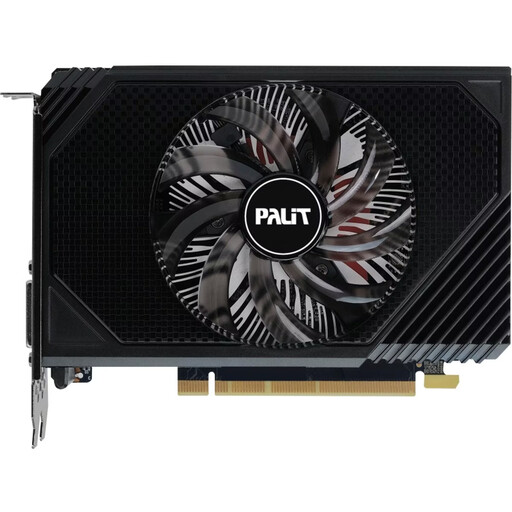
Why it suits this user: At 16.2 cm long, this compact card is designed for smaller desktop cases and systems with limited space. Its stated power consumption is 70 W.
Its short form factor reduces the risk of the graphics card clashing with your case. You’ll still need to check the slot, connectors and power supply requirements before buying.
6 GB GDDR6, PCIe 4.0, a single fan and a recommended power supply of 300 W.
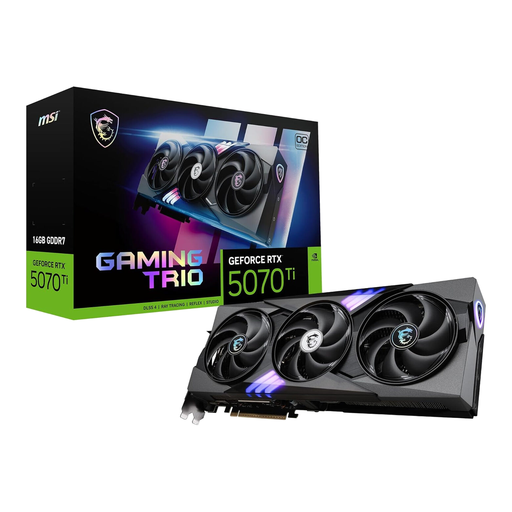
Why it suits this user: With 16 GB GDDR7, a 256-bit memory interface and active cooling from three fans, this card is aimed at users planning to run demanding graphics workloads.
The specifications make it easy to check the memory capacity, interface and cooling. However, its 300 W power consumption means it needs a suitable system around it.
16 GB GDDR7, PCI Express 5.0, three fans and outputs for three DisplayPort connections and one HDMI connection.
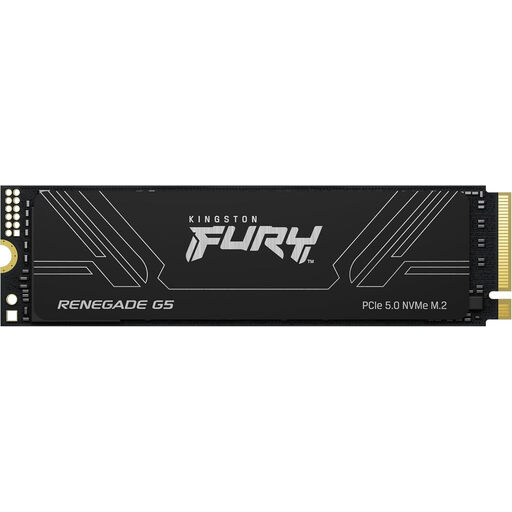
Why it suits this user: Its 4096 GB capacity and M.2-2280 form factor make it suitable for large games libraries, video projects and data-intensive workstations.
Its large capacity reduces the need for multiple drives. You’ll still need suitable M.2 cooling when using it with PCIe 5.0.
Stated sequential read speeds of up to 14.800 MB/s, write speeds of up to 14.000 MB/s and 3D TLC NAND.
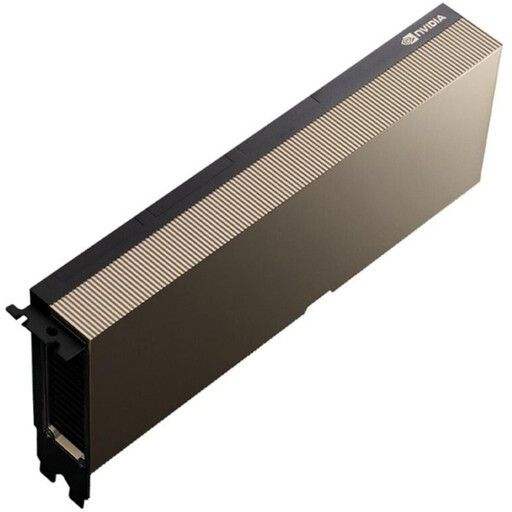
Why it suits this user: This AI accelerator is designed for data centre and server environments running AI training and LLM inference workloads, not standard desktop PCs.
Its clearly defined use case helps prevent you ordering the wrong product for a consumer PC. It requires passive cooling, a 600 W TDP and server-grade airflow.
141 GB HBM3e, stated memory bandwidth of 4,8 TB/s, PCIe 5.0 x16 and MIG support.
We’ve put together a complete, regularly updated list of products that meet these strict selection criteria and the safety requirements in force across the EU.
For wireless networking, a Wi-Fi 7 card such as the TP-Link Archer TBE550E may be worth considering. According to the product specifications, it requires a 64-bit Windows 11 PC and a free PCIe slot. Support for the 6 GHz band also depends on your router and local regulations. So a PCIe Wi-Fi card won’t necessarily be compatible with every computer.
If you need less storage, the Lexar NM990 2 TB offers a PCIe 5.0 NVMe interface in M.2 format. If you’re looking for a compact graphics card for an ITX system, check models such as the PowerColor Radeon RX 6500 XT for length, slot width and power connector requirements.
It depends on what’s holding your system back. If your frame rates are low, the graphics card is often the issue; if loading times are long, the SSD may be the culprit. For stable frame rates and demanding programmes, you’ll also need a processor, memory and power supply that are compatible with your new component.
There’s no reliable way to give a single lifespan. It depends on the amount of data written, temperature, controller, NAND type and how you use the drive. The manufacturer’s TBW rating is a useful technical point of comparison. Regular backups are a good idea, whatever drive you use.
Not necessarily. A PCIe 5.0 graphics card or SSD will only run at the expected interface speed if your motherboard and platform support that generation. For office tasks or less demanding games, a PCIe 4.0 or PCIe 3.0 system may be enough. The right choice depends on your workload, your current platform and how long you plan to use the component.