
Lieferung heute & morgen

Qualitätsgarantie

Willkommens-Angebote freischalten: KOSTENLOSE Lieferung | Bis zu 80 % RABATT | Kostenlose 30-Tage-JoyPlus-Testphase
App herunterladen
When your printer's warning light flashes, it often kicks off a confusing search. The printer cartridge market is flooded with options, ranging from original manufacturer products to significantly cheaper alternatives. However, in an attempt to save money, many users fall into traps that end up costing more than they save. Before you buy new printer cartridges, it's crucial to understand the most common problems and know what truly matters when making your choice.
This guide will help you cut through the noise. We'll highlight the critical factors that determine the difference between smooth printing operations and costly purchasing mistakes.
Buying printer accessories can be frustrating. Marketing promises often obscure technical drawbacks. Here are three typical problems to watch out for:
To avoid these pitfalls, you should base your purchasing decision on objective criteria. Three factors are of central importance.
The most important feature of a cartridge is that it is recognised by your printer without errors. There are three basic types:
Depending on your printer type, you will need either ink cartridges or a toner cartridge.
Don't just compare the price of the cartridge; compare the stated page yield. Cartridges marked "XL" or "High Yield" contain more ink or toner and often offer a significantly lower cost per page. For those who print frequently, this is almost always the more economical choice. Models like the HP 953XL or Canon PG-540 in their XL versions are good examples of this.
Based on these criteria, we have put together a selection of products for different needs.
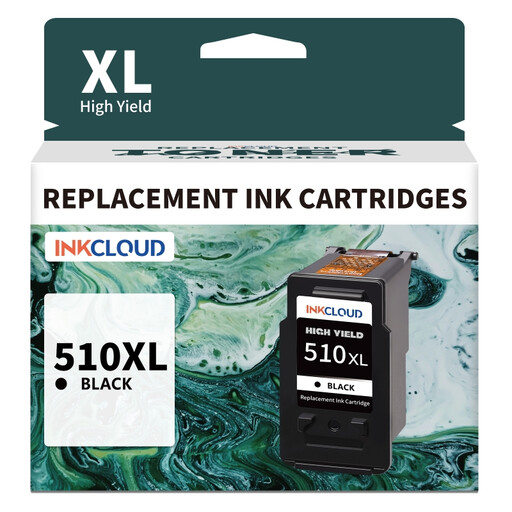
Why This Fits Their Persona: Ideal for users who occasionally print documents or homework and are looking for a cost-effective solution. The cartridge is designed for widely-used entry-level Canon printers.
As a remanufactured original cartridge, it offers high compatibility. The XL fill volume bypasses the low-page-yield trap and lowers the cost per page.
Significant cost savings compared to OEM products and a reduction in plastic waste by reusing the cartridge housing.
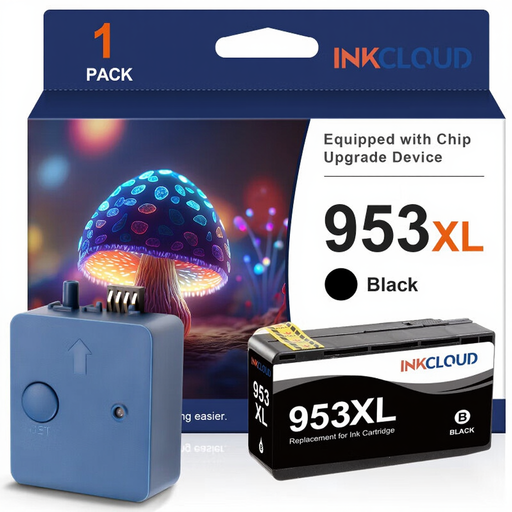
Why This Fits Their Persona: Designed for users with high print volumes in office environments who depend on reliable performance and low operating costs. Compatible with many popular HP OfficeJet Pro models.
The “Advanced Chip System” is designed to ensure compatibility even with newer printer firmware versions. The high XL yield ensures a low cost per page.
High page yield for economical printing and a modern chip that reduces the risk of compatibility issues.
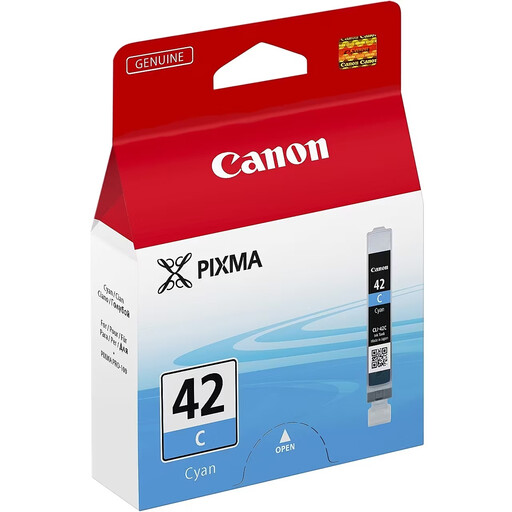
Why This Fits Their Persona: For professional users and photographers who rely on maximum colour accuracy and longevity for their prints. This cartridge is designed for Canon's PIXMA PRO series of photo printers.
As an original (OEM) cartridge, it eliminates any risks related to compatibility, poor print quality, or printer damage. The quality is guaranteed by the manufacturer.
Guaranteed compatibility and optimal colour reproduction thanks to the dye-based ink specially developed for the printer.
We have compiled a complete, real-time list of products that fully satisfy these strict selection criteria and UK safety regulations.
The "XL" designation indicates a higher fill volume of ink or toner compared to the standard size. Although XL cartridges are more expensive to purchase, they offer a significantly higher page yield. This lowers the cost per printed page, making them the more economical choice, especially for users with regular printing needs.
Most sealed original cartridges have a shelf life of about 24 months from the date of manufacture. Compatible and remanufactured cartridges often have a similar shelf life. Once unsealed, an ink cartridge should be used within six months, as the ink can otherwise dry out. Always store cartridges in a cool, dark place and in their original packaging.
With products from reputable third-party suppliers, this risk is very low. These manufacturers adhere to quality control standards to ensure their cartridges fit correctly and the ink meets specifications. Problems like clogs or leaks are more likely to occur with extremely cheap, no-name products. For those who want to play it safe, especially with new and expensive printers, original cartridges remain the lowest-risk option.