
Lieferung heute & morgen

Qualitätsgarantie

Willkommens-Angebote freischalten: KOSTENLOSE Lieferung | Bis zu 80 % RABATT | Kostenlose 30-Tage-JoyPlus-Testphase
App herunterladen
If you’re looking to buy printer cartridges and toner, don’t just focus on a low price or the “XL” label. What really matters is exact printer compatibility, the type of consumable, and the actual page yield you need. For households, home offices and small businesses, even small differences in model numbers or chips can mean a cartridge won’t be recognised.
Canon PG-510, CL-511, CLI-581 and CLI-571XL look alike in search results, but they belong to different printer series. With HP, the HP 953XL and HP 912XL are also very different. A cartridge for an HP OfficeJet Pro 953 won’t automatically work with an HP OfficeJet 8025 that uses the 912XL system.
Before you buy, you should:
XL usually means a larger ink or toner volume than the standard version. However, the actual yield depends on what you print, the paper type, your print settings and how you use the printer. A text document with low colour coverage uses far less ink than a full-page photo.
If a seller quotes a page yield, check whether it was measured using a standard method like ISO/IEC 24711. Without that information, it’s hard to compare yields fairly.
Many modern printers use cartridges with a chip to monitor ink levels and recognise the cartridge. With compatible or remanufactured cartridges, a chip may be needed for the printer to accept the cartridge. A firmware update can also affect recognition.
So a product listing should clearly state whether a chip is included and which printer models it’s designed for. When installing, avoid touching the contacts and nozzles.
Original printer cartridges come from the printer manufacturer and are designed for specific printer series. This can simplify your choice, especially if colour management or accurate documentation matters. Examples include original Canon, HP or Epson cartridges.
Compatible printer cartridges are made by another supplier for specific printer models. They can be a good alternative for everyday documents. With remanufactured cartridges, an existing cartridge shell is reused. The product should be clearly labelled as compatible or remanufactured.
Inkjet printers use liquid ink. This includes individual black printer cartridges and colour cartridges in cyan, magenta and yellow. Many printers let you replace each colour separately, so you don’t have to swap out a colour that’s still full.
Laser printers need toner. An example is the Brother TN-3600XL for selected Brother laser printers. Toner is often a good choice for high-volume text printing, while ink cartridges are better for mixed colour and photo documents.
For a fair comparison, don’t just look at the pack price. A useful calculation is:
Price per cartridge ÷ stated page yield = approximate cost per page
With colour sets, also check whether all colours are included or just a single cartridge. An offer with one black cartridge may look cheaper than a set, but it might not suit your actual needs.
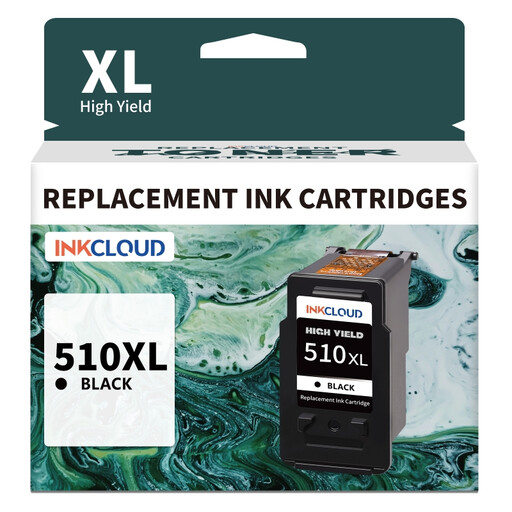
Why this product suits the profile: This remanufactured black cartridge is designed for selected Canon PIXMA models such as iP2700, MP495 and MX410, and is aimed at users with regular document and school printing needs.
The model list clearly states the compatible Canon printers and the product type. Before buying, check it against your own printer.
Black ink for text printing; remanufactured cartridge shell; straightforward replacement installation according to product details.
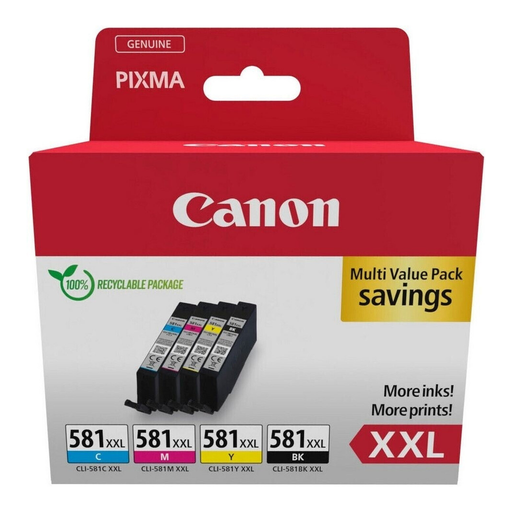
Why this product suits the profile: This four-pack contains black, cyan, magenta and yellow, and is listed for many Canon PIXMA models in the CLI-581 series.
The individual colours and the XXL size are clearly stated. The compatibility list reduces the risk of confusing CLI and PGI series.
Original Canon product; four separate colours; XXL version according to product data.
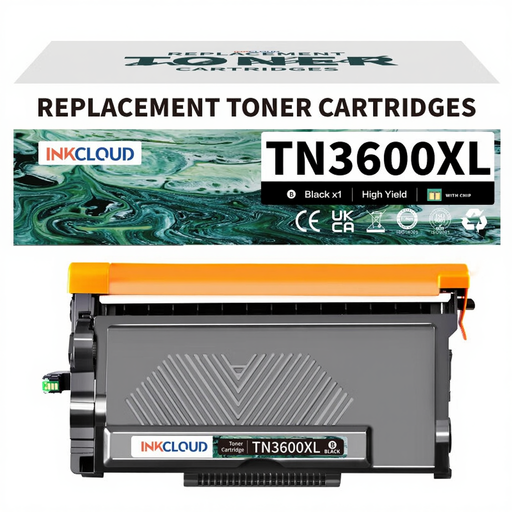
Why this product suits the profile: This black XL toner is designed for users of selected Brother laser printers L5210DN, L5710DW, L5710DN and L6710D with higher document volumes.
The integrated chip and the listed Brother models address two common issues: failure to be recognised and incorrect printer matching.
Black laser toner; XL capacity; chip integrated according to the product description.
Other variants may be relevant for different printers. These include HP 953XL cartridges with a chip for OfficeJet Pro models, HP 912XL for OfficeJet 8020 to 8025, and Epson 603XL cartridges in black or cyan. As always, the printer compatibility list is the key factor when choosing.
We’ve put together a full, regularly updated list of products that meet these strict selection criteria and fully comply with EU safety regulations.
Note the exact model name of your printer and compare it with the compatibility list in the product listing. Also check whether you need black, cyan, magenta or yellow, and whether you want a standard or XL version.
Unopened cartridges should be stored in a cool, dry place away from direct sunlight, following the manufacturer’s instructions. Pay attention to the expiry or use-by date on the packaging. Opened cartridges can lose print quality due to drying out or long periods of inactivity.
That depends on the price, page yield and your print volume. Compare the cost per stated page, and consider whether a chip is included, how many colours are in the pack, and whether the cartridge is approved for your specific printer model.