
Lieferung heute & morgen

Qualitätsgarantie

Willkommens-Angebote freischalten: KOSTENLOSE Lieferung | Bis zu 80 % RABATT | Kostenlose 30-Tage-JoyPlus-Testphase
App herunterladen
The search for a new TV can quickly become overwhelming. Manufacturers promote a flood of technical terms and supposed innovations. But not every advertised feature is worth the premium, and some affordable deals turn out to be long-term disappointments. Before you buy a new Smart TV, it's crucial to separate the wheat from the chaff. This guide will help you identify the most common marketing traps and make an informed decision that suits your actual needs.
Many buyers regret their decision because they fell for common marketing promises. Pay special attention to these three points:
To make the right choice, focus on a few, but decisive, technical features. These significantly determine the picture and sound quality, as well as the future-proofing of your device.
The display technology is the foundation of picture quality. The main differences lie in how light is produced.
The native refresh rate, measured in Hertz (Hz), indicates how many frames per second the panel can actually display.
Modern TVs support various standards for improving picture and sound.
Based on the criteria above, we have identified some models that represent a considered choice for specific user groups.
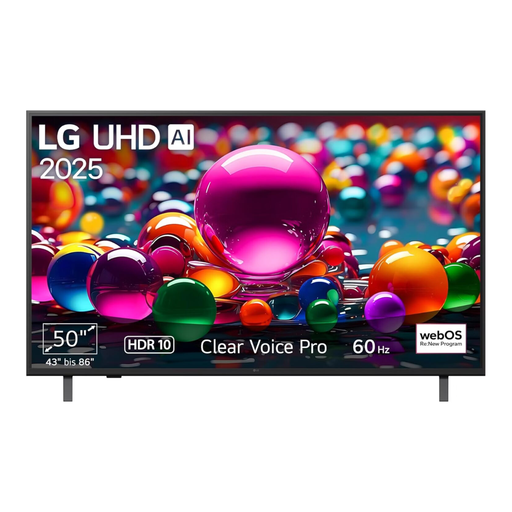
Why This Fits Their Persona: This model offers a solid foundation for daily streaming and TV viewing. At 50 inches, it's a comfortable size for most living rooms and delivers a sharp picture thanks to its 4K resolution and a modern AI processor, all without breaking the bank.
LG's well-established webOS 25 operating system is responsive and receives regular updates, according to the manufacturer. This helps you avoid the trap of a slow, quickly outdated smart TV system.
The α7 Gen8 4K AI processor ensures good upscaling of lower-resolution content. The Filmmaker Mode allows for an authentic reproduction of movies.
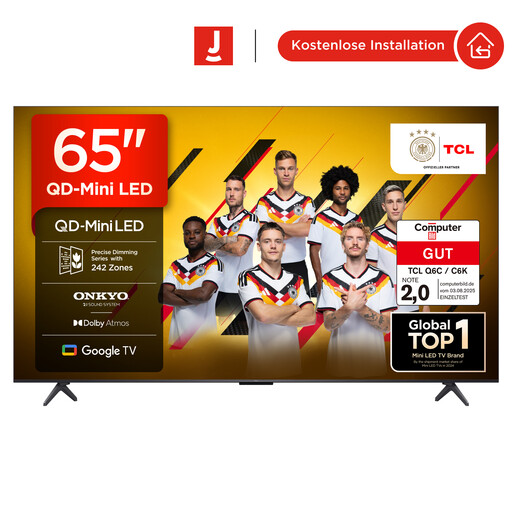
Why This Fits Their Persona: This model combines a large 65-inch TV with modern QD-Mini LED technology. This allows for deep black levels and high brightness, ideal for HDR content. Support for Dolby Vision IQ and Dolby Atmos creates an immersive cinematic experience.
The Mini-LED backlight with local dimming provides excellent contrast and minimises "blooming" (halos around bright objects), a typical weakness of standard LED TVs in dark scenes.
QD-Mini LED technology for high contrast and brightness; comprehensive HDR support including Dolby Vision IQ, and a native 144 Hz panel.
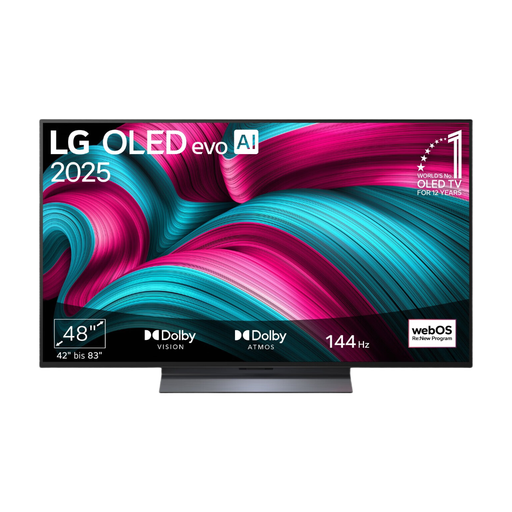
Why This Fits Their Persona: This model is designed for gaming. It features a native 120 Hz panel that supports VRR up to 144 Hz, offers G-Sync and FreeSync compatibility, and has an extremely low response time thanks to its OLED TV technology.
It offers a true high native refresh rate and certified VRR technologies, not just interpolated "motion enhancement" marketing terms. The Game Optimizer provides transparent control over all game-relevant settings.
Native 120Hz/144Hz VRR panel and OLED pixel response time for exceptionally smooth and responsive gameplay; comprehensive gaming features (G-Sync, FreeSync, ALLM).
We have compiled a complete, up-to-date list of products that fully meet these strict selection criteria and safety standards.
How long does a modern Smart TV last? A TV's lifespan depends on two factors: hardware and software. The panels themselves are very durable; LED backlights last for tens of thousands of hours. Modern OLED panels also have a long life expectancy, sufficient for many years of typical use. A more critical point is the software. Premium manufacturers often offer longer support and update guarantees, such as LG's 4-year upgrade promise for webOS. A device can remain physically functional, but its 'smart' features can become obsolete without updates.
Is an 8K TV worth it in 2026? Objectively speaking, the availability of native 8K content (movies, series, games) is still extremely limited. While the upscaling of 4K content on high-quality 8K panels is impressive, the visible difference compared to a qualitatively equivalent 4K TV is barely perceptible to the human eye at a normal viewing distance on screen sizes under 75 inches. Often, a premium 4K model offers a better overall package in terms of contrast, brightness, and colour reproduction for the same price.
What is the optimal viewing distance for a 4K TV? A common rule of thumb for 4K TVs is a viewing distance of 1 to 1.5 times the screen's diagonal. This allows you to perceive the high level of detail without seeing individual pixels.