
Lieferung heute & morgen

Qualitätsgarantie

Willkommens-Angebote freischalten: KOSTENLOSE Lieferung | Bis zu 80 % RABATT | Kostenlose 30-Tage-JoyPlus-Testphase
App herunterladen
A tablet should fit into your everyday life – not just look impressive on paper. Anyone looking to buy a tablet often faces similar problems: an affordable device may seem appealing, but offer too little storage. A large display is comfortable to use, but can be impractical when you are out and about. With a children’s tablet, meanwhile, a colourful case is no substitute for well-designed parental controls.
This buying guide explains which specifications really matter, which marketing claims should be viewed critically and which device suits each type of user.
A tablet with 128 GB can be enough for streaming, school apps and the occasional photo. If you store lots of videos, games, PDFs or creative projects, a tablet with 256 GB is likely to be more suitable. A tablet with 2 TB, on the other hand, is mainly aimed at users who manage large photo and video files locally.
Important: the storage space actually available is lower because of the operating system and pre-installed apps. Android models may offer a memory card slot for additional space, but this does not fully replace the performance of internal storage.
Battery life depends on display brightness, Wi-Fi or 5G usage, video playback and apps. A high capacity alone does not guarantee a specific runtime. You should therefore check:
A tablet with Wi-Fi is sufficient for many households. A tablet with 5G makes sense if you regularly want to work on the go without using your smartphone as a hotspot. This involves additional costs for a mobile data plan.
A shock-resistant case protects against scratches, but does not limit screen time or app access. For a tablet for children, features such as user profiles, age filters, time limits and protection against unauthorised app installations are crucial. With a children’s tablet, parents should also keep an eye on the charger, cable, small parts and volume level.
An LCD writing tablet for children is a different product category: it is designed for drawing and writing, but does not install apps and normally does not provide internet access. This can be suitable for short periods of creative play without digital screen content.
An 11-inch tablet offers a well-balanced compromise between workspace and portability. It is suitable for taking notes, video lessons, streaming and office applications. A 13-inch tablet makes it easier to work with split windows, spreadsheets or drawings, but is larger and heavier in a rucksack.
For younger children, 7 to 8 inches may be easier to handle. A 10-inch LCD drawing tablet, on the other hand, offers plenty of room for drawing without requiring apps or internet access.
The processor affects app start-up times, multitasking and graphics-intensive applications. 2 or 3 GB of RAM may be enough for simple children’s apps and videos. For working with several apps at once, photo editing or more demanding applications, greater reserves are advisable.
An Android tablet offers a wide choice of devices and price ranges. When buying, you should check the Android version, security updates, app compatibility and storage expansion options. With Apple devices, iPadOS, the processor generation and accessory compatibility play a greater role.
For children’s products, rounded edges, low weight and a suitable protective case are practical considerations. According to the manufacturer’s information, the CHEERFUN LCD tablet uses ABS plastic without BPA, lead or formaldehyde; compliance with EU REACH requirements is also stated. Such claims should always be verified in the product information and safety instructions.
For tablets with lithium batteries, the rule is: use only compatible chargers, do not open the device and replace damaged cables. Children should use the device under supervision.
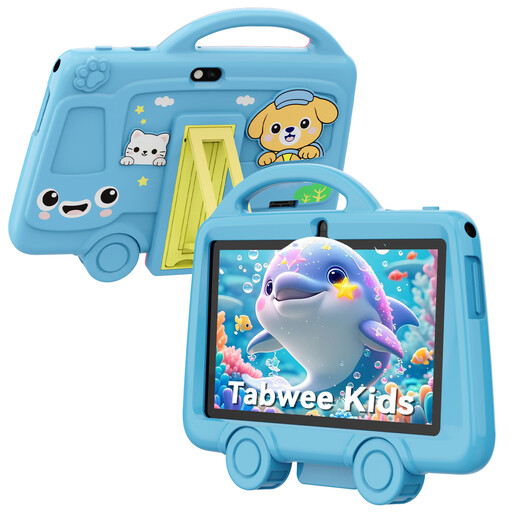
Why this product suits this profile: This compact children’s device is designed for simple apps, videos and travel. According to the product information, it has 2 GB of RAM, 32 GB of storage, 2.4 GHz Wi-Fi and weighs 285 g.
The clearly stated 32 GB of storage and built-in microSD card support make it easier to plan your storage needs. A protective case is listed as included.
7-inch IPS display, 3,000 mAh battery, headphone port and front and rear cameras.
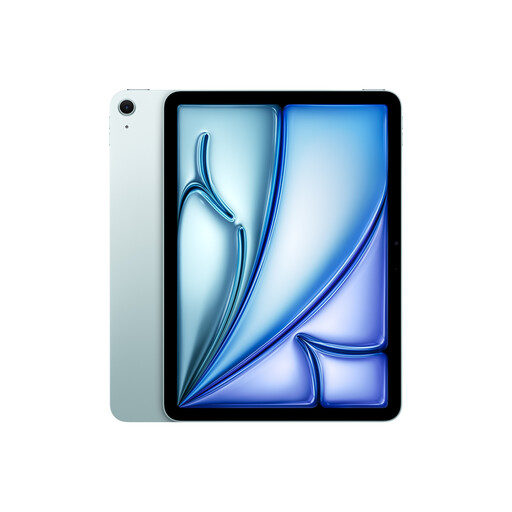
Why this product suits this profile: This device is aimed at Apple users, students and professionals looking for a portable iPad for note-taking, video conferences, creative tasks and multitasking.
The display size, storage, processor and port are clearly specified. Apple Pencil Pro and USB-C compatibility make it easy to expand the device for note-taking and drawing.
M4 chip, 11-inch Liquid Retina display, 12 GB of unified memory and Wi-Fi 7 according to the product data.
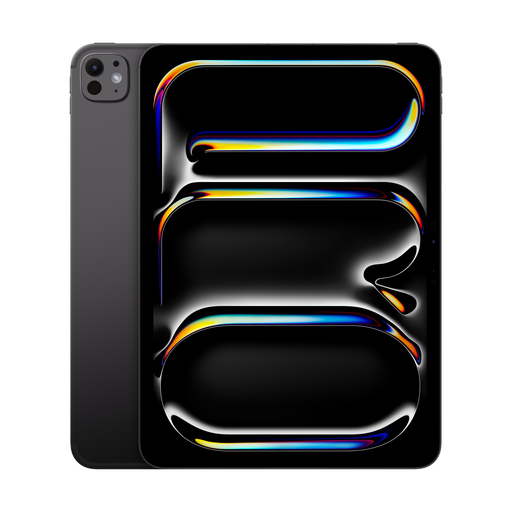
Why this product suits this profile: For professional media work, large project files and mobile use with 5G, this iPad Pro offers extensive storage and Thunderbolt-/USB4 connectivity.
The 2 TB capacity reduces the need to regularly move large files elsewhere. Wi-Fi 7, 5G and eSIM are specified for mobile workflows.
11-inch Ultra Retina XDR display, M5 chip, 16 GB of RAM and up to 10 hours of stated Wi-Fi usage.
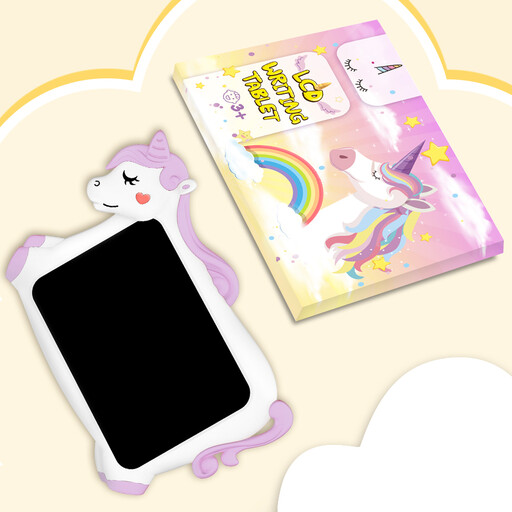
Why this product suits this profile: The tablet is described as suitable for children aged 3 to 8 and is ideal for drawing, writing and short periods of entertainment while travelling or at home.
It is not an internet platform and does not require app management. According to the product description, content can be erased at the touch of a button.
10-inch writing surface, weight of 202 g, rounded edges and reusable LCD surface.
We have put together a complete, regularly updated list of products that fully meet these strict selection criteria and the safety regulations applicable in the EU.
128 GB is often enough for basic use. 256 GB is a sensible choice if you plan to store lots of apps, photos and videos. 2 TB is primarily aimed at professional users with extensive media or project files.
No. Check which features are actually included: time limits, app permissions, age filters and separate user profiles. Parents should also supervise usage and follow the manufacturer’s safety instructions.
A Wi-Fi model is sufficient at home, at school or in the office when a network is available. A 5G model offers greater independence when you are out and about, but usually involves additional plan costs. Your decision should be based on your actual need for mobility.