
Lieferung heute & morgen

Qualitätsgarantie
App herunterladen
Kategorien
Selecting a webcam requires an analysis of technical specifications tailored to your specific use case. Parameters such as resolution, frame rate, field of view, and microphone technology are crucial factors that determine a model's performance and suitability. This guide is designed to highlight the relevant criteria and provide a solid foundation for making an informed decision when you're ready to buy a new webcam.
A webcam's functionality is defined by the interplay of several technical components. A systematic review of these features allows for an objective comparison between different models.
Resolution determines the level of detail in the image. Common standards include:
The frame rate, measured in frames per second (fps), determines the smoothness of the motion. 30 fps is sufficient for most video conferences. For smoother movement, as required for game streaming or dynamic presentations, 60 fps is advantageous.
The field of view, specified in degrees, defines the area the camera captures.
Nearly every modern webcam with a microphone is standard, but the quality varies significantly. Basic models feature a single microphone. Higher-end devices use stereo microphones for more immersive sound or beamforming microphones, which directionally capture audio from the speaker while using algorithms to reduce ambient noise. The specified microphone range is a key indicator of its performance in larger or noisier environments.
Most webcams are designed as USB cameras and work via plug-and-play with common operating systems like Windows and macOS. Pay attention to the connection type (USB-A or USB-C). A 4K webcam typically requires a USB 3.0 port or higher to ensure the necessary data transfer rate.
Based on the technical criteria mentioned, we present three models from Logitech that cater to different user profiles.
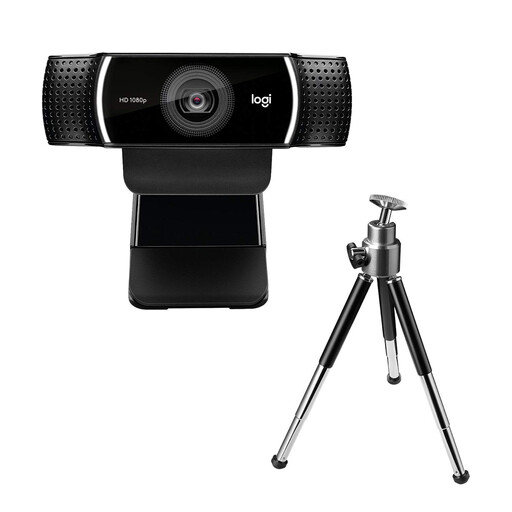
Why we're featuring this product: The Logitech C922 Pro is designed for users who prioritise smooth motion video. The option to choose between high resolution (1080p) and a high frame rate (720p at 60 fps) makes it a versatile tool for content creation and demanding video communication.
Advantages:
Who it's for: This model is aimed at streamers, YouTubers, and users who regularly create content and need a reliable webcam for streaming with smooth video playback.
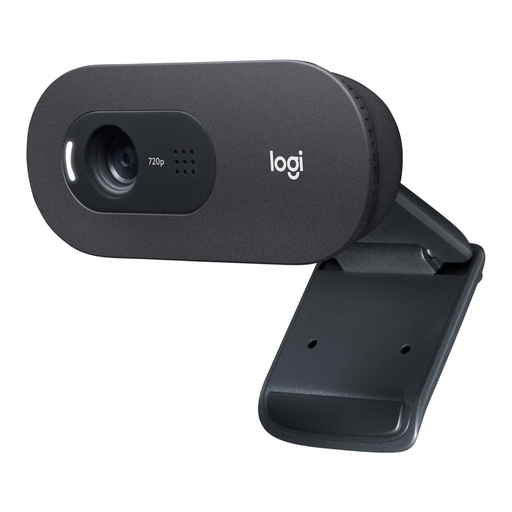
Why we're featuring this product: The Logitech C505 HD Webcam is a functional solution for standard video applications. Its key feature is the long-range, omni-directional microphone, which, according to the manufacturer, enables clear conversations from up to 3 metres away.
Advantages:
Who it's for: Home office users, students, and anyone looking for a reliable, easy-to-use webcam for everyday video conferences who also values good voice clarity, even from a distance.
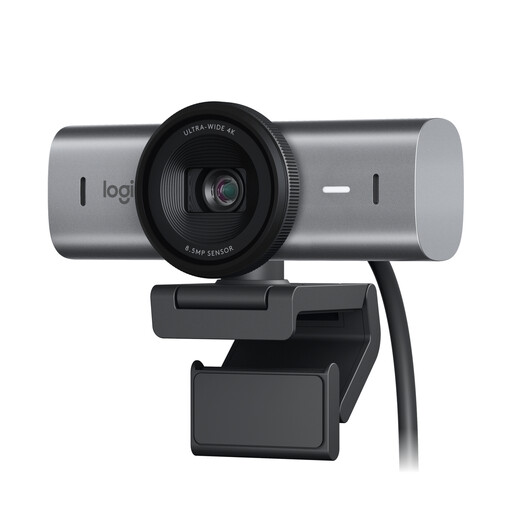
Why we're featuring this product: The Logitech MX Brio is aimed at users with high demands for image quality and professional features. With its 4K sensor and AI-powered image optimisation, it delivers a highly detailed picture even in challenging lighting conditions.
Advantages:
Who it's for: This model is designed for executives, professional creatives, and discerning users who require the highest possible image and audio quality for their meetings and productions.
If the models presented here don't perfectly match your requirements, a broader spectrum of devices is available. A comprehensive overview of various models, especially a wide selection of webcams with microphones, offers further comparison opportunities based on specific technical parameters.
What is more important: resolution or frame rate? The priority depends on the use case. For static video conferences where detail recognition is key, a higher resolution (e.g., 1080p) is more important. For dynamic content like game streaming or fitness tutorials, a higher frame rate (60 fps) is crucial for smooth playback.
Do I need a 4K webcam? For most standard applications like Zoom or Teams meetings, a 1080p webcam is perfectly sufficient. A 4K webcam makes sense if you produce professional content, frequently use the digital zoom feature, or want a future-proof solution, as video platforms increasingly support higher resolutions.
How do I install a USB camera? Most modern webcams are plug-and-play. You simply connect the camera to your PC or Mac via the USB cable. The operating system usually detects the device automatically. To access advanced settings like adjusting brightness, contrast, or field of view, manufacturers often provide optional software.
Joybuy Product Recommendation Officer