
Lieferung heute & morgen

Qualitätsgarantie

Willkommens-Angebote freischalten: KOSTENLOSE Lieferung | Bis zu 80 % RABATT | Kostenlose 30-Tage-JoyPlus-Testphase
App herunterladen
A motherboard connects the processor, RAM, graphics card, drives and peripherals. So if you want to buy a motherboard, you should look beyond chipset names or advertised memory speeds. What matters is whether the board is compatible with your existing or planned PC system.
Typical buying mistakes come down to three points:
The CPU socket is the most important selection criterion. AMD system product details may refer to an AM4 motherboard or AM5 motherboard, for example. Depending on the chipset and BIOS version, AM4 boards support certain Ryzen generations and use DDR4 memory. AM5 boards are designed for compatible Ryzen processors and use DDR5.
An AMD motherboard with an AM4 socket therefore cannot be used with an AM5 processor. Before buying, check the manufacturer’s CPU support list and the required BIOS version.
The processor generation is equally important for Intel systems. An LGA-1700 motherboard is designed for specific Intel Core generations. The board’s model name alone is not enough: the chipset, BIOS support and memory standard must all match the CPU.
Choosing between a DDR4 motherboard and a DDR5 motherboard is not just about memory speed. DDR4 and DDR5 modules have different notches and each requires the appropriate DIMM slots.
Pay attention to:
Advertised high clock speeds often apply to overclocking profiles. Actual compatibility depends on the processor, BIOS and specific memory module. Moderate memory capacities are sufficient for office PCs and many everyday computers; content creators and heavy users are more likely to benefit from four slots and a higher maximum capacity.
A Micro-ATX motherboard typically measures around 24.4 × 24.4 cm and is suitable for compact computers. An ATX motherboard provides more room for expansion cards, additional slots and internal connections. The key point is that your PC case must support the relevant form factor.
When considering expandability, check:
A PCIe 5.0 motherboard may be worth considering for new SSDs or graphics cards. However, the interface does not automatically guarantee higher performance with older components. What matters is whether your planned hardware supports this standard and whether you will actually need the additional connection in everyday use.
A motherboard with Wi-Fi is useful if you cannot run a network cable to your router. Also check whether antennas are included, which Wi-Fi standard is built in and whether Bluetooth is supported. For desktop systems with existing network cabling, Gigabit LAN or 2.5GbE may already be sufficient.
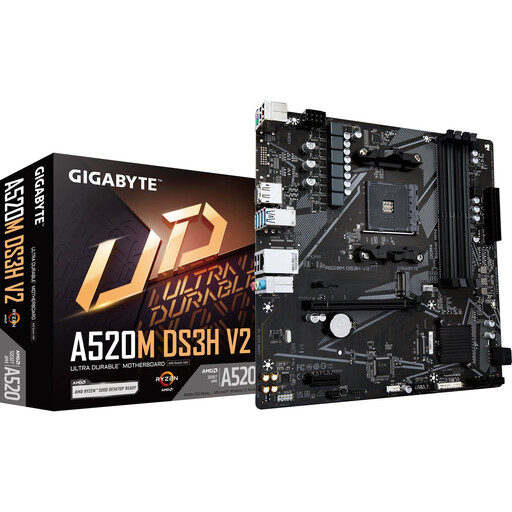
Why this product suits this profile: This Micro-ATX board is designed for AM4 Ryzen processors and offers four DDR4 DIMM slots, with a maximum memory capacity of 128 GB according to the product details.
The socket, DDR4 support and form factor are clearly stated. This allows you to check before ordering whether the CPU, RAM and case are compatible.
Four DIMM slots, Gigabit LAN, PCIe 3.0 x16, plus HDMI and DisplayPort outputs.
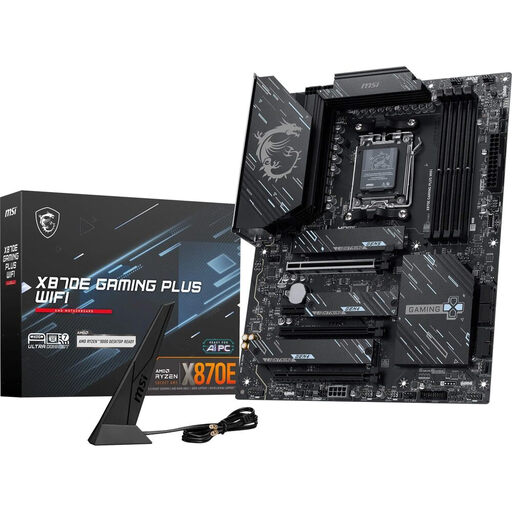
Why this product suits this profile: According to the specification sheet, this ATX board is designed for AM5 systems with DDR5, multiple M.2 drives and extensive connectivity for performance-focused computers.
The product details list the socket, chipset, memory standard, PCIe and M.2 connections, as well as networking features separately. This makes it easier to compare the board with a specific PC configuration.
PCIe 5.0, three M.2 slots, Wi-Fi 7, 5G LAN and USB4 Type-C according to the manufacturer’s specifications.
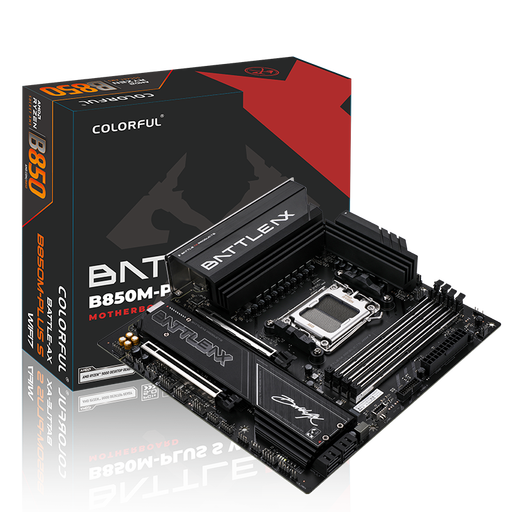
Why this product suits this profile: This M-ATX model combines AM5, DDR5, Wi-Fi 7 and several internal connections for compact gaming, streaming or work computers.
The specifications distinguish between the PCIe 5.0 x16 slot, M.2 connections, networking standard and operating system requirements. Wi-Fi 7 requires a compatible operating system.
Four DDR5 slots, PCIe 5.0 x16, 5G networking, Wi-Fi 7 and two M.2 slots according to the product description.
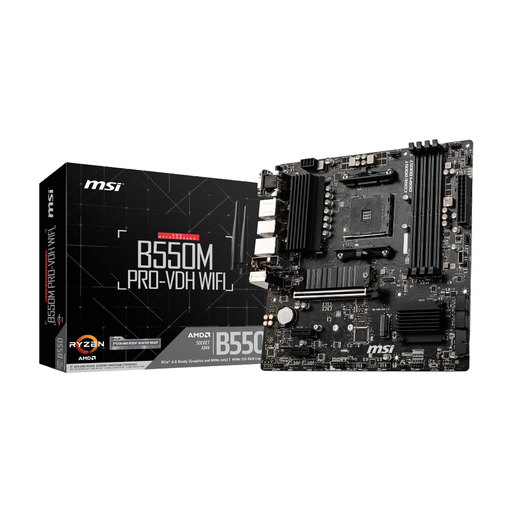
Why this product suits this profile: If you want to continue using your CPU and DDR4 memory, this Micro-ATX board offers an AM4 socket and integrated Wi-Fi.
The DDR4 standard and AM4 socket are clearly specified. This helps prevent you from accidentally planning to use DDR5 memory or an AM5 CPU.
Four DDR4 DIMM slots, PCIe 4.0, two M.2 slots, Gigabit LAN and integrated Wi-Fi.
We have put together a complete, regularly updated list of products that fully meet these strict selection criteria and the safety regulations applicable in the EU.
First check the socket, then the chipset and CPU support list. An AM4 motherboard is not compatible with AM5 processors. For Intel systems, the specific LGA interface must match the processor generation.
Its service life depends on component quality, case airflow, BIOS support and operating conditions. A low-dust environment, correctly connected power supply and regular BIOS and driver maintenance can improve long-term usability. A later CPU upgrade is only possible if supported by the socket and BIOS.
That depends on the features you need. For a single gaming PC with one graphics card, a PCIe x16 slot, sufficient M.2 storage and suitable network connections may be enough. Paying more can make sense if you need multiple drives, fast USB connections, Wi-Fi, additional expansion cards or extensive BIOS features. The deciding factor is your specific requirements, not simply the label “gaming motherboard”.