
Lieferung heute & morgen

Qualitätsgarantie

Willkommens-Angebote freischalten: KOSTENLOSE Lieferung | Bis zu 80 % RABATT | Kostenlose 30-Tage-JoyPlus-Testphase
App herunterladen
The search for a new laptop can quickly become overwhelming. Manufacturers advertise long lists of technical specs, but not every specification is relevant to your daily needs. Setting the wrong priorities often leads to disappointment: an expensive device that fails to meet expectations, or a supposed bargain that hits its limits after a short time. This guide will help you see through the marketing hype and make an informed decision.
Before we dive into the crucial components, you should be aware of three common marketing traps that often lead to a poor purchase.
To avoid these traps, focus on the following three parameters that determine the actual performance and user experience of your future laptop.
Instead of just counting cores, it's more important to understand the processor's architecture.
Graphics performance is not just relevant for gamers but also for creative professionals working with video or 3D applications.
The screen is the interface you interact with constantly, so choosing the right technology is crucial.
Here are some models tailored to specific user profiles that take the aforementioned criteria into account.
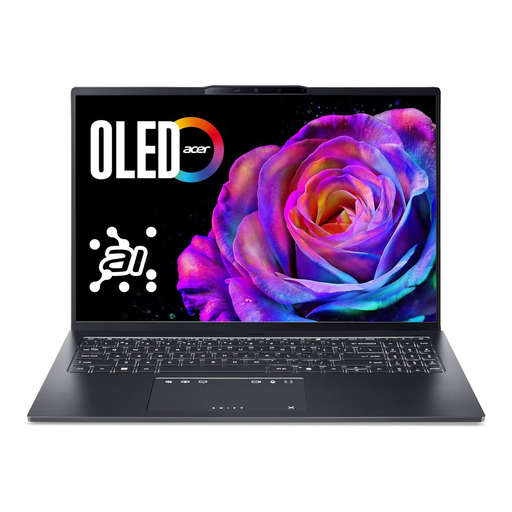
Why This Fits Their Persona: At around 1.6 kg, this device is exceptionally light and slim, making it ideal for transport between lecture halls, the library, and home. The Intel Core Ultra processor ensures efficient performance and long battery life, while the 16-inch OLED display renders text and media brilliantly.
It sidesteps the myth of uncompromised mobility by combining a lightweight design with a modern, energy-efficient processor that enables practical battery life without significant performance throttling.
Exceptional image quality from the 16:10 aspect ratio OLED display, which offers more vertical space for documents and websites. High portability thanks to its low weight and slim chassis.
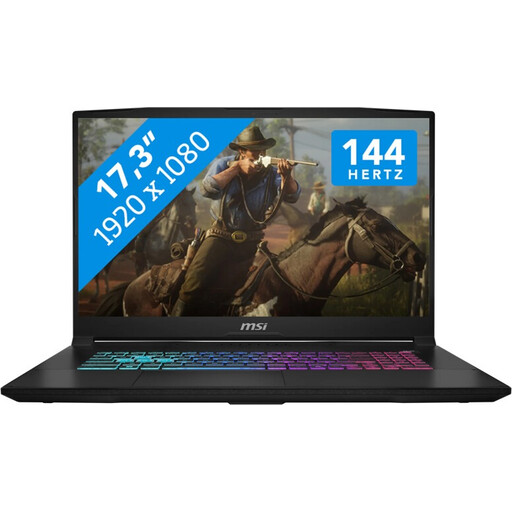
Why This Fits Their Persona: This gaming laptop offers a balanced combination of a powerful Intel Core i7 processor and an NVIDIA GeForce RTX 5060 graphics card. The large 17.3-inch 144 Hz display provides an immersive and fluid gaming experience, ideal for competitive titles and AAA games.
It counters the spec sheet deception by pairing a potent GPU with an adequate cooling system (Cooler Boost) and a fast display. The performance isn't just promised; it's deliverable thanks to the solid cooling.
Excellent value for Full HD gaming. The large 17.3-inch display offers a high level of immersion that is often missing on smaller screens.
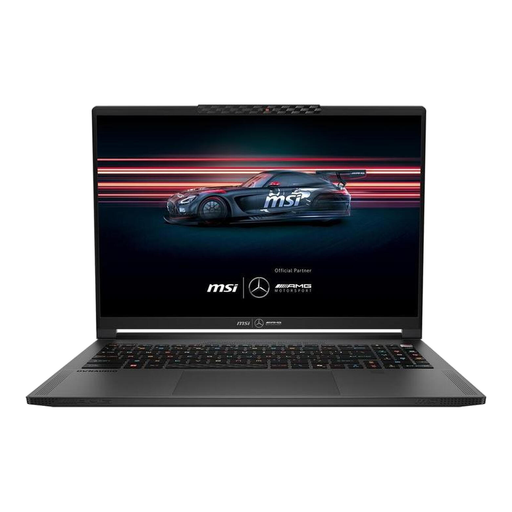
Why This Fits Their Persona: This high-end device is aimed at users who need maximum performance for demanding creative tasks like video editing, 3D rendering, or AI development. The AMD Ryzen AI 9 processor, powerful RTX 5070, and colour-accurate QHD+ OLED display form a top-tier foundation for professional workflows.
It debunks the core count fallacy by using a specialised AMD Ryzen AI processor with a powerful NPU. This noticeably accelerates AI workflows, providing tangible value beyond raw computing power.
Specialised AI performance for future-proof applications. The high-resolution 240 Hz OLED display delivers outstanding visual quality for colour-critical work while remaining extremely responsive.
We have compiled a complete, up-to-date list of products that fully meet these strict selection criteria.
1. What should you look for in a laptop's battery life? The battery's capacity is specified in watt-hours (Wh)—a higher value is generally better. However, the efficiency of the components is at least as important. Processors like the Intel Core Ultra or AMD Ryzen AI are optimised for low power consumption. The display also plays a role: OLED screens can be more economical when displaying dark content. Manufacturer claims about battery life are often based on very light usage scenarios and should be seen as a guideline.
2. Is a portable monitor a worthwhile accessory for a laptop? Yes, for many users, a portable monitor is a very useful addition. Anyone needing more screen real estate on the go for programming, data analysis, or working with multiple documents simultaneously can significantly boost their productivity. These external screens are lightweight, typically powered and receive a video signal via a single USB-C connection, and fit easily into a laptop bag.
3. How important is cooling in a high-performance laptop? Cooling is a critical factor. An inadequate cooling system leads to "thermal throttling" under load, where the CPU and GPU reduce their clock speeds to prevent overheating. The result: the performance you paid a premium for cannot be accessed. For a Business Laptop used for demanding simulations or a Gaming Laptop, look for features like dual-fan systems, vapour chambers, or generously sized air vents.