
Lieferung heute & morgen

Qualitätsgarantie

Willkommens-Angebote freischalten: KOSTENLOSE Lieferung | Bis zu 80 % RABATT | Kostenlose 30-Tage-JoyPlus-Testphase
App herunterladen
If you’re looking to buy a laptop, you’ll probably start by comparing processors, screen size and price. But that’s not always enough. A device can look powerful on paper and still be impractical in daily use – perhaps because of too little RAM, an unsuitable keyboard layout or missing ports.
As Joybuy’s Product Recommendation Officer, I filter market data using clear, traceable criteria. The selection below shows what private individuals, students, professionals and businesses in Germany should consider before making a purchase.
Manufacturer battery life figures are based on defined usage scenarios. Video playback at reduced brightness is not the same as video calls, lots of browser tabs or photo editing. So make sure you also check:
One important cost is often overlooked: with some MacBook Neo and MacBook Air configurations, no power adapter is included. The USB-C charging cable is supplied, but you’ll need to have a compatible USB-C power adapter separately or buy one.
16 GB RAM and 512 GB SSD serve different purposes. RAM affects how many programmes and browser tabs you can keep open smoothly at the same time. The SSD stores the operating system, applications and your personal files.
For a laptop for university and office work, 16 GB RAM and a 512 GB SSD are often a well-balanced starting point. If you manage large photo libraries, videos or extensive project files, you should consider a laptop with 1 TB SSD. 8 GB RAM and 256 GB SSD can be enough for word processing, web research and streaming, but offer less headroom for long-term use.
A Windows 11 laptop is easy to integrate into many companies, schools and universities. A macOS laptop is particularly suitable for users who already have an iPhone, iCloud or other Apple devices. Before buying, check whether the specialist software, VPN access, printers and peripherals you need will work with the chosen system.
For Germany, a German QWERTZ keyboard is also important. With an international import, the key layout, labelling and special characters can differ. The Apple and Lenovo models mentioned here are listed as having a German QWERTZ keyboard.
13- to 14-inch devices are easy to carry for commutes and lecture halls. 16-inch laptops, on the other hand, offer more workspace for spreadsheets, documents and side-by-side windows. A resolution of 1,920 × 1,200 pixels in 16:10 format gives you more vertical space than a classic 16:9 display.
Also look out for:
An HP 2-in-1 laptop with a 360-degree hinge can switch between laptop, tablet, tent and stand modes. This is handy for presentations, handwritten input or media playback, but the touchscreen and hinge do add complexity to the device.
At least one USB-C port with charging and display support is a good idea. For office workstations, HDMI, USB-A and a headphone jack can reduce the number of extra adapters you need. A business laptop with an RJ45 port lets you connect directly via a network cable.
Current models offer Wi-Fi 6E or Wi-Fi 7 depending on the configuration. However, actual speed also depends on your router, broadband plan and location. For businesses, TPM 2.0, a fingerprint sensor, a camera shutter and Windows Hello support are also relevant security features.
Weight alone doesn’t tell you everything about day-to-day usability. Check the dimensions, power adapter weight, battery capacity and whether the RAM or SSD can be upgraded later. A Lenovo ThinkPad or Lenovo ThinkBook with SO-DIMM slots can be more flexible here than a device with soldered RAM.

Why this product fits the profile: The 13-inch device weighs 1.23 kg according to the product specs and offers macOS, a German QWERTZ keyboard and a compact format for university and everyday office tasks.
The configuration clearly states the RAM, SSD, operating system and keyboard layout. The missing power adapter must be factored in before purchase.
13-inch Liquid Retina display, A18 Pro chip, up to 16 hours of video playback according to the manufacturer and a 1080p camera.
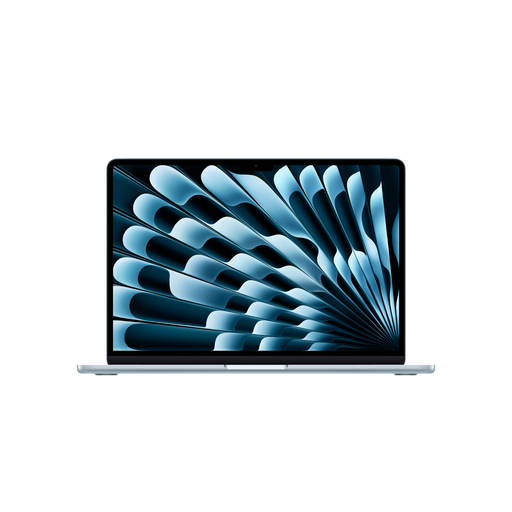
Why this product fits the profile: The combination of 16 GB unified memory, a 512 GB SSD and a compact 1.23 kg chassis is designed for mobile creative work, university and office applications.
The storage configuration offers more headroom than an 8 GB model. The power adapter is not included according to the product specs and should be budgeted for separately.
M5 chip, 13.6-inch display with 2,560 × 1,664 pixels, two Thunderbolt 4 ports and a German QWERTZ keyboard.
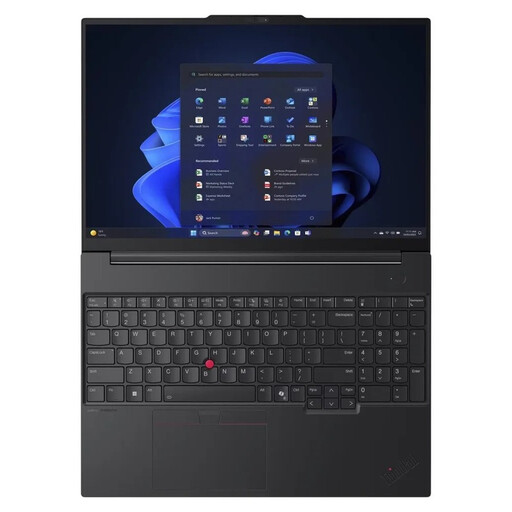
Why this product fits the profile: The 16-inch format, Windows 11 Pro, 32 GB DDR5 and an RJ45 port make it ideal for professionals, freelancers and small businesses with demanding office workflows.
The specification lists TPM 2.0, a fingerprint reader, a camera shutter, Ethernet and a German keyboard. The box includes a 65 W USB-C power adapter.
AMD Ryzen 7 250, Radeon 780M, 1 TB NVMe SSD, 16-inch WUXGA IPS display and two upgradeable SO-DIMM slots.
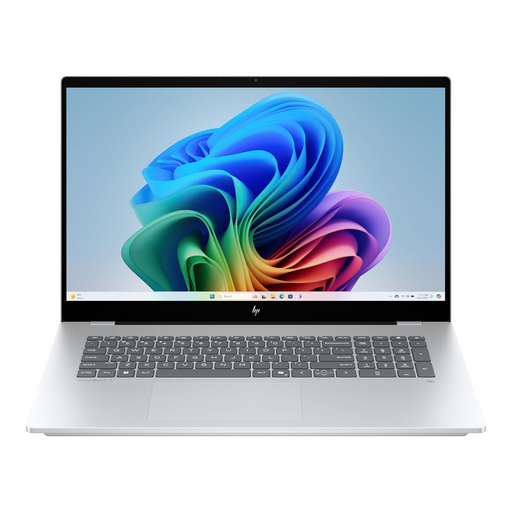
Why this product fits the profile: The touch display and 360-degree hinge allow different working positions for presentations, creative tasks and entertainment.
The product specs list the display, storage options, ports and Windows 11 Home separately. When using tablet mode, make sure the ventilation openings remain clear.
16-inch WUXGA touchscreen, Intel Core Ultra processor, Thunderbolt 4, 5 MP IR camera and 360-degree hinge.
We’ve put together a full, regularly updated list of products that fully meet these strict selection criteria and the safety regulations in force in the EU.
For word processing, video calls and web research, 8 GB is basically usable. However, 16 GB RAM offers more headroom for many open applications and longer-term use. For virtual machines, extensive data processing or professional software, 32 GB can make sense.
A laptop with 512 GB SSD provides space for the operating system, programmes and typical documents. If you have large photo collections, videos or local project files, a laptop with 1 TB SSD may be a better fit. Cloud storage and external SSDs can supplement the internal storage, but they don’t always replace fast local availability.
The usable lifespan depends on build quality, software requirements, battery condition and maintenance. Models with enough RAM, SSD storage, up-to-date security standards and possible upgradability usually offer more technical headroom. Keep your operating system and drivers up to date, avoid blocking the ventilation openings and transport the device in a suitable bag.