
Lieferung heute & morgen

Qualitätsgarantie

Willkommens-Angebote freischalten: KOSTENLOSE Lieferung | Bis zu 80 % RABATT | Kostenlose 30-Tage-JoyPlus-Testphase
App herunterladen
When you’re buying a laptop, you’ll often start by comparing processors, storage capacities and battery life. These specifications are important, but they’re not enough on their own. What really matters is whether the device fits your daily workflow, works with your existing software and suits your mobility needs.
When buying a laptop, three common pitfalls tend to crop up:
A laptop with 16 GB of RAM provides a practical foundation for running office programmes in parallel, video calls, research and lots of browser tabs. For simple tasks, a model with 8 GB may be sufficient. However, if you regularly work with large spreadsheets, photo editing or demanding applications, you should consider your future needs.
When it comes to storage, a laptop with a 512 GB SSD strikes a good balance for many personal and professional uses. An SSD boots the operating system and launches programmes faster than a traditional hard drive. Also, check whether the storage can be upgraded later. On some particularly compact devices, the RAM and SSD are soldered in place.
A laptop with Windows 11 Pro is aimed at businesses and professionals who need features like BitLocker, Remote Desktop or Windows Update for Business. Windows also offers broad compatibility with corporate software and peripherals.
A laptop with macOS is a great fit if you already use an iPhone, iPad or other Apple devices. Before buying, check whether the programmes you need for work are available natively or through a suitable alternative. The operating system can also be a deciding factor for specialist software, certain games and corporate VPNs.
A German QWERTZ keyboard makes typing umlauts, special characters and German keyboard shortcuts much easier. With imported models, make sure the layout is explicitly stated in the technical specifications.
For business trips and daily commuting, a lightweight laptop weighing around 1.2 to 1.7 kg is usually more practical than a larger model. A 14-inch display strikes a good compromise between screen real estate and portability. 15- or 16-inch devices offer more space for spreadsheets and multiple windows, but take up more room in your bag or rucksack.
Also check the ports: USB-C, Thunderbolt, HDMI, headphone jack, card reader and, on business models, RJ45 can be more important in daily use than a single performance figure.
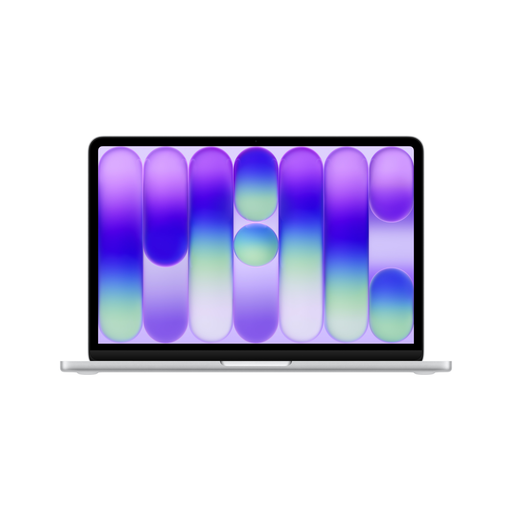
Why this product fits the profile: The 13-inch model weighs 1.23 kg and combines macOS with a compact format for emails, study, word processing and everyday media use.
The specifications clearly state 8 GB of RAM, a 256 GB SSD and a German QWERTZ keyboard. This lets you check storage and layout questions before buying.
13-inch Liquid Retina display, A18 Pro chip, up to 16 hours of video streaming according to the manufacturer and two USB-C ports.
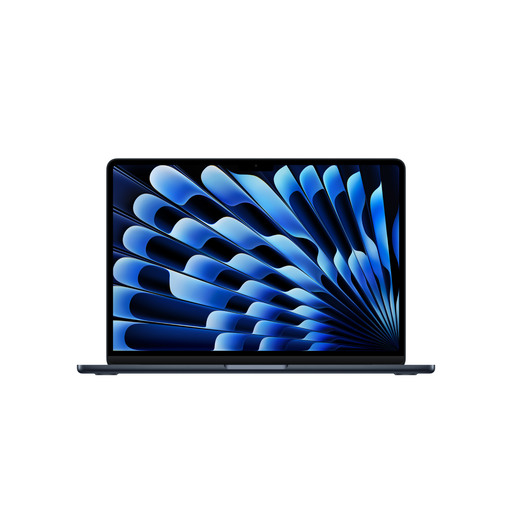
Why this product fits the profile: The larger display offers more screen space for documents, spreadsheets and creative applications, while the weight is 1.51 kg according to the product data.
16 GB of RAM and a 512 GB SSD reduce the risk of hitting capacity limits early when multitasking more heavily.
15.3-inch Liquid Retina display, M5 chip, two Thunderbolt 4 ports and up to 18 hours of video streaming according to the manufacturer.
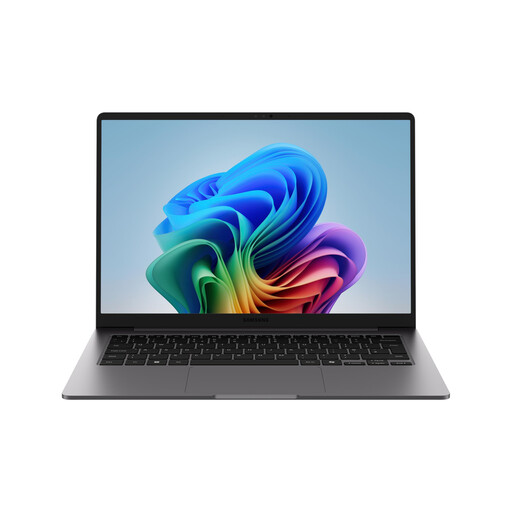
Why this product fits the profile: For demanding multitasking, corporate software and frequent business travel, this device combines Windows 11 Pro, 32 GB of LPDDR5X RAM and an RJ45 port.
The specification explicitly lists the operating system, RAM, SSD, dimensions and security features like TPM, rather than just using general performance terms.
14-inch WUXGA display, Intel Core Ultra 7 355, 32 GB RAM, 512 GB SSD and Windows 11 Pro features like BitLocker.
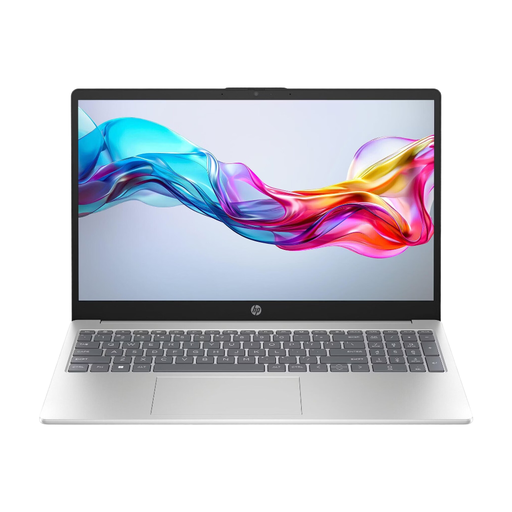
Why this product fits the profile: The 15.6-inch format is ideal for essays, Office applications and multimedia, while HDMI and three USB ports make it easy to connect accessories.
The selection makes it clear that 8 GB of RAM and Windows 11 Home are designed for standard tasks. This lets you realistically assess the trade-off compared to 16 GB of RAM.
Full HD IPS display, 512 GB NVMe SSD, Wi-Fi 6E, HDMI and up to 10.5 hours of battery life according to the product specification.
We’ve put together a complete, regularly updated list of products that fully meet these strict selection criteria and the safety regulations in force in the EU.
For Office tasks, research and video calls, 8 GB is possible. However, 16 GB of RAM offers more headroom for running programmes in parallel, large documents and longer-term use. For demanding applications or very heavy multitasking, 32 GB can make sense.
For the operating system, programmes, documents and a typical media library, 512 GB is often enough. If you store lots of videos, RAW photos or local project files, you should factor in additional cloud storage, an external SSD or a device with more storage.
Beyond the purchase price, consider electricity consumption, accessories and software subscriptions. In particular, check whether a power adapter is included. With the MacBook models mentioned, a USB-C charging cable is supplied according to the product description, while the power adapter must be bought separately. For all devices, you should also budget for compatible chargers and, if needed, a docking station, case or external backup.