
Lieferung heute & morgen

Qualitätsgarantie

Willkommens-Angebote freischalten: KOSTENLOSE Lieferung | Bis zu 80 % RABATT | Kostenlose 30-Tage-JoyPlus-Testphase
App herunterladen
If you’re buying a laptop, you’ll find a huge range of processors, screen sizes and operating systems. But the differences aren’t just about price. A seemingly cheap device can turn out to be impractical if the RAM, ports or display don’t suit your everyday needs.
Three common pitfalls often lead to a poor purchase:
For office work, video calls, research and streaming, a current mid-range processor with 16 GB RAM is usually sufficient. If you regularly use lots of browser tabs, spreadsheets, photo editing or virtual work environments, you’ll benefit from a laptop with 32 GB RAM.
The integrated graphics found in many business and everyday laptops are fine for office applications, media playback and light creative tasks. For modern 3D games, 3D rendering or GPU-accelerated video editing, a dedicated graphics card with its own video memory is a sensible choice. A classic gaming laptop also needs adequate cooling and a power supply with enough wattage.
A laptop with an SSD generally starts up faster than one with a traditional hard drive and keeps programme loading times short. For office work and study, 500 to 512 GB is often a practical starting point. If you have large photo, video or game libraries, a 1 TB SSD or an additional storage slot can be useful.
Check before you buy:
With a business laptop in particular, TPM 2.0, a fingerprint sensor, a camera shutter, Windows Hello and a German QWERTZ keyboard can be important practical features.
A 14-inch laptop is usually easier to carry for commuters, students and mobile professionals. 15-inch and 16-inch models offer more space for spreadsheets, documents and side-by-side windows. A 17-inch laptop is better suited to stationary use, as its size and weight can make it awkward to transport.
Alongside the diagonal, pay attention to:
The selection below groups specific devices by usage scenario and verifiable features. Prices, availability and technical specifications may change. Please check the details on the relevant product page before purchasing.
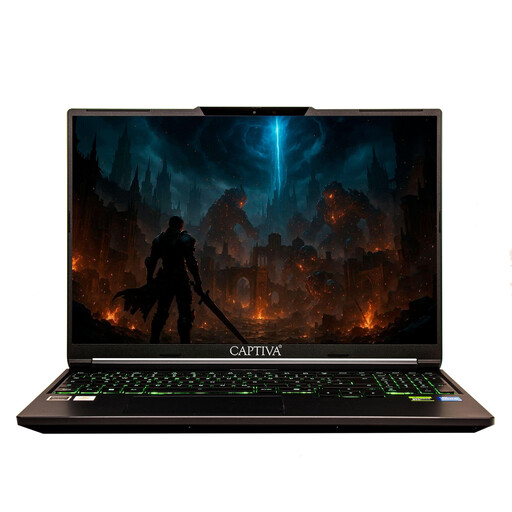
Why this product fits the profile: This compact device combines 16 GB RAM, a 500 GB NVMe SSD and a 14-inch Full HD IPS display. At around 1.45 kg, it’s ideal for school, university and simple home-office tasks.
The combination of 16 GB RAM and an SSD avoids a skimped-out basic spec. The anti-glare display reduces annoying reflections when lighting conditions change.
16 GB RAM, 500 GB NVMe SSD, Wi-Fi 6, USB-C, HDMI and SD card reader.
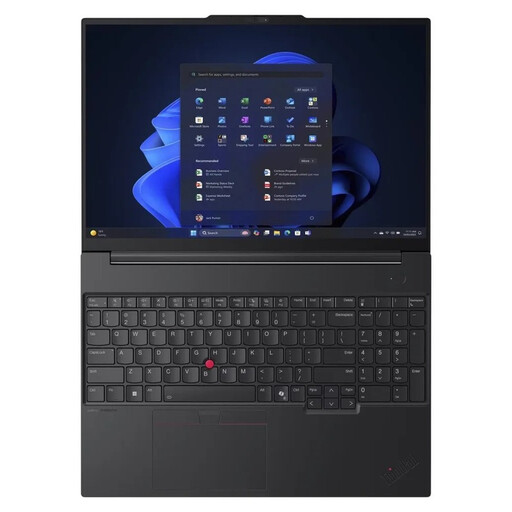
Why this product fits the profile: The 16-inch WUXGA IPS display, 32 GB DDR5 RAM and 1 TB SSD are a great match for professionals, freelancers and users who keep many applications open at once.
The memory and storage provide headroom for heavy multitasking. An RJ45 port complements Wi-Fi 6E, while TPM 2.0, a fingerprint sensor and a camera shutter support business use.
32 GB DDR5, 1 TB NVMe SSD, Windows 11 Pro, 180-degree hinge and German keyboard with number pad.
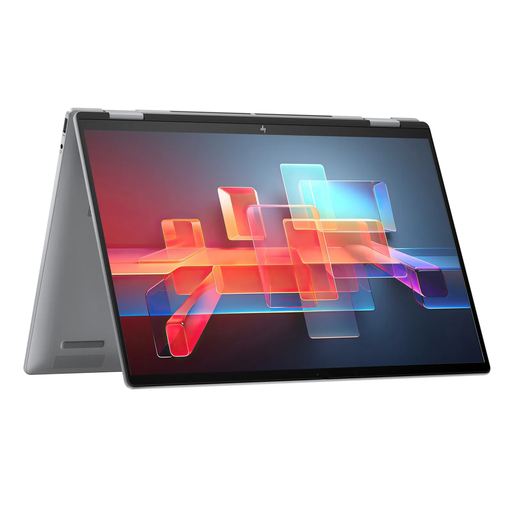
Why this product fits the profile: The 360-degree hinge and 16-inch touchscreen offer flexible modes for note-taking, presentations and media consumption. 16 GB RAM and a 512 GB SSD cover typical workflows.
The convertible design is a genuine feature, not just a styling gimmick. The IPS panel with 1920 × 1200 pixels and 100 percent sRGB is built for mobile office and creative tasks.
Touch display, 360-degree hinge, 16 GB LPDDR5, 512 GB PCIe SSD and Thunderbolt 4 ports.
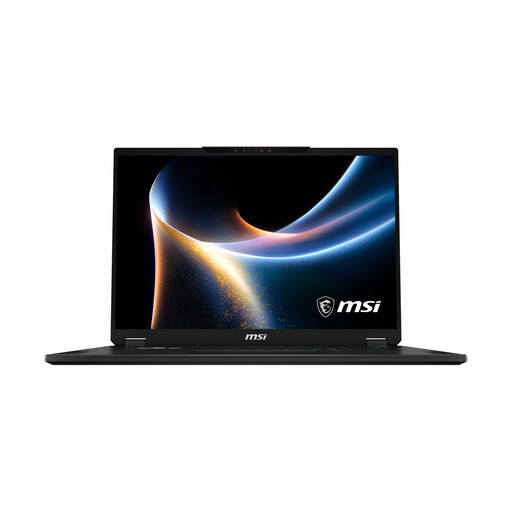
Why this product fits the profile: The 18-inch Mini-LED display, dedicated NVIDIA GeForce RTX 5080 graphics and 32 GB DDR5 RAM are aimed at gamers and users with graphics-intensive applications.
The dedicated graphics card is clearly distinct from integrated solutions. The cooling system, the 150 W TGP rating and the 140 W power supply make the intended high-load operation much clearer.
RTX 5080 with 16 GB GDDR7, 2 TB SSD, 120 Hz display, Wi-Fi 7 and 2.5 Gbit/s LAN.
A laptop with Windows 11 offers a wide choice of programmes, accessories and business features. Windows 11 Pro adds BitLocker, Remote Desktop and management options, among other things. For personal use, school and many office tasks, Windows 11 Home is usually sufficient.
A MacBook Air runs on macOS. Before buying, you should check whether the programmes, games, printers and business applications you need are compatible. Also, according to the product information, the MacBook Air mentioned does not include a power supply in the box. This may need to be purchased separately.
For browsing, office work, video calls and study, 16 GB RAM is a sensible benchmark. 32 GB is suitable for heavy multitasking, creative applications, large data sets or virtual machines. 8 GB can be enough for simple tasks, but offers less headroom.
The lifespan depends on the battery, build quality, software demands and maintenance options. An SSD, sufficient RAM and a suitable processor can extend practical usability. The device should be used on a hard surface, kept away from liquids and regularly updated with security patches.
Alongside the purchase price, you’ll mainly have electricity costs, and possibly expenses for accessories, repairs and software. Powerful gaming models consume more energy under load than compact office devices. Also check whether the power supply, docking station or storage upgrade are already included.
We’ve put together a full, regularly updated list of products that fully meet these strict selection criteria and the safety regulations in force in the EU.