
Lieferung heute & morgen

Qualitätsgarantie

Willkommens-Angebote freischalten: KOSTENLOSE Lieferung | Bis zu 80 % RABATT | Kostenlose 30-Tage-JoyPlus-Testphase
App herunterladen
The search for a new PC mouse can quickly become overwhelming. Manufacturers advertise with extremely high DPI numbers, futuristic designs, and a multitude of features. However, not every advertised feature is relevant to your daily use or worth the premium. As your Joybuy Product Recommendation Officer, I'll help you distinguish the important features from the trivial ones and make an informed decision. Before you buy a new mouse, you should know the most common pitfalls.
Many buyers are swayed by marketing promises that offer little practical benefit. Pay attention to these three points to avoid a bad investment:
gaming mouse. In reality, even professional gamers rarely use settings above 3,200 DPI. For everyday office tasks and web browsing, values between 800 and 1,600 DPI are perfectly sufficient. An excessively high DPI value makes the cursor uncontrollable and is not an indicator of sensor quality.wireless mouse offers more freedom of movement, but it isn't automatically the better choice. Cheaper models can suffer from signal delays (latency) or connection drops. Additionally, rechargeable batteries need to be charged regularly, or disposable ones replaced. A high-quality wired mouse provides a consistently stable, latency-free connection and is always ready to use.Focus on the following technical specifications in your selection process to find a mouse that meets your needs.
The sensor is the heart of any PC mouse. An optical sensor is standard today and works reliably on most surfaces. More important than a maximum DPI value is the ability to adjust the sensitivity in increments to suit your needs.
gaming mouse should offer an adjustable DPI of at least 400 to 3,200 DPI to allow for both swift movements and precise aiming. Brands like Razer mouse or Logitech mouse often feature proven sensors in this category.The choice between a wired and a wireless mouse depends on your workspace and priorities.
An ergonomic mouse is shaped to support a natural hand posture and reduce strain. Vertical mice are a special type that places the arm in a neutral position. Pay attention to:
silent mouse with dampened click sounds can be beneficial in office environments or at home.Here are some models tailored to specific user profiles that cleverly avoid the aforementioned pitfalls.
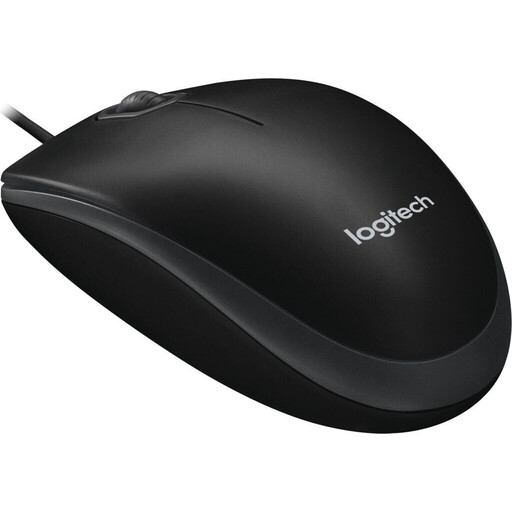
Why This Fits Their Persona: This model is ideal for users in Germany looking for a straightforward, reliable, and affordable mouse for daily work. It works right out of the box and is suitable for everyone thanks to its ambidextrous design.
The B100 skips superfluous features and high DPI values. It focuses on the essentials: a stable, wired connection and a precise sensor for office applications.
Plug-and-Play Functionality: Simply connect via USB and get started immediately. Ambidextrous Design: Equally comfortable for both left- and right-handed users.
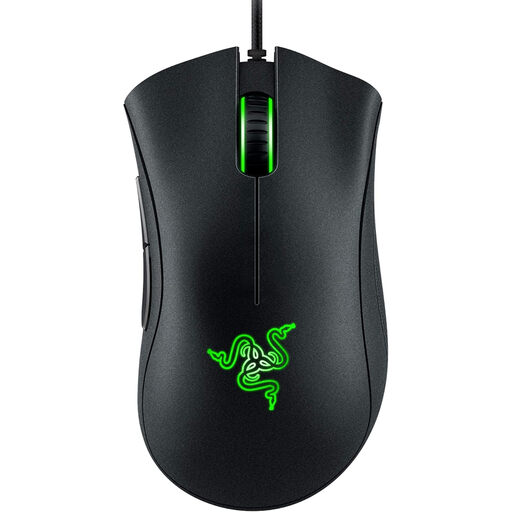
Why This Fits Their Persona: For gamers in Germany who want a proven, high-performance mouse without the premium price tag of professional models. Its ergonomic shape is designed for long gaming sessions.
This model avoids the DPI trap by offering a practical 6,400 DPI sensor, which is more than sufficient for most games. The focus is on its proven ergonomics and reliability.
Proven Ergonomics: The shape of the DeathAdder series is renowned for its comfort. Reliable Performance: Durable switches and a precise optical sensor ensure consistent performance.
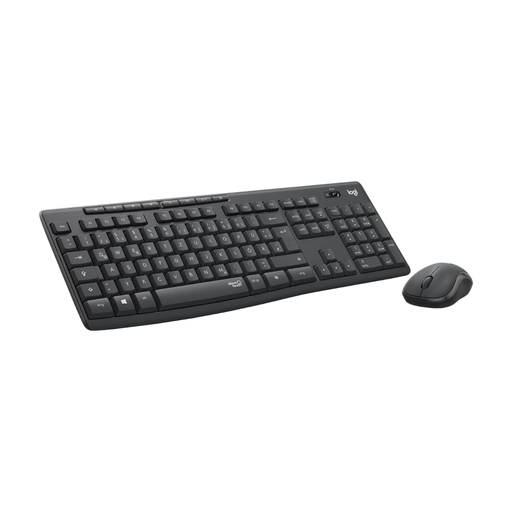
Why This Fits Their Persona: This `mouse and keyboard combo` is perfect for home offices or open-plan offices in Germany where noise reduction is important. It offers the convenience of a wireless setup without the usual drawbacks.
It debunks the myth of unreliable wireless connections with a stable 2.4 GHz link and long battery life. The focus is on a practical benefit: noise reduction.
SilentTouch Technology: Reduces clicking and typing noises by over 90%, according to Logitech. Long Battery Life: Up to 18 months for the mouse and 36 months for the keyboard.
We have compiled a complete, up-to-date list of products that fully meet these strict selection criteria and German safety regulations.
1. How long does the battery of a wireless mouse last? Battery life varies widely depending on the model and usage. Simple office mice can often run for 12 to 24 months on a single AA battery. Rechargeable gaming mice last between 40 and 180 hours per charge, depending on usage intensity and RGB lighting. Manufacturer claims, such as "up to 250 hours" for the Razer Naga V2 HyperSpeed, often refer to specific usage conditions.
2. Is an ergonomic mouse really better for your wrist? An ergonomic mouse is designed to position the hand in a more natural posture, which can reduce strain on muscles and tendons. Vertical mice, in particular, promote a "handshake" position that relieves pressure on the forearm. Whether this makes a noticeable difference for you depends on your individual anatomy and the duration of daily use. If you have existing discomfort, such a model can be a worthwhile consideration.
3. Do I have to spend a lot of money on a good gaming mouse? Not necessarily. While high-end models with many features and extreme specifications can be expensive, there are many excellent entry-level and mid-range gaming mice. Models like the Razer DeathAdder Essential already offer a precise sensor, durable switches, and proven ergonomics at an accessible price. More important than the price are a good sensor, a shape that fits you well, and a stable connection.