
Lieferung heute & morgen

Qualitätsgarantie

Willkommens-Angebote freischalten: KOSTENLOSE Lieferung | Bis zu 80 % RABATT | Kostenlose 30-Tage-JoyPlus-Testphase
App herunterladen
If you’re looking to buy a printer, you first need to choose between very different categories of device. A multifunction printer for documents has different requirements to a mobile photo printer or a multi-colour 3D printer. What matters isn’t just the resolution and quoted speed, but the combination of print volume, running costs, connectivity and space needed.
Figures like “up to 22 pages per minute” usually refer to defined conditions, such as black-and-white printing on A4. When printing in colour, at high resolution, or on the first page, the actual speed can differ. If you’re looking for a fast printer for your home office, you should also pay attention to the time to first page, the print technology and the planned monthly volume.
“Duplex” can mean either automatic duplex printing or manually turning the paper over. With a device that offers manual duplex, you have to reinsert the paper stack after the first side. For occasional prints that’s fine; for longer documents, an automatic function is much more practical.
With an inkjet printer, cartridges or ink tanks are a regular expense. A laser printer needs toner and possibly other consumables. Before you buy, you should check the page yield, the price of original or compatible consumables, and your own print volume. A cheap device can end up costing more in the long run if you print in colour frequently.
A laser printer with Wi-Fi is often a good choice for lots of black-and-white pages, for example in a home office, at university or in a small office. Toner doesn’t dry out, whereas inkjet printers can need extra attention if left unused for longer periods. For colour documents, graphics and occasional photos, a colour printer based on inkjet technology is more flexible.
A printer for home should not only be compact, but also match your actual printing needs. For documents only, a mono printer is sufficient. If you want to scan, copy or process multi-page originals, you’re better off with a printer with a scanner or a multifunction printer.
Wi-Fi makes it easier for multiple devices to share the printer. You should check for 2.4 GHz or dual-band Wi-Fi, Bluetooth, USB and, if needed, Ethernet. Support for AirPrint, Mopria or a manufacturer’s app can make wireless printing from your smartphone or tablet much simpler.
A printer with only a USB connection is fine for a single computer, but less flexible in a family home or office. If you work from different locations, you should also check compatibility with Windows, macOS, Linux, Android and iOS.
A compact printer saves desk space, but still needs enough room for the paper feed, output tray and maintenance. Things to consider include:
With a 3D printer, you also need to think about build volume, nozzle temperature, heated bed, filament compatibility and safety clearances. A high maximum speed is only useful if the material, model and print profile are suitable for it.
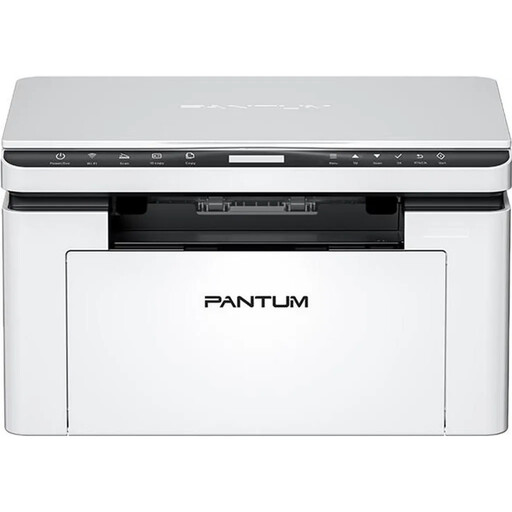
Why this product fits the profile: This compact mono laser multifunction printer combines printing, copying and colour scanning with Wi-Fi, Bluetooth and USB. With up to 22 pages per minute, it’s ideal for typical document tasks at home or in a small office.
The product specifications clearly state that duplex printing is manual. This means there’s no false expectation of an automatic paper reversing process.
22 pages per minute in black and white, 150-sheet input tray, 1,200 × 1,200 dpi optical scan resolution and dual-band Wi-Fi.
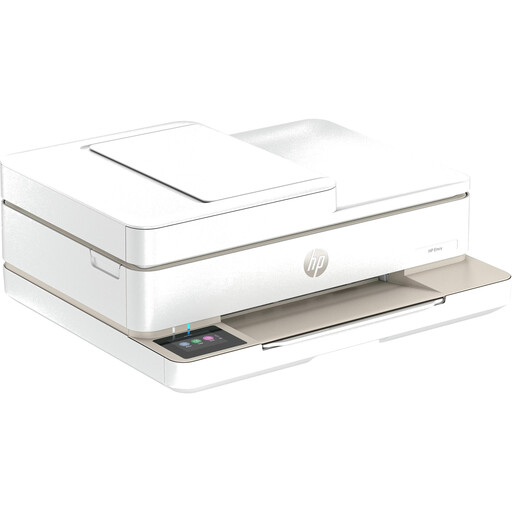
Why this product fits the profile: For families and home office users who need colour printing, scanning and copying in one device, this model offers an automatic document feeder and a colour display.
The features are clearly separated: automatic duplex printing, ADF, dual-band Wi-Fi and USB 2.0. This means you can check the exact feature set before you buy.
Up to 13 pages per minute in black and white and 8 pages per minute in colour, automatic two-sided output and multi-page scanning via the ADF.
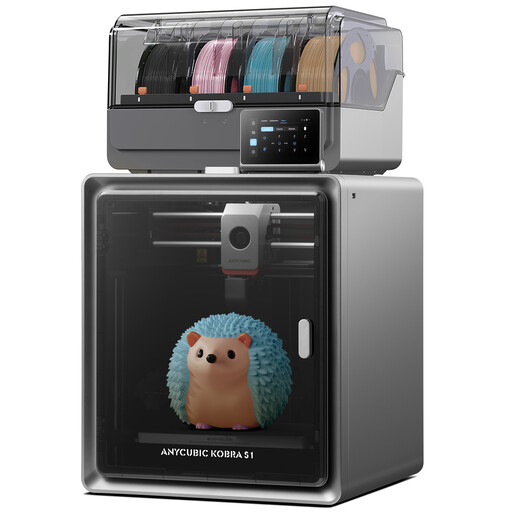
Why this product fits the profile: This system is designed for creatives and 3D printing users who want to produce multi-colour models, prototypes and technical parts with a closed CoreXY build.
The colour requirements are clearly stated: four colours as standard, expandable to up to 16 colours with additional compatible ACE 2 Pro units.
250 × 250 × 250 mm build volume, up to 600 mm/s, 320 °C maximum nozzle temperature and active filament drying up to 65 °C.
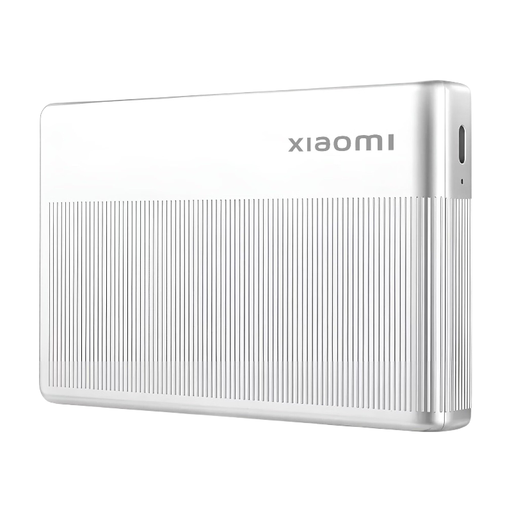
Why this product fits the profile: This mobile photo printer is designed for smartphone photos, small stickers and carrying in a bag or rucksack.
This device is not intended as an A4 printer. The clearly defined format of 50 × 76 mm prevents any false expectation of document printing.
Zink printing without ink cartridges, Bluetooth connection, 180 g weight and self-adhesive 3-inch photo paper.
We’ve put together a full, regularly updated list of products that meet these strict selection criteria and comply with all EU safety regulations.
For regular black-and-white documents, a mono laser with Wi-Fi and a scanner is a practical choice. If you often print colour presentations, images or graphics, an inkjet multifunction printer may be more suitable. Pay attention to the duplex function, paper capacity and the cost of consumables.
The lifespan depends on print volume, maintenance, paper quality and consumables. The stated monthly duty cycle is a useful guide, but not a guarantee of a specific lifespan. Devices should be kept in a dry, dust-free location with adequate ventilation.
That depends on page volume, colour usage and consumables. Don’t just compare the device price – also look at toner or cartridge yield, paper consumption from duplex printing and the cost of suitable replacement materials. With 3D printers, filament, nozzles and possibly build plates are part of the running costs. Old printers and consumables should be disposed of in line with local regulations, particularly the WEEE directives.