
Lieferung heute & morgen

Qualitätsgarantie

Willkommens-Angebote freischalten: KOSTENLOSE Lieferung | Bis zu 80 % RABATT | Kostenlose 30-Tage-JoyPlus-Testphase
App herunterladen
If you’re looking to buy a printer, you’ll quickly be faced with a long list of printing technologies, speed specifications and extra features. A low device price doesn’t tell you much about the long-term running costs. What really matters are consumables, print volume, connectivity options and how you’ll actually use it.
Whether it’s a multifunction printer for the home office, a Wi-Fi printer for the family, a portable printer for on the go, or a 3D printer for your own models – the choice should match your specific needs.
Figures like “up to 22 pages per minute” or “600 mm/s” refer to specific conditions. With standard document printing, colour mode, paper size, resolution and the time to print the first page can all affect the actual duration. With a 3D printer, the result and sensible speed also depend on the filament, model structure and layer height.
So don’t just compare the maximum speed. For a fast printer in the office, paper feed, memory, automatic document feeder and the ability to handle large files are also important.
A cheap inkjet printer can rack up ongoing costs through ink cartridges or cleaning cycles if you print frequently. A laser printer uses toner and is often a good fit for regular text volumes. A photo printer, on the other hand, uses special photo paper, which can be significantly more expensive per print than standard paper.
Check before you buy:
Wireless printing can work via Wi-Fi, Wi-Fi Direct, Bluetooth or a manufacturer’s app. Bluetooth is suitable for short distances with mobile devices, but usually requires a compatible app. Wi-Fi integrates better into a home or office network and often supports features like AirPrint or Mopria.
Make sure your smartphone, tablet and computer are supported with their respective operating systems. A USB port can also be useful if the network connection fails.
An inkjet printer is suitable for colour documents, graphics and occasional photos. A mono printer with laser technology is aimed more at users who print lots of text pages, invoices or work documents. A colour printer or multifunction device makes sense if you regularly need colour.
A multifunction printer combines printer, scanner and copier. For families, students and home office users, this can save space. In the office, an automatic document feeder, larger paper tray and duplex functions are also relevant.
The pages-per-minute figure, or ppm, usually describes printing under standardised conditions. For your buying decision, you should realistically estimate your monthly print volume:
With duplex printing, you need to distinguish between manual and automatic duplex printing. Automatic double-sided printing saves effort and can reduce paper usage.
Measure the space you have available, including room for the paper tray, scanner lid and cables. A device with A4 support is sufficient for most personal and professional documents. Also check whether envelopes, labels or thicker paper are supported.
For a portable printer, weight, battery life and the available paper format are key. The Phomemo A282U weighs 600 g according to product specifications, works without ink or toner, and can be connected via Bluetooth and the Phomemo app with iOS and Android devices. The stated battery capacity is enough for up to 150 sheets per charge.
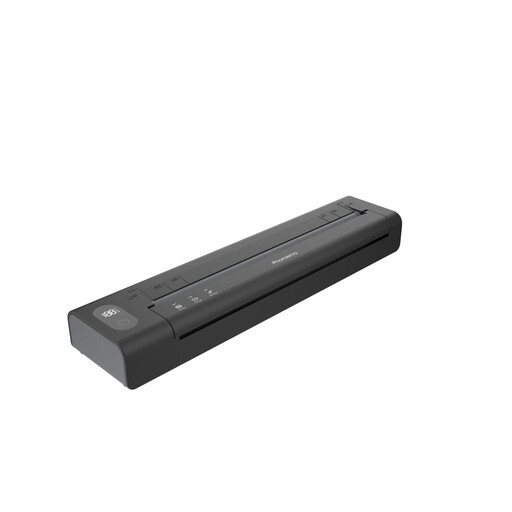
Why this product fits the profile: This compact wireless alternative for on the go prints documents via Bluetooth and, according to the product description, requires neither ink nor toner. At 600 g, it’s designed for travel, study and mobile work.
The stated printing scenarios and battery capacity help you realistically assess mobile use before buying.
600 g weight; Bluetooth app for iOS and Android; up to 150 sheets per battery charge according to product specifications.
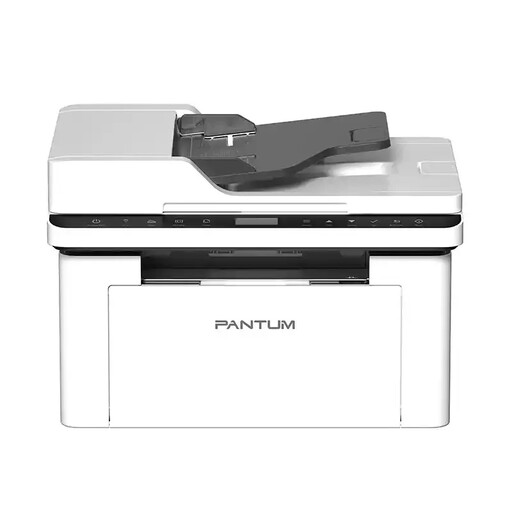
Why this product fits the profile: This A4 multifunction device combines mono printing, copying and scanning. It’s rated at up to 22 pages per minute, with Wi-Fi, Bluetooth, AirPrint, Mopria and an optical scan resolution of 1,200 × 1,200 dpi.
The technical specifications detail print, scan and copy functions, paper capacity and supported operating systems, rather than just advertising a single speed figure.
22 ppm in mono according to specification; 150-sheet tray; support for USB, Wi-Fi and Bluetooth.
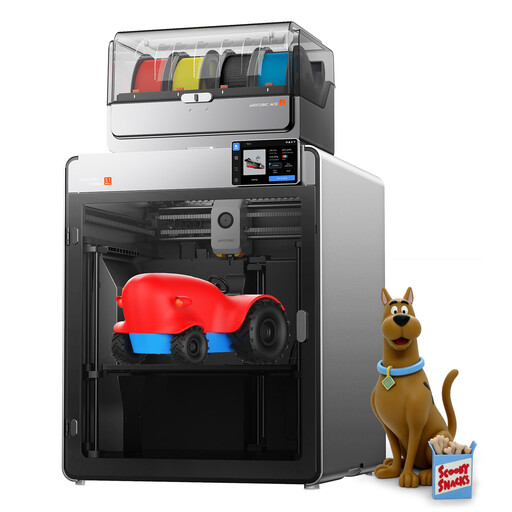
Why this product fits the profile: For makers and 3D printing enthusiasts, the system offers a build volume of 350 × 350 × 350 mm³, four colours included and the option to expand to up to 16 colours with compatible modules.
Build volume, nozzle temperature, materials and possible colour expansion are all clearly stated and can be matched against your planned project.
350 °C hotend; heated chamber up to 65 °C according to product specifications; automatic levelling and filament monitoring.
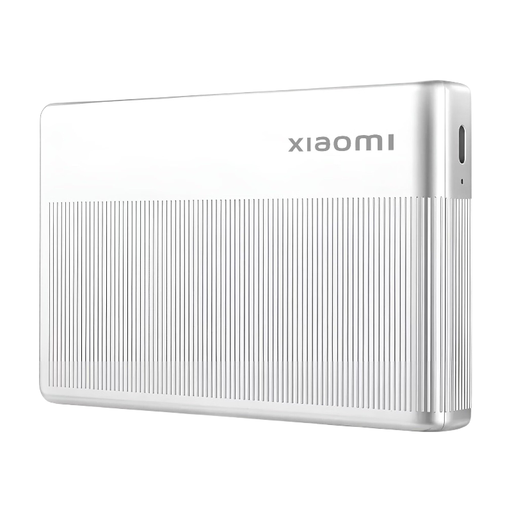
Why this product fits the profile: This portable photo printer uses ZINK technology, Bluetooth and 50 × 76 mm self-adhesive photo paper. At 180 g, it’s ideal for small photo prints on the go.
The small paper format and maximum tray capacity of ten sheets make the device’s limitations clear before you buy.
180 g weight; Bluetooth without a Wi-Fi network; 313 × 512 dpi according to product specifications.
We’ve put together a complete, regularly updated list of products that fully meet these strict selection criteria and the safety regulations in force in the EU.
For occasional documents, a compact printer for home is often enough. If you want to scan, copy or print double-sided, a multifunction printer makes sense. For mostly black text pages, a laser printer could be a good fit; for photos and colour graphics, an inkjet or photo printer is more suitable.
The lifespan depends on print volume, maintenance, paper quality and consumables. Place the device in a dry, dust-free location, don’t block any ventilation openings and follow the manufacturer’s instructions. With 3D printers, care of the build plate, nozzle and moving parts also matters.
The costs are made up of paper, ink or toner, specialist media and electricity. Don’t just compare the purchase price – also look at page yield figures and the cost per page. For a reliable estimate, base your calculations on your monthly print volume and the amount of colour you need.