
Lieferung heute & morgen

Qualitätsgarantie

Willkommens-Angebote freischalten: KOSTENLOSE Lieferung | Bis zu 80 % RABATT | Kostenlose 30-Tage-JoyPlus-Testphase
App herunterladen
A cable may seem like a simple accessory at first glance. However, when buying a cable, the connector type, power rating, length and intended environment all determine whether it will work reliably. Choosing the wrong cable can result in slower data transfer, unstable picture signals or unnecessary safety risks.
A USB-C connector alone says little about its actual performance. A USB-C cable may support only USB 2.0 data rates, or it may be a Thunderbolt 4 cable capable of transferring up to 40 Gbit/s. Charging performance also varies considerably: some models are rated for 3 A, while others support USB Power Delivery up to 100 W or, according to the product specifications, up to 240 W.
Before buying, check the connectors on both devices, as well as the charging and data speeds you require.
A fast-charging cable does not automatically deliver higher charging power. The power adapter, cable and device must all support the same charging protocol. For example, a compatible PD power adapter may be required for a USB-C-to-Lightning cable. USB-A-to-USB-C models have different technical limitations.
A cable that is too short can be inconvenient in a home office or behind a television. A very long cable, on the other hand, may be more difficult to route neatly. With HDMI 2.1 cables measuring several metres, pay attention to the stated bandwidth. With extension cables, the maximum load, fully unwinding the cable and its suitability for indoor or outdoor use are also crucial.
First, check which connectors you need:
The devices must not only fit together mechanically. The supported standard is also important. For example, a USB-B-to-USB-C cable can connect printers or audio interfaces, but it is not suitable for Micro-USB ports.
For charging cables, the rated current, voltage and Power Delivery support are important specifications. A USB-C-to-USB-C model rated at 100 W is suitable for compatible laptops, but according to the product specifications it transfers data at only up to 480 Mbit/s. A Thunderbolt 4 cable, by contrast, can support up to 40 Gbit/s and transmit video signals, provided the connected devices support this too.
With Lightning models, you should distinguish between USB-A and USB-C. A USB-C-to-Lightning cable is designed for compatible PD chargers, while USB-A-to-Lightning is better suited to traditional USB power adapters and computer ports.
With an extension cable, the combined power demand of the connected devices must not exceed the stated load limit. The cable should be fully unwound, kept dry and never used beneath carpets or blankets. Do not connect multiple extension cables together.
For a Type 2 EV charging cable, the vehicle, wallbox or charging station and cable standard must all be compatible. An 11 kW charging cable is intended for vehicles with a suitably rated on-board charger; a 22 kW charging cable requires both a vehicle and charging infrastructure that support this output. The actual charging power may be limited by the vehicle, the household electrical installation or the charging station. Type 2 cables are not compatible with J1772, CCS1 or CHAdeMO connectors.
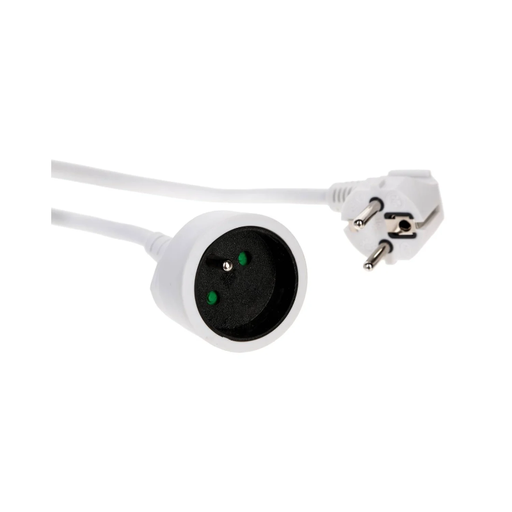
Why this product suits this profile: The 3 m length gives you extra flexibility for household appliances, tools and workstations when a socket is not within easy reach.
The stated length is clearly specified. Before use, check the permitted load against the product information.
3 m reach, a white housing and, according to the product description, a design with a protective earth conductor for everyday use as intended.
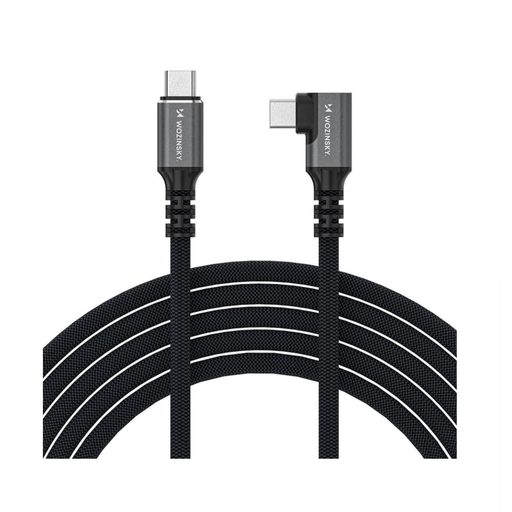
Why this product suits this profile: For home offices, external SSDs, docking stations and compatible monitors, this cable offers plenty of technical headroom.
The specifications clearly state Thunderbolt 4, USB4, 40 Gbit/s and up to 240 W. The devices must support these standards too.
90-degree connector, 1.5 m length, nylon braiding and stated support for 4K and 8K video signals.
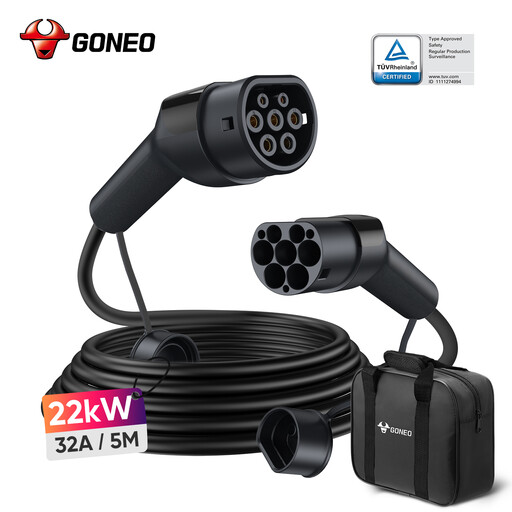
Why this product suits this profile: For drivers of electric cars or plug-in hybrids with a Type 2 or CCS2 connection who regularly charge at wallboxes or public charging stations.
Compatibility, 22 kW rating, 5 m length and IP54 protection are clearly specified. Before buying, check the vehicle’s OBC capacity.
Type 2 to Type 2 connection, 32 A, three-phase use, carry bag and, according to the product description, TÜV Rheinland certification.
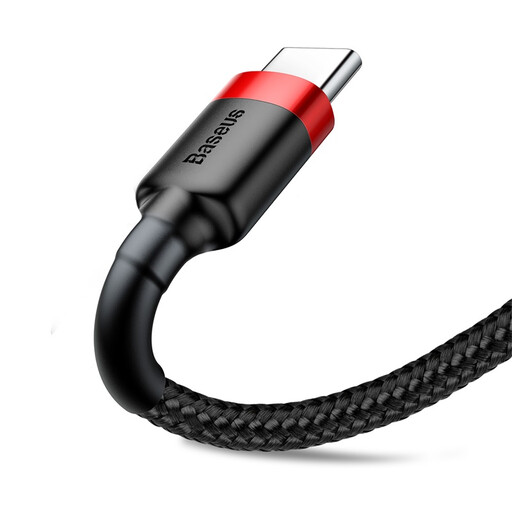
Why this product suits this profile: For smartphones, tablets and compatible everyday devices, the 2 m length gives you more freedom of movement at your desk or bedside.
The USB-A-to-USB-C interface and data rate of up to 480 Mbit/s are clearly stated. This model is not intended for USB 3.x data rates.
Up to 3 A, support for Quick Charge 3.0 according to the product specifications, nylon braiding and a hook-and-loop strap for storage.
We have put together a complete, regularly updated list of products that fully meet these strict selection criteria and the safety regulations applicable in the EU.
This depends on the device, power adapter and charging protocol. For current devices, a USB-C-to-USB-C cable with the appropriate Power Delivery rating is often a sensible choice. For Apple devices with a Lightning port, a USB-C-to-Lightning cable used with a compatible PD power adapter may be suitable.
Its service life depends on the bend radius, tensile stress, heat, moisture and number of connection cycles. Reinforced braiding can improve mechanical protection, but it does not replace proper use. Damaged or unusually hot cables should not be used again.
Cable length alone does not normally cause any significant additional consumption in everyday use. With longer leads, however, electrical losses and signal attenuation may become relevant. The length, conductor cross-section and technical standard should therefore be suitable for the intended use.