
Lieferung heute & morgen

Qualitätsgarantie

Willkommens-Angebote freischalten: KOSTENLOSE Lieferung | Bis zu 80 % RABATT | Kostenlose 30-Tage-JoyPlus-Testphase
App herunterladen
Deciding to buy a new gaming graphics card in 2026 is more complex than ever. With the launch of new architectures like NVIDIA Blackwell and AMD RDNA 4, the market is flooded with technical specs and marketing promises. However, not every innovation is relevant for every user, and well-intentioned advice often leads to costly missteps. This guide will help you separate the wheat from the chaff and make an informed choice that perfectly matches your needs.
As your Joybuy Product Recommendation Officer, I have analyzed the most common pitfalls buyers encounter when upgrading their PCs.
To avoid these pitfalls, you should focus on three objective core parameters. These determine the true performance and future-viability of your investment.
The crucial factors are not just the gigabyte count, but the memory type and the width of the memory interface.
The best raw performance is useless if it can't be sustained.
To be prepared for future monitors and games, modern connections are essential.
Based on these objective criteria, we have selected a range of graphics cards that represent a sound investment for specific user profiles.
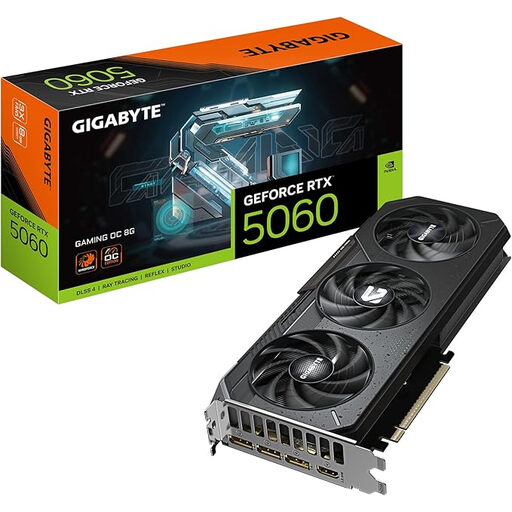
Why This Fits Their Persona: Ideal for gamers who want smooth 1080p and 1440p (WQHD) gaming at high settings without stretching their budget for high-end 4K features.
The 8 GB of GDDR7 is perfectly matched to the performance of the RTX 5060 chip, avoiding unnecessary costs for oversized VRAM. The WINDFORCE cooling system ensures stable performance under load.
Excellent price-to-performance ratio for the Blackwell architecture. Features a Dual BIOS switch for quiet or performance-oriented operation.
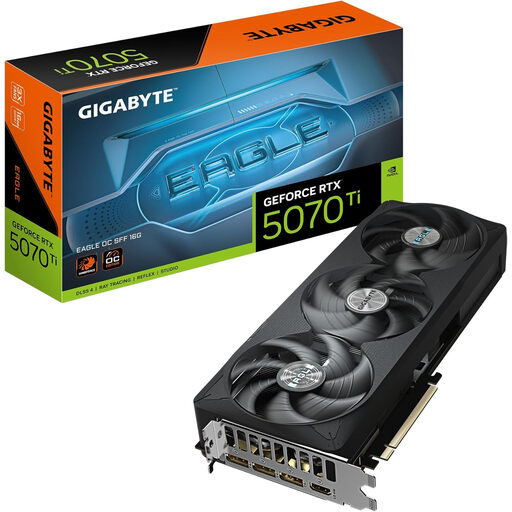
Why This Fits Their Persona: Perfect for gamers seeking a smooth 4K gaming experience with ray tracing enabled, who also value a future-proof system that can fit into compact cases.
The card is certified as NVIDIA SFF-Ready, guaranteeing it will fit in compatible small form factor cases and thus avoiding the form factor fallacy. The 16 GB of GDDR7 and 256-bit interface are well-suited for 4K textures.
Powerful 4K performance thanks to the RTX 5070 Ti chip. Future-proof with PCIe 5.0 and DisplayPort 2.1a. The WINDFORCE cooling system maintains low temperatures.
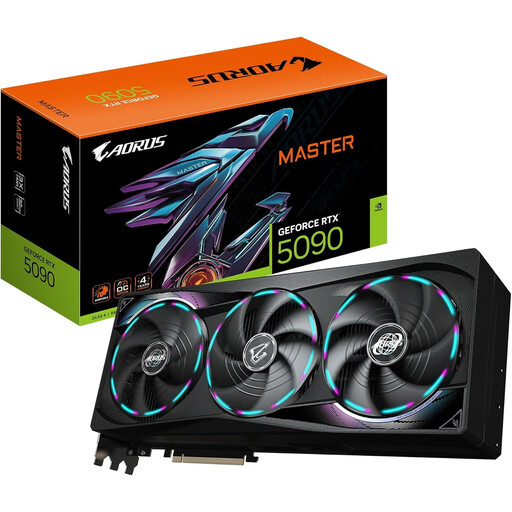
Why This Fits Their Persona: For users who demand maximum performance for professional applications like 3D rendering, video editing, and AI models, or who want uncompromising 4K/8K gaming.
Here, the large memory capacity is not a marketing gimmick. The 32 GB of GDDR7 and the wide 512-bit interface are essential for the immense processing power of the RTX 5090, preventing bottlenecks with 8K textures and complex datasets.
Absolute peak performance for all applications. Offers maximum future-proofing by combining the NVIDIA Blackwell architecture, PCIe 5.0, and DisplayPort 2.1a.
We have compiled a complete, continuously updated list of products that fully meet these strict selection criteria and comply with all local safety standards.
For smooth 1080p gaming, 8 GB of GDDR6/GDDR7 is generally sufficient. For 1440p (WQHD), 8 GB to 12 GB is a great choice. If you're aiming for a graphics card for 4K gaming with high texture details and ray tracing, 16 GB or more is recommended to be ready for future titles. For professional applications and 8K gaming, 24 GB or more can be beneficial.
The power consumption of modern graphics cards is high. Always check the manufacturer's recommended minimum power supply (PSU) wattage. An RTX 5060 often requires around 550-650 watts, while an RTX 5070 Ti is more likely to need 750 watts. Top-tier models like the RTX 5090 can demand a PSU of 1000 watts or more. Also, pay attention to the required power connectors (e.g., 12V-2x6 or multiple 8-pin connectors).
If you are building a new PC or have a motherboard with PCIe 5.0, choosing a PCIe 5.0 graphics card is a sensible investment in the future. The higher bandwidth ensures that the card can reach its full potential in the years to come, especially with technologies that need to transfer large amounts of data quickly. For an existing PCIe 4.0 system, an upgrade solely for the interface is usually not essential, as the performance difference in current games is still minimal.