
Lieferung heute & morgen

Qualitätsgarantie

Willkommens-Angebote freischalten: KOSTENLOSE Lieferung | Bis zu 80 % RABATT | Kostenlose 30-Tage-JoyPlus-Testphase
App herunterladen
Buying a new graphics card is a major investment. Faced with marketing hype and a flood of technical specs, it's easy to make a choice that doesn't perfectly match your needs. Many users pay for features they don't need or overlook critical flaws that only become apparent after installation. This guide will help you navigate the most common pitfalls and make an informed decision.
As your Joybuy Product Recommendation Officer, I'll filter the relevant information for you and show you what really matters when making your choice.
Before we dive into the technical details, let's look at the most expensive mistakes that cost buyers time and money.
To avoid these pitfalls, focus on three core parameters that determine your new graphics card's performance and compatibility.
The graphics architecture is the foundation of its performance. Current generations like NVIDIA's Blackwell or AMD's RDNA 4 define how efficiently the card operates. Pay attention to the following points:
As mentioned, the sheer amount of VRAM isn't everything. The combination of memory type, interface, and clock speed determines the memory bandwidth—that is, how quickly data can be processed.
The physical characteristics of the card are just as important as its internal specs.
Here are some recommendations tailored to specific user profiles that take the above criteria into account.
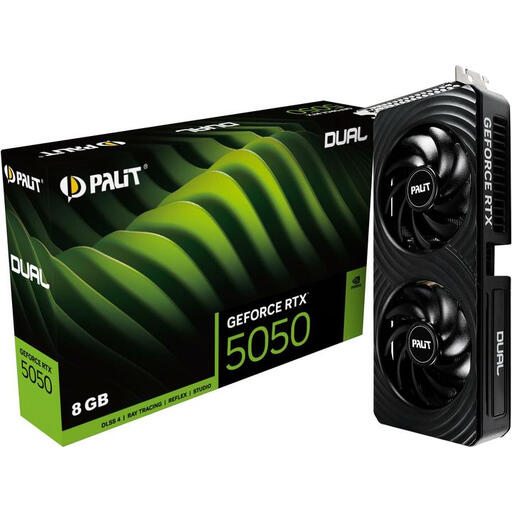
Why It's a Match: Ideal for gamers seeking solid performance for Full HD (1080p) and WQHD (1440p) gaming without breaking the bank. It supports modern technologies and is highly power-efficient.
Avoids the "VRAM myth" with 8GB, which is sufficient for the target resolutions. The compact 2-slot design fits in almost any case, and its low 130W power draw doesn't require a costly PSU upgrade.
High Efficiency: Low power consumption reduces running costs. Modern Ports: Supports HDMI 2.1b and DisplayPort 2.1b for future-proof monitors.
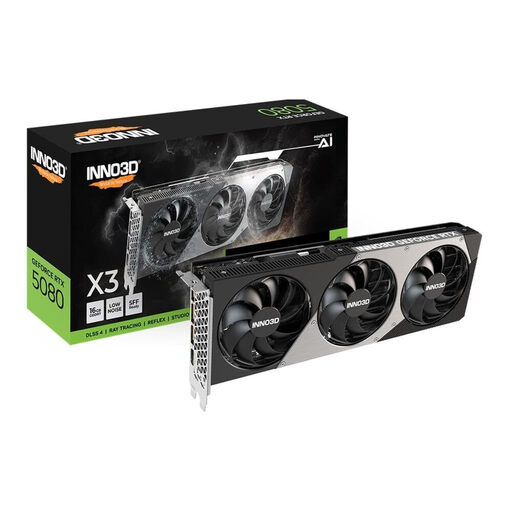
Why It's a Match: Delivers tremendous power for smooth 4K gaming with ray tracing and significantly accelerates professional creative workflows (video editing, 3D rendering). A future-proof choice for enthusiasts.
Offers the right balance for 4K with 16GB of fast GDDR7 memory, without the extreme price tag of an RTX 5090. The slim 2-slot design ensures high case compatibility, bypassing the "too big" pitfall.
Massive Performance: The NVIDIA Blackwell architecture and DLSS 4 deliver high frame rates in 4K. Slim Design: Despite its high performance, the card's 2-slot profile fits into many systems.
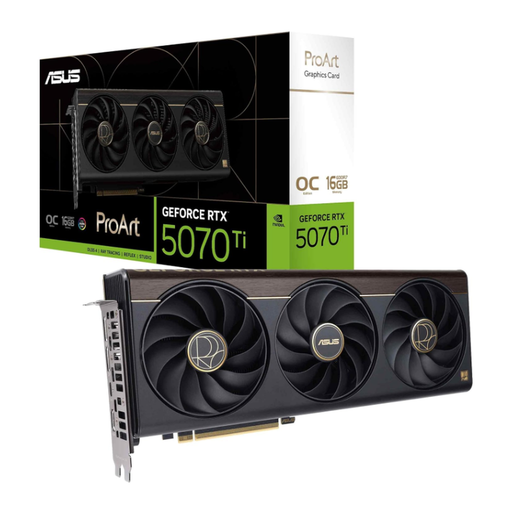
Why It's a Match: Perfect for content creators who need a powerful and reliable GPU for AI, rendering, and gaming, but who value a balanced, thermally stable system, even in more compact cases.
The 2.5-slot design is a great compromise between strong cooling performance and good case compatibility. The ProArt series is designed for stable, sustained performance rather than aggressive, loud overclocking.
Optimised for Creatives: Offers high compute power for AI applications and a thoughtful cooling design for stability. Flexible Connectivity: An integrated USB-C port is a practical bonus for modern peripherals.
We've compiled a complete, real-time list of products that fully meet these strict selection criteria and safety standards.
1. How much VRAM does my graphics card really need in 2026?
For 1080p gaming, 8 GB of VRAM is generally sufficient. For a smooth experience at 1440p (WQHD), 12 GB is a good sweet spot. If you're looking for a graphics card for 4K gaming or demanding creative applications, 16 GB or more is recommended. However, always consider the memory type (GDDR7 is faster) and memory bandwidth as well.
2. Will a high-end graphics card like the RTX 5080 fit my case and power supply?
Before buying, you must check the manufacturer's specified dimensions for the card (length, height, and slot width) and compare them with the available space in your PC case. A high-end graphics card often requires at least an 850-watt PSU with the correct power connector (e.g., 1x 12V-2x6). The manufacturer's specifications on the product page are the most reliable source for this information.
3. Is a PCIe 5.0 graphics card worth the premium?
For a new build, a PCIe 5.0 graphics card is a future-proof investment. The interface offers double the bandwidth of PCIe 4.0. This can provide a noticeable advantage in loading times for future games and applications that use technologies like Microsoft's DirectStorage to load large amounts of data directly from the SSD.