
Lieferung heute & morgen

Qualitätsgarantie

Willkommens-Angebote freischalten: KOSTENLOSE Lieferung | Bis zu 80 % RABATT | Kostenlose 30-Tage-JoyPlus-Testphase
App herunterladen
The search for the right laptop can quickly become overwhelming. Marketing buzzwords, endless specification lists, and seemingly attractive laptop deals complicate the decision. Often, small, overlooked details lead to a purchase that later proves impractical or insufficient. This guide will help you identify the crucial factors and make an informed choice that meets your actual needs.
Before we dive into the technical details, it's important to be aware of three common marketing traps that often lead to buyer's remorse.
To buy a future-proof laptop, you should focus on a few, but decisive, technical features.
The combination of CPU and GPU determines the overall performance of your device.
These two components are crucial for the system's responsiveness.
The display is the interface you interact with constantly.
Here are some configurations tailored to specific user groups that take the aforementioned criteria into account.
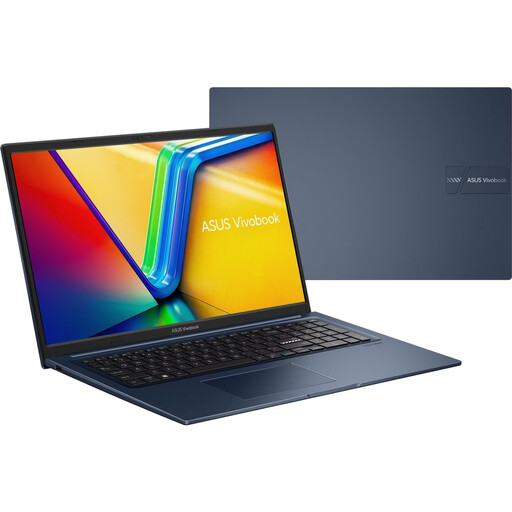
Why This Fits Their Persona: Ideal for university or home office use. The large 17.3-inch screen makes working with multiple windows easier, while 16 GB of RAM and the 512 GB SSD ensure smooth performance for research, office applications, and streaming.
The large Full HD display has an anti-glare surface, which improves readability in bright lecture halls or by a window, avoiding the "glossy display" mistake.
Equipped with 16 GB of RAM and a fast SSD, making it a future-proof configuration in this price range. The numeric keypad is handy for data entry.
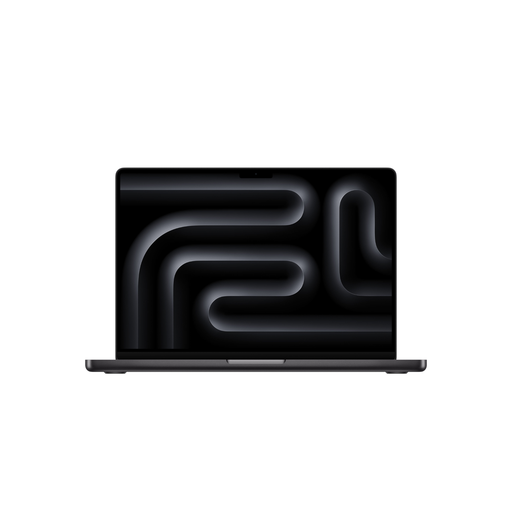
Why This Fits Their Persona: Engineered for the most demanding tasks like 3D rendering, video production, and software development. The M5 Max chip provides enormous computing power, while the Liquid Retina XDR display delivers outstanding colour accuracy and brightness for visual work.
The energy efficiency of Apple's chips ensures long battery life under real-world conditions, countering the misleading manufacturer claims of other brands. The high display brightness of up to 1000 nits (SDR) makes it usable even in bright environments.
Enormous performance from the M5 Max chip with an 18-core CPU and 40-core GPU. The display offers a peak brightness of 1600 nits for HDR content and excellent colour reproduction.

Why This Fits Their Persona: This notebook is built from the ground up for gaming performance. The combination of an AMD Ryzen 9 processor and an NVIDIA RTX 4070 graphics card handles the latest AAA titles with ease. The 144 Hz display ensures extremely smooth and responsive visuals.
The display is not only fast (144 Hz) but also matte. This prevents distracting reflections during fast-paced games. Furthermore, MSI uses a powerful processor that also excels in single-thread applications, common in many games, and doesn't just advertise its core count.
Strong gaming performance thanks to the RTX 4070 and Ryzen 9. The fast 144 Hz display provides a clear advantage in competitive games. A MUX switch for optimising graphics performance is included.
We've compiled a complete, real-time updated list of products that fully meet these strict selection criteria and safety standards.
For most users, including students and office workers, 16 GB of RAM is the ideal standard. This allows you to run multiple applications and browser tabs simultaneously without issue. If you regularly edit 4K videos, work with large databases, or create complex 3D models, 32 GB or more is a worthwhile investment for future-proofing.
Don't rely solely on the manufacturer's claim in hours. A better technical indicator is the battery's capacity, measured in watt-hours (Wh). A laptop with a 70 Wh battery will generally last longer under identical conditions than a model with a 50 Wh battery. Additionally, look for independent reviews that measure battery life under real-world working conditions.
Absolutely. A 17-inch laptop is an excellent choice for users who primarily use their device in a fixed location, like a home office, and value a large display area. It can replace an external monitor and makes working with complex spreadsheets, multiple documents, or creative software easier. However, for daily transport to university or on business trips, a smaller and lighter model is usually the more practical solution.