
Lieferung heute & morgen

Qualitätsgarantie

Willkommens-Angebote freischalten: KOSTENLOSE Lieferung | Bis zu 80 % RABATT | Kostenlose 30-Tage-JoyPlus-Testphase
App herunterladen
Buying a new laptop in 2026 can feel complex. Terms like "Copilot+ PC," "NPU performance in TOPS," and a flood of processor variants make the decision difficult. Many users invest in overhyped features they never use or overlook critical weaknesses that hinder daily use. As your Joybuy Product Recommendation Officer, I'm here to help you identify these marketing traps and make an informed decision.
Before you buy a new notebook, you should be aware of the three most common pitfalls:
To avoid falling into these traps, you should focus on a few crucial technical parameters. These determine whether a laptop is truly suitable for your needs—be it for university, as a business laptop, or as a gaming laptop.
The processor (CPU) remains the heart of the machine. Current models like the Intel Core Ultra or AMD Ryzen AI integrate an NPU alongside traditional processing cores. This unit is specialized for AI tasks, and its performance is measured in TOPS (Trillion Operations Per Second).
The graphics unit determines visual performance. There is a clear distinction here:
The quality of the display has a direct impact on the user experience and battery life.
Instead of presenting an overwhelming list, we have selected models that cater to specific user profiles and purposefully avoid the pitfalls mentioned.
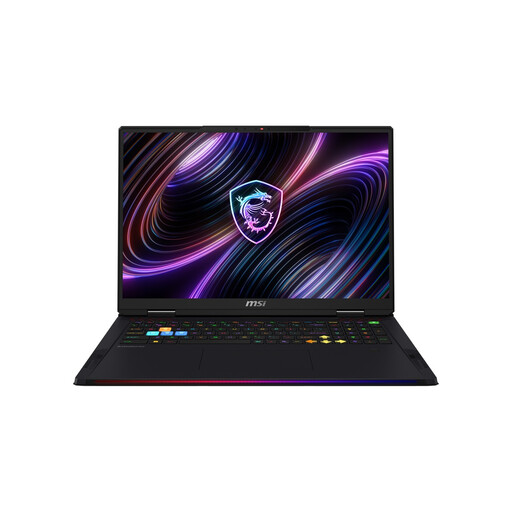
Why This Fits Their Persona: Delivers uncompromising performance for the most demanding games and professional applications. The Intel Core Ultra 9 and NVIDIA GeForce RTX 5090 handle 4K gaming and complex renderings with ease.
The high GPU and NPU performance provides real value for AI-powered software and games. The 18-inch Mini-LED display with UHD+ resolution and VESA DisplayHDR 1000 is a massive upgrade over standard screens, sidestepping the "good enough" display trap.
Combined CPU/GPU power of up to 260W under full load (MSI OverBoost). Future-proof connectivity with 2x Thunderbolt 5 and Wi-Fi 7.
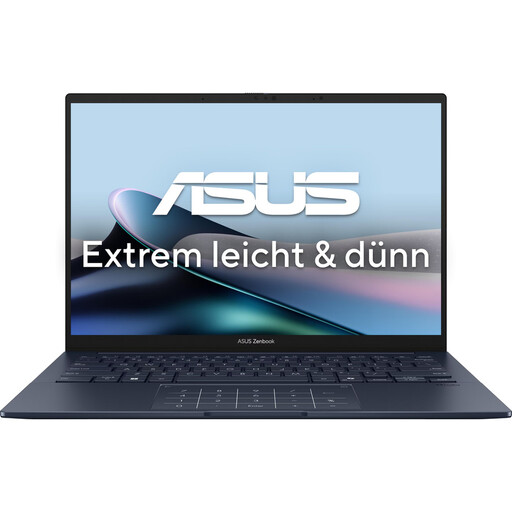
Why This Fits Their Persona: This Ultrabook is extremely light and compact at just 1.22 kg. The brilliant OLED display makes it the ideal companion as a university laptop, for the library, or on train commutes.
Despite its slim design, it retains essential ports like 2x Thunderbolt 4, USB-A, and HDMI. This avoids the "adapter trap" and ensures hassle-free connectivity in daily life.
Outstanding image quality thanks to the OLED Laptop touch display. High-quality and robust aluminum chassis while maintaining a very low weight.
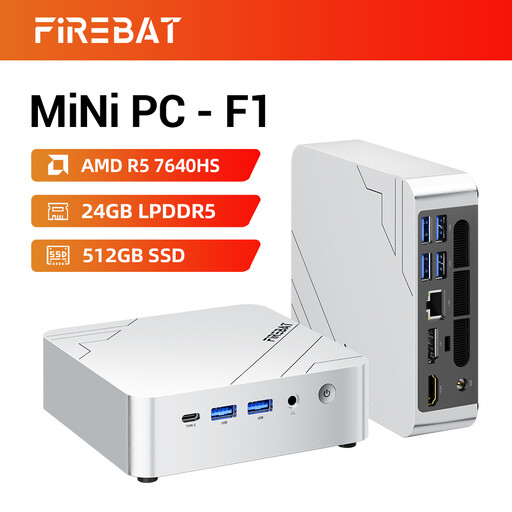
Why This Fits Their Persona: A Mini PC is the ideal, space-saving alternative to a laptop for a fixed workstation. It offers more than enough performance for all office applications, web browsing, and media streaming.
It bypasses the cost of components you don't need at a stationary workstation (battery, integrated display, keyboard). This provides an excellent price-to-performance ratio for pure computing power.
Extremely compact form factor that takes up hardly any desk space. Supports connecting up to three 4K monitors simultaneously.
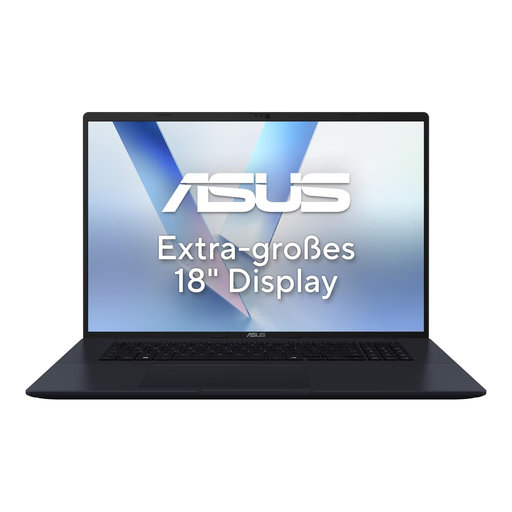
Why This Fits Their Persona: Designed as a certified Copilot+ PC, this device, with its AMD Ryzen AI NPU, provides the necessary hardware for the latest on-device AI features from Windows.
This device delivers on the promise of an "AI PC." The high NPU performance of 50 TOPS enables noticeably accelerated, local AI applications and is not just a marketing buzzword, but a prerequisite for future software developments.
High NPU performance for future-proof AI applications. Large 18-inch display with a smooth 144 Hz refresh rate and good repairability (Index 8/10).
We have compiled a complete, real-time list of products that fully satisfy these strict selection criteria and UK safety regulations.
"Copilot+ PC" is a new standard from Microsoft for computers equipped with a powerful NPU (at least 40 TOPS). These devices can run advanced AI functions, such as Microsoft's "Recall" or complex image editing algorithms, directly on the device, which is faster and more privacy-friendly. This standard is relevant if you want to use the latest Windows features, work in creative applications, or benefit from potentially better battery life during AI tasks. For basic tasks like browsing and Office, it is not yet strictly necessary.
An OLED laptop offers superior contrast, true blacks, and more vibrant colors, making it ideal for media consumption and professional image editing. IPS displays are a proven all-around solution with good color accuracy and wide viewing angles, often available in a broader price range. The decision depends on your budget and priorities: if image quality is paramount, OLED is the superior technology. For gamers, the refresh rate (Hz) may be more important than the panel technology alone.
A Mini PC is an excellent alternative if you already own a monitor, keyboard, and mouse and have a fixed workstation. For a home office, it often provides better performance for the same price, as you are not paying for integrated components like a battery and display. It is more space-saving and often quieter than a traditional desktop PC. However, if you require mobility, buying a notebook remains the only practical option.