
Lieferung heute & morgen

Qualitätsgarantie

Willkommens-Angebote freischalten: KOSTENLOSE Lieferung | Bis zu 80 % RABATT | Kostenlose 30-Tage-JoyPlus-Testphase
App herunterladen
If you’re looking to buy a laptop, you’ll find a huge selection of devices for study, work, gaming and creative applications. Product names alone, however, only tell you so much. What really matters is the actual specification, the range of ports, upgradeability and the weight.
Mistakes often happen because of three common pitfalls:
For office tasks, research, video calls and study, a modern mid-range processor with 16 GB RAM is often sufficient. A laptop with an Intel Core Ultra can, depending on the model, offer additional NPU features for compatible AI applications. A laptop with an AMD Ryzen is also a solid choice for multitasking and productive work.
For modern games, video editing or 3D software, a dedicated GPU is essential. A laptop with an RTX graphics card has its own video memory and takes the strain off the main processor for graphics-heavy tasks. Don’t just look at the name – RTX 4060, RTX 5050 or RTX 5070 – but also pay attention to the GPU’s power consumption and the cooling system.
A quick guide:
An SSD starts Windows and programs much faster than a traditional hard drive. A laptop with a 1 TB SSD offers plenty of room for applications, documents, photos and several large games. With 512 GB, it’s worth checking how much storage is actually available after setup.
It’s also important to consider whether the RAM or SSD can be upgraded later. If the memory is soldered on, you won’t be able to increase the capacity afterwards. Devices with SO-DIMM slots offer more flexibility here. The Lenovo ThinkPad E16 Gen 3, for example, comes with 32 GB of DDR5 SO-DIMM and a 1 TB SSD; according to the product data, the RAM can be expanded up to 64 GB.
A portable laptop shouldn’t just be lightweight. You should also check the dimensions, battery capacity, power adapter weight and ports. A 14-inch device is easier to carry around, while 16- or 17-inch models give you more screen space.
For long documents and spreadsheets, WUXGA resolutions of 1,920 × 1,200 pixels in the 16:10 format are very practical. Gamers should also look for a high refresh rate. OLED and Mini-LED displays can differ in contrast and colour reproduction, so it’s best to judge them based on brightness, surface finish and your specific use case.
With a Windows 11 laptop, you should also check for a UK QWERTY keyboard, USB-C features, HDMI, Wi-Fi standard and, if needed, RJ45 Ethernet. For business use, Windows 11 Pro, TPM 2.0, BitLocker support and biometric login may be relevant.
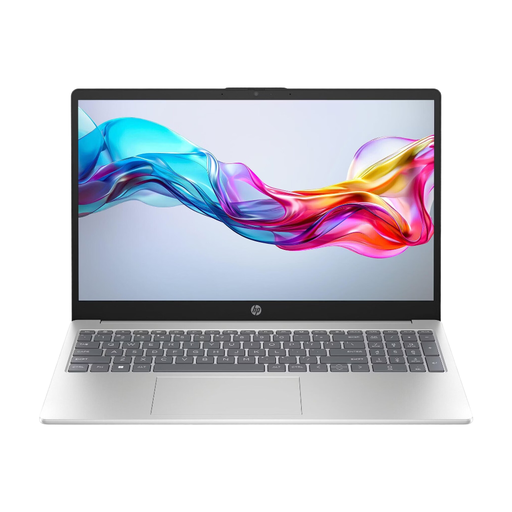
Why this product fits the profile: For school, basic office work, streaming and mobile use, it offers an Intel Core 5 120U, 8 GB RAM, 512 GB NVMe SSD and a weight of 1.6 kg.
The specification clearly states the RAM and SSD. However, buyers should note that 8 GB RAM is limited for demanding creative software and modern games.
1.6 kg weight, Full HD IPS display, 512 GB SSD and Wi-Fi 6E.
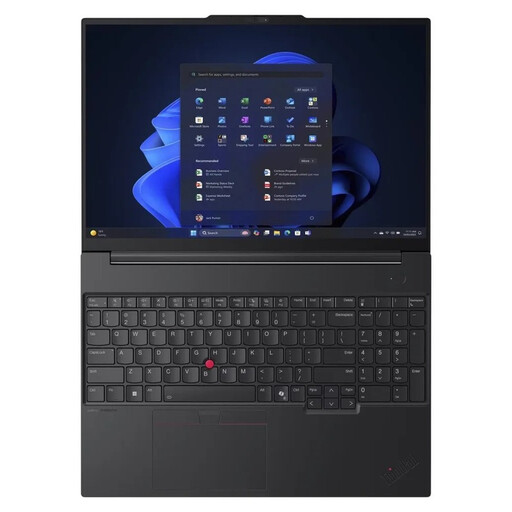
Why this product fits the profile: As a business laptop for professionals, it combines 32 GB RAM, 1 TB SSD, Windows 11 Pro, a 16-inch WUXGA display and a weight of 1.71 kg.
TPM 2.0, fingerprint reader, camera shutter and Windows 11 Pro address security and privacy requirements in the workplace.
Upgradeable DDR5 memory, RJ45, USB4-C, WUXGA display and UK keyboard.
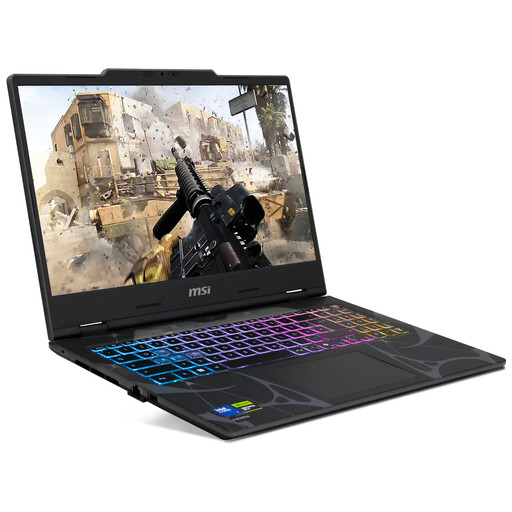
Why this product fits the profile: A gaming laptop for users who want to combine gaming, streaming and productive applications. The specification includes an RTX 5050 with 8 GB GDDR7, 16 GB DDR5 and a 144 Hz display.
The dedicated GPU, 150 W adapter and cooling requirements make it clear that high performance usually needs mains power and clear ventilation openings.
Full HD display with 144 Hz, RTX 5050, Wi-Fi 6E, HDMI 2.1 and RJ45.
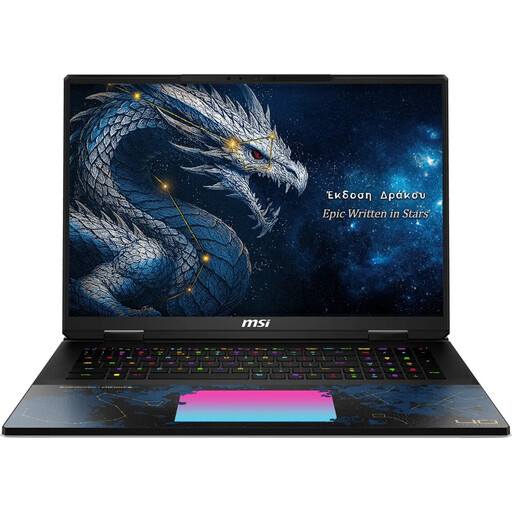
Why this product fits the profile: For demanding gaming and compute-intensive creative work, this 18-inch model offers 96 GB DDR5, 4 TB SSD, an RTX graphics solution with 24 GB GDDR7 and a 240 Hz Mini-LED display.
The high specification is clearly broken down by RAM, SSD, display and video memory. At 3.6 kg and with a 400 W power adapter, however, this device is better suited for stationary use.
4K UHD resolution, 240 Hz, 96 GB RAM, 4 TB SSD and Wi-Fi 7.
We’ve put together a full, regularly updated list of products that fully meet these strict selection criteria and the safety regulations in force in the EU.
For office tasks, research, video calls and lots of browser tabs, 16 GB RAM is a practical starting point. If you regularly edit photos or videos, use virtual machines or have many applications open at once, you should consider a 32 GB RAM laptop.
The lifespan depends on the build quality, maintenance, software requirements and battery condition. For longer use, sufficient RAM, a replaceable or upgradeable SSD and regular driver and security updates are important. Ventilation openings should be kept clear, especially on powerful gaming models.
Gaming laptops consume significantly more energy than office devices when running graphics-intensive tasks. The power draw depends on the processor, graphics card, display and performance profile. For longer gaming sessions, you’ll usually need the mains adapter. If you mainly work on the go, you should consider weight, battery capacity and integrated graphics alongside performance.