
Lieferung heute & morgen

Qualitätsgarantie

Willkommens-Angebote freischalten: KOSTENLOSE Lieferung | Bis zu 80 % RABATT | Kostenlose 30-Tage-JoyPlus-Testphase
App herunterladen
The decision to buy a new laptop is more complex than ever in 2026. Manufacturers advertise impressive performance specs and innovative features. However, not every new feature is worth the premium, and some marketing promises turn out to be expensive traps. As your Joybuy Product Recommendation Officer, I'll help you separate the wheat from the chaff and make an informed decision based on objective criteria.
Before we dive into the crucial technical parameters, let's highlight three common pitfalls that often lead to disappointment:
To avoid these pitfalls, focus on the following three core areas. These determine the real-world usability and longevity of your new laptop.
A modern laptop's performance is no longer determined by CPU clock speed alone. The architecture is key. Chips like the Apple M5 chip or the Intel Core Ultra 9 combine different core types:
For creatives looking for a laptop for 4K video editing, as well as for everyday use, the display is a central component. Look for these metrics:
A laptop's ports determine how seamlessly it integrates into your workflow. The standards of 2026 are setting new benchmarks:
Based on the criteria above, we have made a selection of devices that are particularly well-suited for specific user groups in Germany.
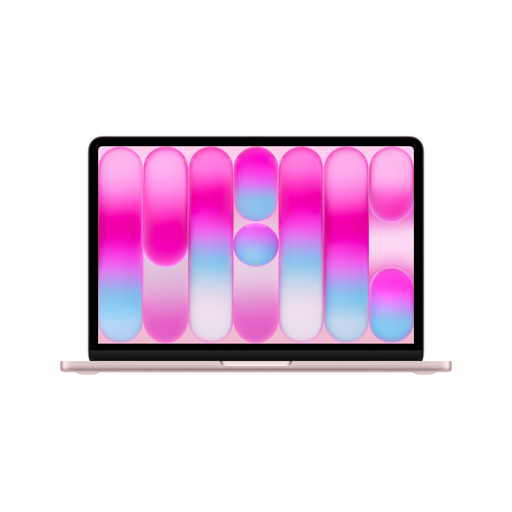
Why This Fits Their Persona: Ideal for university life. Its lightweight and compact design fits into any backpack. The battery life of up to 16 hours (according to Apple) covers a full day of lectures and study sessions without constantly needing to find a power outlet. The A18 Pro chip provides enough power for office applications, research, and light creative tasks.
The fanless design is tuned to the performance of the A18 Pro chip, meaning thermal throttling is not an issue for everyday tasks. The battery life is more realistic thanks to the efficiency cores and the absence of a power-hungry dedicated GPU.
Highly portable (1.23 kg), fanless and therefore silent operation, solid Liquid Retina display with 500 nits of brightness.
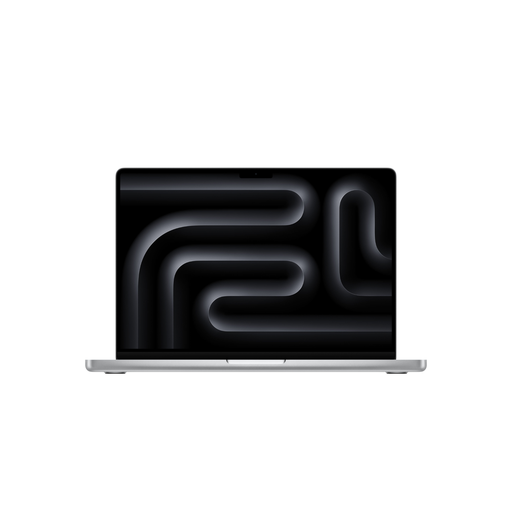
Why This Fits Their Persona: A tool for video producers, designers, and developers. The 16.2-inch Liquid Retina XDR display with Mini-LED technology and 1,600 nits of peak brightness is a benchmark for color correction and HDR editing. The M5 Pro chip with 18 CPU and 20 GPU cores effortlessly handles 4K timelines and complex 3D renderings.
The MacBook Pro's advanced cooling system ensures that the high performance of the M5 Pro chip is maintained even during hours of rendering, without thermal throttling. The AI performance is deeply integrated into professional apps like Final Cut Pro through Apple Intelligence, providing real value.
Reference-class display (Liquid Retina XDR), high and sustained performance, extensive connectivity including 3x Thunderbolt 5, HDMI, and an SDXC card reader.
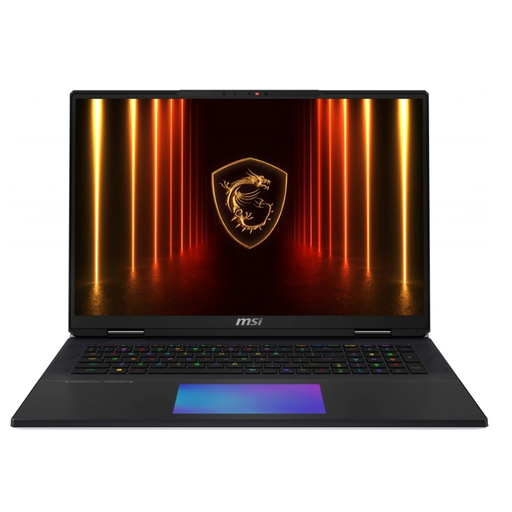
Why This Fits Their Persona: This is a desktop replacement for users who make no compromises on performance. The Intel Core Ultra 9 285HX processor and NVIDIA GeForce RTX 5090 graphics card deliver power for the most demanding 4K gaming and complex scientific simulations. The 18-inch UHD+ 120Hz Mini-LED display is ideal for both fast-paced games and detailed work.
The MSI Titan 18 HX uses a sophisticated vapor chamber cooling system specifically designed to effectively dissipate heat from the high-end components. This prevents thermal throttling and ensures that maximum performance remains available even under sustained load—a critical point for any gamer and power user.
Maximum mobile computing and graphics performance, mechanical Cherry MX keyboard for precise input, future-proof connectivity with 2x Thunderbolt 5 and Wi-Fi 7.
We have compiled a complete, real-time updated list of products that fully meet these strict selection criteria and German safety regulations.
Besides the obvious layout (positions of Z and Y, umlauts like ?, ?, ?, and the ?), you should pay attention to the quality of the keyboard itself. Key features include key travel (the distance a key moves when pressed), the actuation point (the tactile feedback), and backlighting. For those who type a lot, a mechanical keyboard like the one in the MSI Titan can enhance comfort, while Apple's Magic Keyboards are known for their precise and quiet typing feel.
The relevance of an NPU depends heavily on your use case. For users who frequently use AI-powered features directly on the device—such as live captions, video conference optimization (background blur, eye contact correction), or using Apple Intelligence in macOS—an NPU can significantly extend battery life and improve system responsiveness by offloading these tasks from the CPU or GPU. For users whose main applications (e.g., older software or certain games) do not leverage the NPU, its benefit is minimal.
Yes, in most cases, it is actually advantageous. Apple's Unified Memory Architecture means that the CPU and GPU access the same pool of memory. This eliminates the need to copy data between separate CPU and GPU memory, which reduces latency and increases efficiency in tasks like video editing or 3D modeling. Therefore, an Apple laptop with 24 GB of Unified Memory can achieve similar or even better performance than a traditional system with 32 GB of separate RAM and VRAM, depending on the specific application.