Lieferung heute & morgen

Qualitätsgarantie

Willkommens-Angebote freischalten: KOSTENLOSE Lieferung | Bis zu 80 % RABATT | Kostenlose 30-Tage-JoyPlus-Testphase
App herunterladen
The lines between living and working spaces are increasingly blurring. A desk is no longer just a functional space, but a curated part of the interior. In this new order, the question arises of how technology fits into a thoughtfully designed home. The personal computer, once a purely utilitarian tool, is becoming a piece of furniture whose form, materiality, and presence in the room must be carefully considered. Thus, the decision for a new PC is not only technical but also aesthetic. It's about finding an object that supports your personal workflow while preserving, or even enhancing, the visual tranquility of the space.
Selecting a computer begins with reflecting on your own aspirations for the space. Should the technology operate discreetly in the background or serve as a deliberate statement piece? For a clean, minimalist environment, compact systems are ideal. A Mini PC or a slim Office PC can be placed unobtrusively behind a monitor or take up only a small footprint on the desk. These devices are often designed for professional applications and run on stable software like a Windows 11 Pro PC, making them reliable tools for focused work. Their minimalist design language, often in matte, neutral tones, blends seamlessly into a calm environment without creating visual distraction.
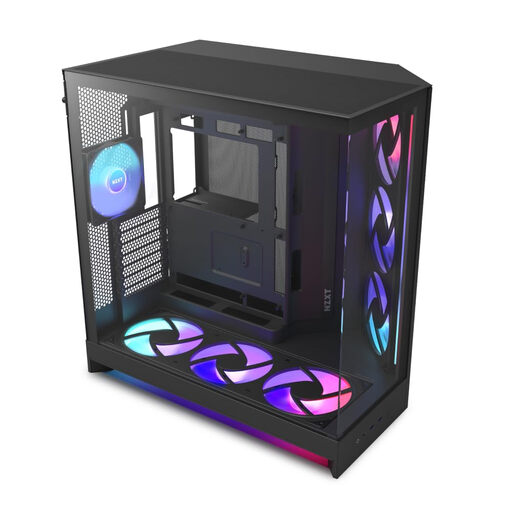
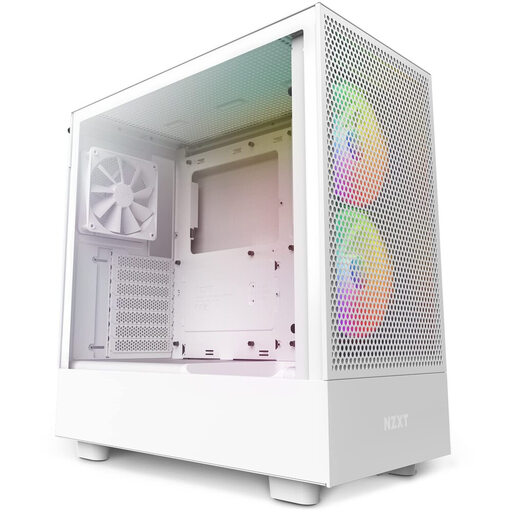
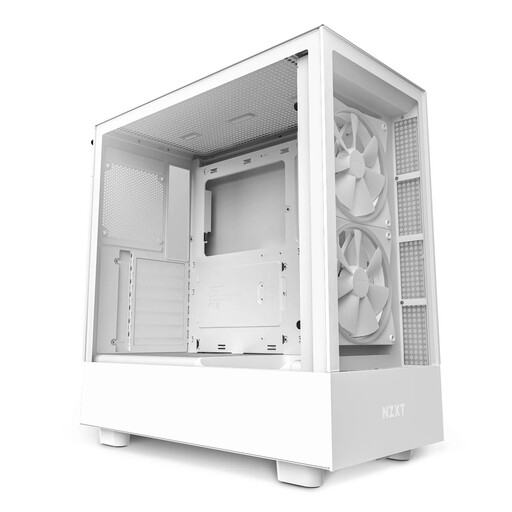
In contrast, the Desktop PC stands as an architectural element. Especially in the realm of the High-End PC and Gaming PC, a design culture has emerged that celebrates the machine's inner workings. The PC Case becomes a display case. Materials like tempered glass, brushed aluminium, and powder-coated steel define its external appearance. Here, the design is not merely an end in itself. Perforated panels and a thoughtful fan layout are essential for thermal stability and, consequently, the longevity of the components. Choosing a specific case, such as an NZXT Case, is a decision for a particular design philosophy—be it the open presentation of hardware or a monolithic, enclosed form.
For users who prefer a harmonious blend of performance and design without the hassle of selecting individual components, a Pre-built PC is a considered choice. A system like the Captiva Highend Gaming R90-463 combines powerful components in a case where the cooling concept and aesthetics are already perfectly matched. Such configurations provide a reliable foundation for demanding tasks, from video editing to compute-intensive simulations, and present themselves as a cohesive, carefully composed object.
In professional or space-constrained environments where efficiency and a small footprint are paramount, compact systems prove their strength. A Mini PC like the Dell Pro Micro QCM1250 or the slim ASUS ExpertCenter D5 SFF integrates almost invisibly into the workspace. Despite their small size, these devices offer considerable computing power for all everyday office applications and help keep the desk free of technical clutter. Their strength lies in their minimalism and their ability to provide functionality without visually dominating the space.
Those who see their Desktop PC as an expression of their personality will find the greatest creative freedom in building it themselves. Here, the case serves as a canvas. Models like the Corsair 3500X ARGB with its panoramic glass panels or the airflow-optimised MSI MPG GUNGNIR 300R Airflow allow you to showcase carefully selected components. The arrangement of cables, the choice of cooling, and the lighting all become part of the creative process. The result is more than just a tool; it is a personal, functional work of art.
For those who wish to explore a broader selection of objects designed according to these material and aesthetic standards, the complete Desktop Computer Towers directory offers further inspiration.