
Lieferung heute & morgen

Qualitätsgarantie

Willkommens-Angebote freischalten: KOSTENLOSE Lieferung | Bis zu 80 % RABATT | Kostenlose 30-Tage-JoyPlus-Testphase
App herunterladen
When your printer's warning light starts flashing, it often kicks off a confusing search. Anyone looking to order printer cartridges online faces a vast selection and numerous questions. However, making the right choice is simpler than it seems once you know the common pitfalls. Many users spend far more than necessary by falling for common marketing myths or overlooking crucial details. This guide will help you find the perfect cartridge for your needs while protecting your budget.
As your Joybuy Product Recommendation Officer, I've filtered the essential information to give you clear, objective guidance.
Before you add new ink or toner cartridges to your cart, you should be aware of these three common issues that can lead to frustration and unnecessary expenses.
To avoid these mistakes, focus on three core aspects. These will help you systematically make the right choice.
The first and most critical step is to identify the correct cartridge model number. You can find this in several places:
Pay close attention to the full number, including any letters like "XL" for high capacity (e.g., Canon PG-540XL) or colour identifiers. Furthermore, clearly distinguish between ink cartridges for inkjet printers and toner cartridges for laser printers.
The market is generally divided into two main categories of consumables:
Page yield indicates how many pages a cartridge can print under standardised conditions (usually according to ISO/IEC standards at 5% page coverage). Here, the distinction between standard and XL sizes is crucial:
To make the selection easier, we have curated products for three typical user groups.
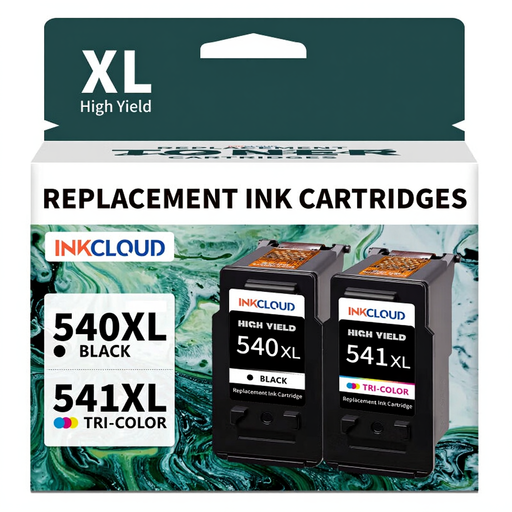
Why This Fits Their Persona: Ideal for families and students who occasionally print documents, homework, or recipes. This set is designed for popular and affordable Canon PIXMA printers, covering everyday black and colour printing needs.
This set bypasses the cost-per-page trap by offering a compatible XL version. You get a higher page yield at a fraction of the price of original cartridges.
Complete package with black and colour cartridges in XL size. This reduces the frequency of replacements and significantly lowers printing costs for everyday use.
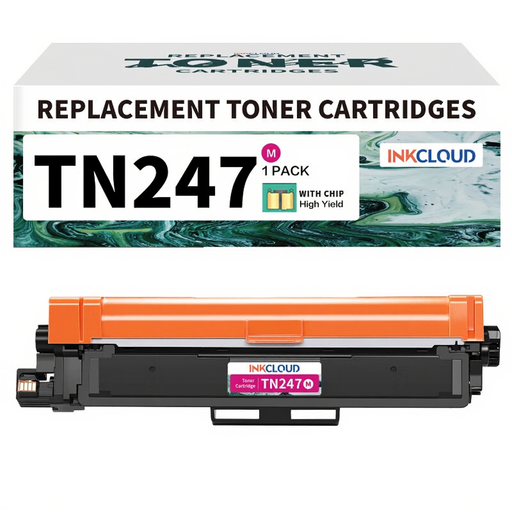
Why This Fits Their Persona: Perfect for small businesses and demanding home office users with a Brother colour laser printer. This group regularly prints documents, invoices, or reports and needs a reliable, cost-effective solution.
This high-yield compatible Brother toner (equivalent to TN247) sidesteps the high cost of original toner, making colour laser printing economical even for high-volume use.
Offers a high page yield for laser printers, which significantly reduces the cost per page for text-heavy documents. Ensures consistent print quality for daily office tasks.
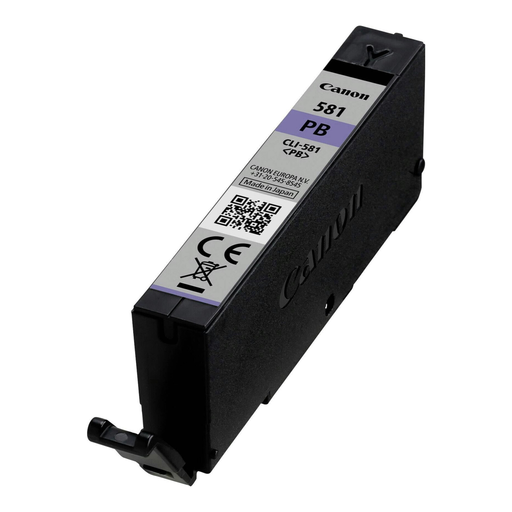
Why This Fits Their Persona: For photography enthusiasts and creatives who own a compatible Canon PIXMA photo printer. For them, accurate colour reproduction, detail fidelity, and print longevity are paramount.
This product avoids the trap of subpar quality from generic inks. For high-quality photos, a specialised ink like Photo Blue is often essential to leverage the printer's full colour gamut.
Original Canon printer cartridge featuring ChromaLife100+ technology. It ensures colour-accurate and long-lasting photo prints and expands the colour gamut for more realistic blue and skin tones.
We've compiled a complete, up-to-date list of products that fully meet these strict selection criteria.
No. Within the EU and many other regions, manufacturers cannot legally void a warranty simply because you used third-party consumables. A warranty claim could only be denied if the manufacturer can prove that the damage to the printer was directly caused by the compatible cartridge.
No, compatibility is model-specific. You must select a cartridge that is explicitly listed for your exact printer model. Pay attention to the precise cartridge number (e.g., HP 912XL for specific OfficeJet printers or Epson ink from the 603 series for certain Expression Home models). Reputable suppliers of compatible cartridges regularly update their chips to ensure compatibility even with new printer firmware.
Always store printer cartridges in their original, sealed packaging in a cool, dry place away from direct sunlight. Ink cartridges should generally be stored upright to prevent leaking. Toner cartridges are best stored horizontally to keep the powder evenly distributed. Proper storage prevents the ink from drying out or the toner from clumping.